ENGLISH
45 / 73
7.6 Audio and Video Streaming via UPnP-server
A built-in UPnP (Universal Plug and Play) client has been integrated on the
system, which enables the player to auto-detect UPnP Media Servers on the
network. You can browse and stream media files from them.
7.6.1 Installing UPnP Media Server on your PC
There’re a lot of free and commercial UPnP Media Server software, such as
Windows Media Connect, Windows Media Player 11, XBMC Media Center
(Linux/Mac/Windows), MediaTomb (Linux), etc. Please install your preferred
software on your computer. In the following chapters, we will take Windows
Media Player 11 on Microsoft Windows XP SP2 for an example.
7.6.2 Sharing Media on your PC
The Media Sharing feature of Windows Media Player 11 lets you enjoy the
contents of your Windows Media Player library from anywhere in your home.
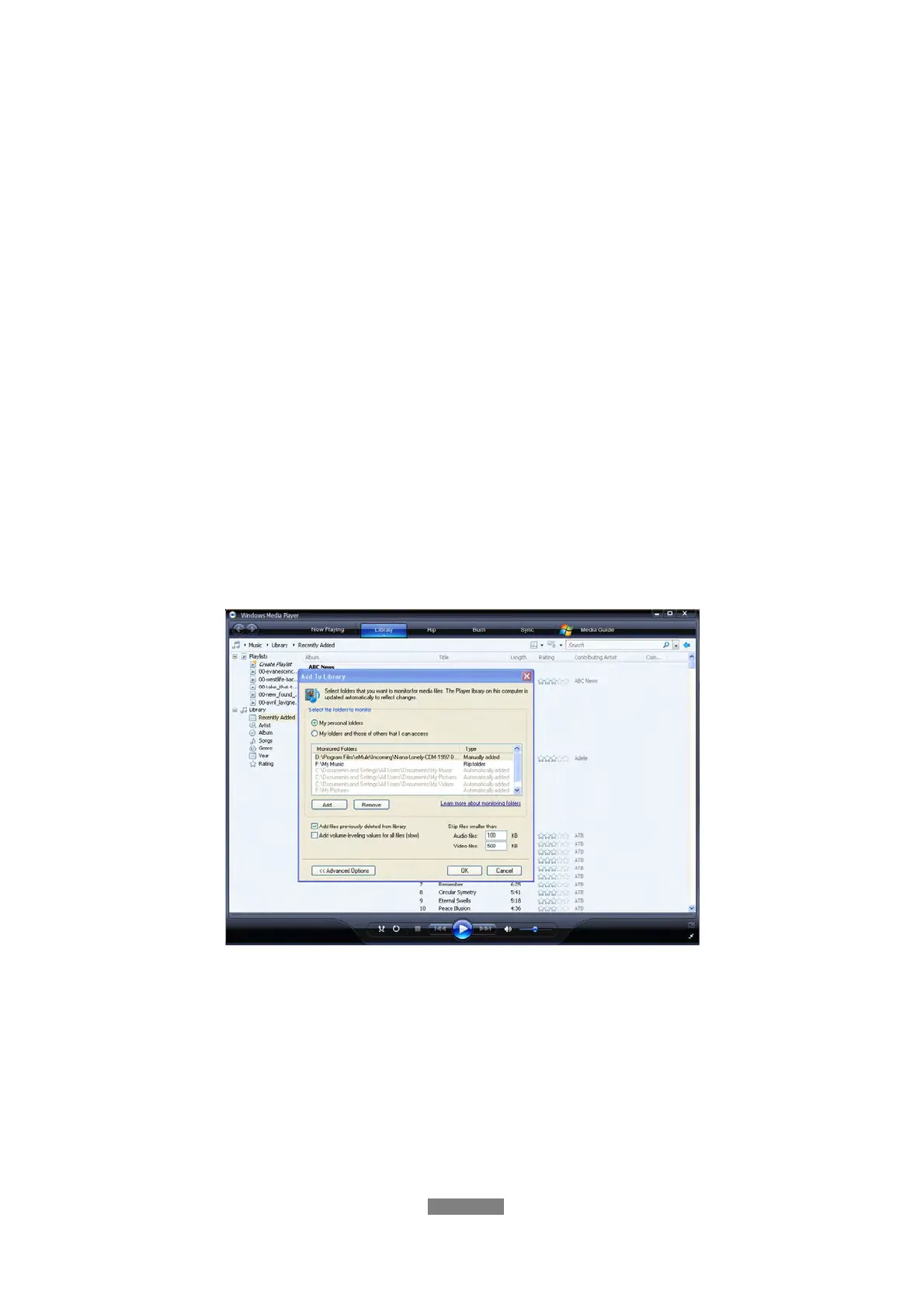
- Open Windows Media Player 11, click Library -> Add Library ->
Advanced Options to add or remove media files from the library.
- Click Library -> Media Sharing, then you can allow or deny devices to
access the media library. Click Allow to authorize your player.



 To Next Page