MAIN PARTS
22
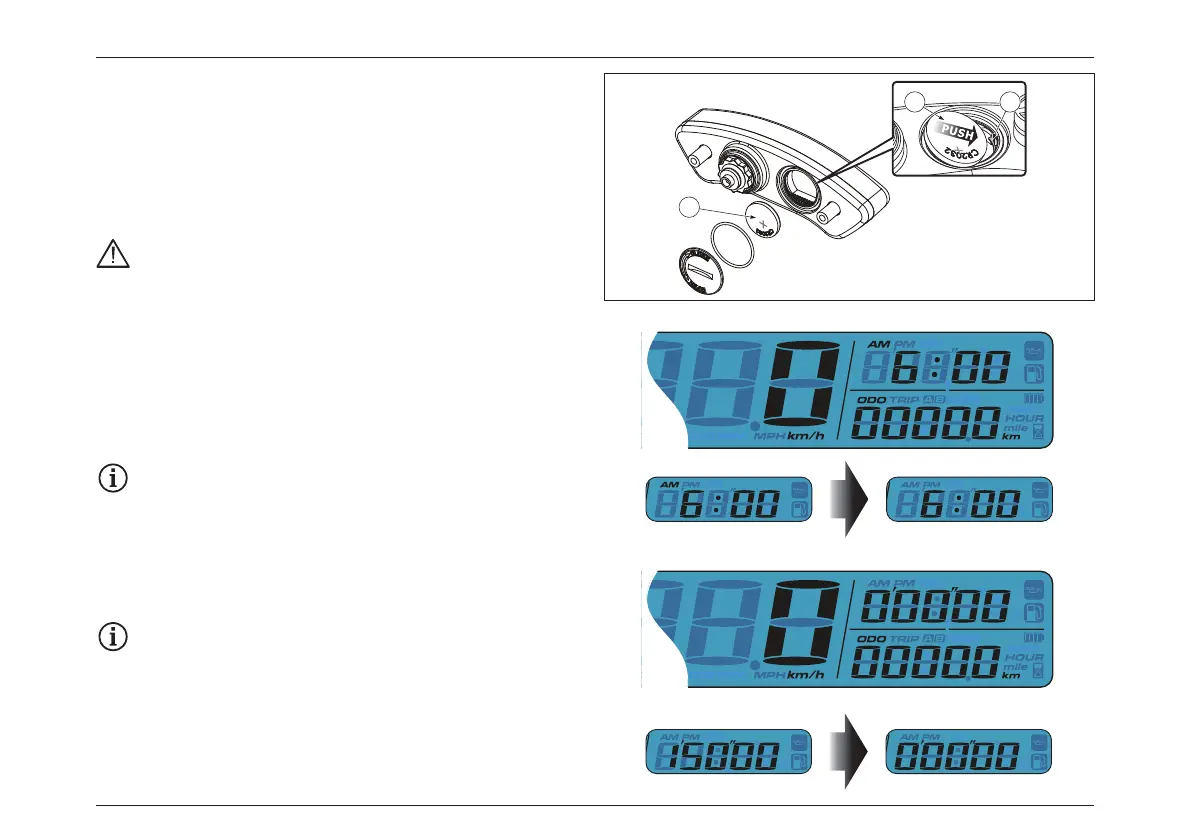
Battery replacement
Follow this procedure for installation:
– The meter includes an internal battery “1” (CR2032). This
battery shall be replaced only when power runs out.
– In order to install the battery “1” properly, push the battery
as show on figure to make sure the battery is placed
underneath the metal tab “2”.
Not following this procedure could result in
permanent damage to the meter.
Switch Function Instructions
Instructions for select button:
– Press the Select button while on main screen to switch
from Clock to Stopwatch.
– Press and hold the Select button for 3 seconds to alternate
12/24 hour modes.
If 24 hour mode is chosen, then the AM/PM symbol
will not be displayed.
– Press the Select button to switch from Stopwatch to
Average record.
When the option for manually resetting the
stopwatch is chosen, press Select button and hold
for 6 sec. to switch to Average record.
– Press and hold the Select button for 3 seconds to reset the
Stopwatch.
1
1 2







 To Next Page