IT
EN
DE
FR
MAIN PARTS
29
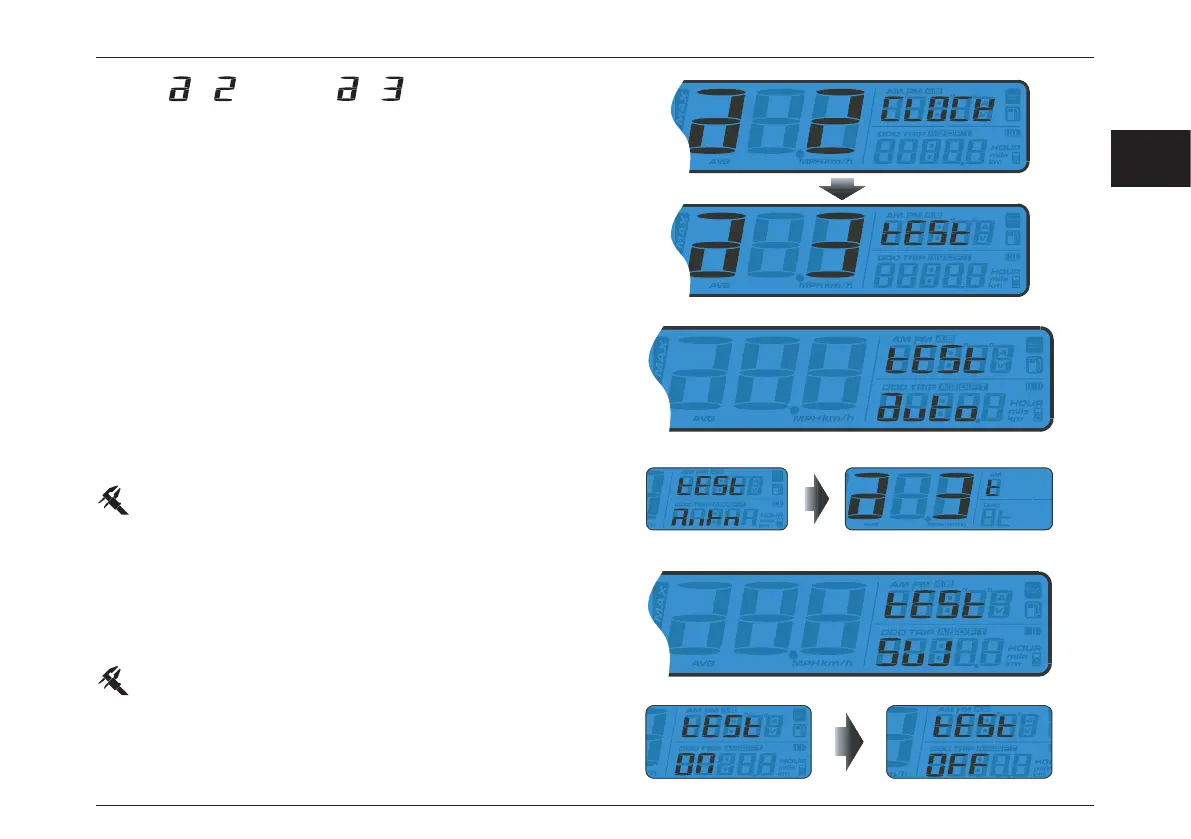
Stop watch Setup
– Press Adjust button to choose between Auto mode (Stop
watch starts/stops according to the wheel rotation) and
Manual mode (Stop watch starts/stops by pressing the
meter button of the optional thumb switch).
– If “Auto” option is chosen, press Adjust button to exit the
Stop watch setup.
Default value: AUTO.
– From
switch to screen.
– Press the Select button again to enter the Stop watch
Setup.
– If Manual mode “SW” (switch) option is chosen, press
Adjust button to enter the menu then Select button to
switch between “ON” (external button - optional) or “OFF”
(meter button).
Default value: OFF.
– Press the Adjust button to enter the ODO setting.







 To Next Page