MAIN PARTS
30
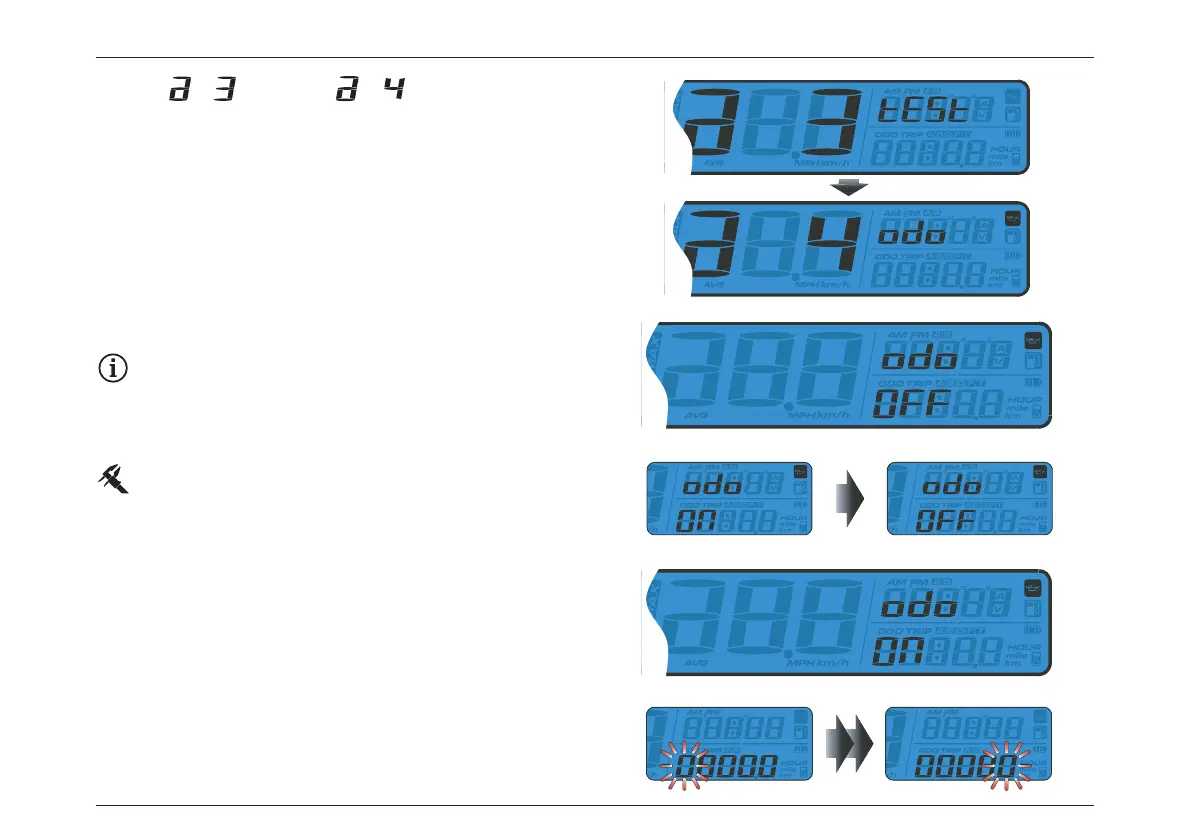
– From switch to screen.
– Press the Adjust button to enter the Maintenance Oil Light
Setting.
Maintenance Oil Light Setting
Example: select ON/OFF to enable/disable the
maintenance oil light function.
– If “OFF” is selected, the press the Adjust button once to
exit the maintenance mileage setting.
Default value: OFF.
– If “ON” is chosen, press Adjust button to enter the
maintenance oil light setting.
– Press the Adjust button to move the cursor to the digit to
be set.
– If “OFF” is chosen, then press the Adjust button to exit the
maintenace oil light setting.







 To Next Page