HID GLOBAL CONFIDENTIAL AND/OR PROPRIETARY INFORMATION. This document contains confidential and/or proprietary information,
which may not be duplicated, published, disseminated or disclosed, or used for any purpose, without the written consent of HID Global
Corporation. If you are an unintended recipient of this information or are unwilling to accept the above restrictions, please immediately return
this document to HID Global Corporation, 15370 Barranca Pkwy, Irvine, CA 92618-3106..
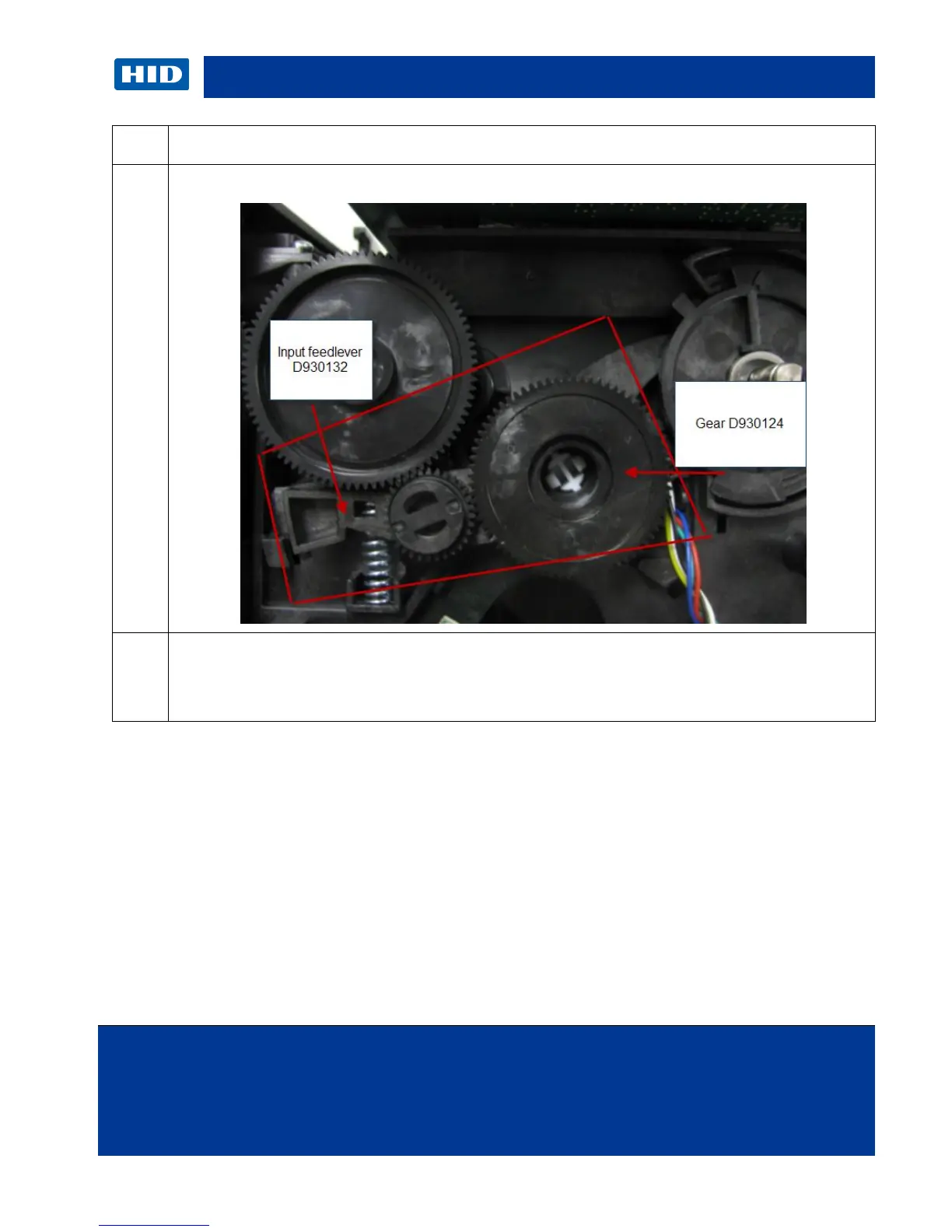
From the INSIDE of the printer: Pinch the tabs on the other side to help remove the sensor
from the frame.
PUSH the Ribbon Sensor back to release the tabs and remove the sensor.



 To Next Page