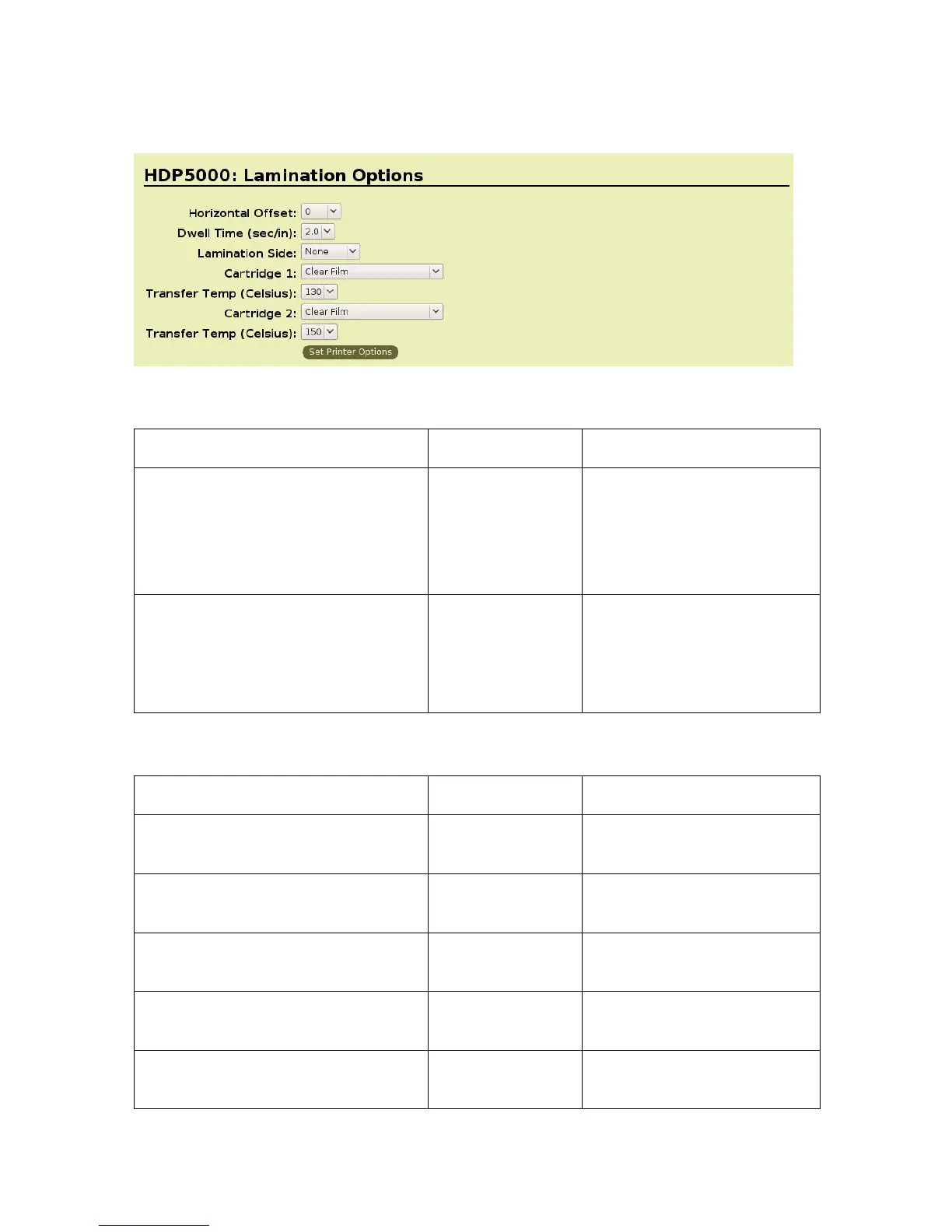
Lamination Options
Lamination Position and Speed:
Command Line Usage CUPS Options Description
LaminationPosition = <-100 to
+100>
Lamination
Position = < -100
to +100>
Horizontal Offset:
To move the overlaminate
more toward the card output
side of the Printer, enter a
positive number
LaminationSpeed = < 8 to 55> Lamination
Speed = <0.8 to
5.5> Is a value
from 8 to 55
divided by 10.
Dwell Time:
Controls the throughput
speed of the cards.
Lamination Side:
Command Line Usage CUPS Options Description
LaminationSide = 0 Lamination Side
= None
No Lamination will be done.
LaminationSide = 1 Lamination Side
= Front
Only front of card will be
laminated.
LaminationSide = 2 Lamination Side
= Back
Only back of card will be
laminated
LaminationSide = 3 Lamination Side
= Both
Both sides of card will be
laminated.
LaminationSide = 4 Lamination Side
= Opposite
Will flip the card again before
laminating.
HDP5000 Cups (Linux & MAC OS) User Guide Rev1.1
21



 To Next Page