Ethernet Installation Procedure for the CUPS
Driver
Step Procedure
1
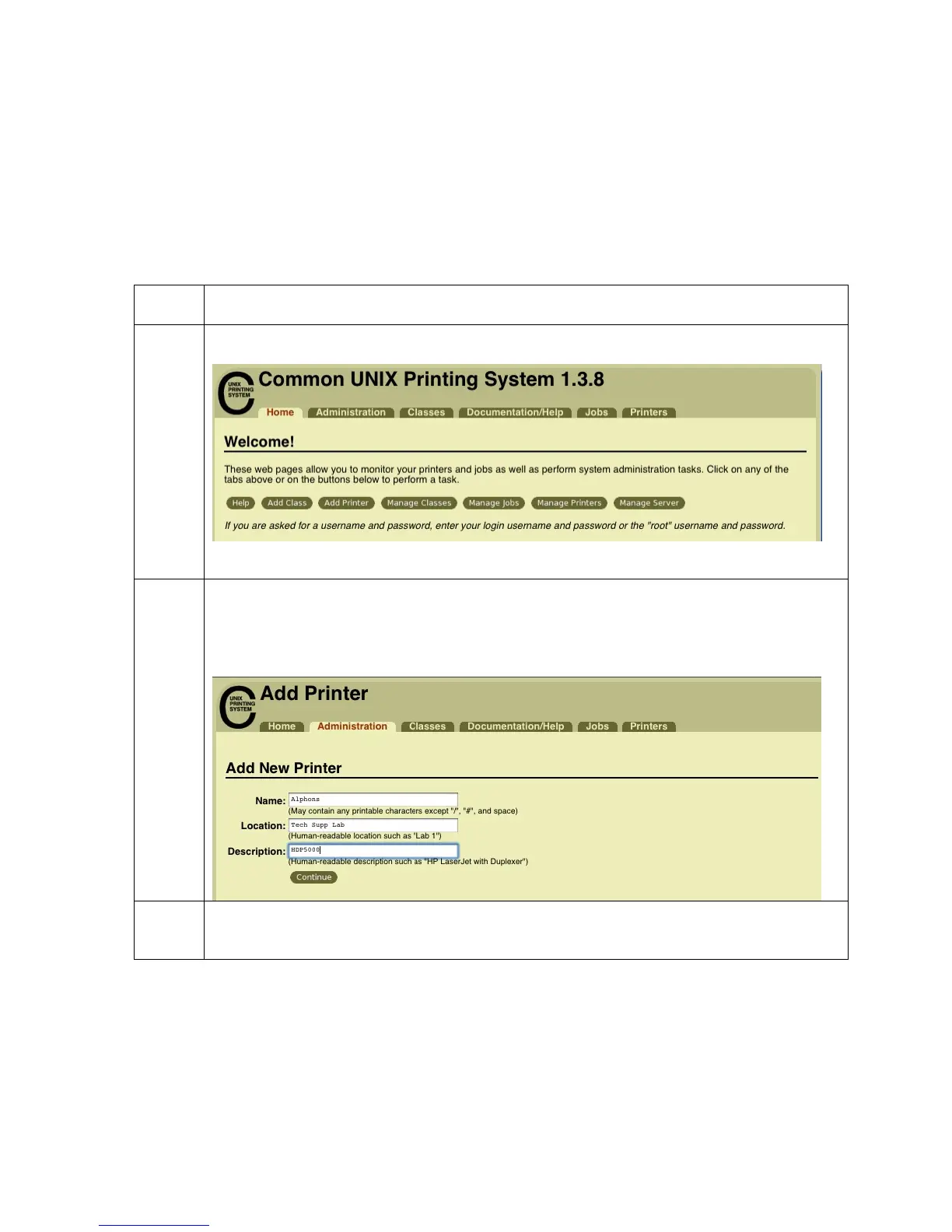
On the home page click the add printer button.
2
On the Add Printer page
Enter a name for the printer. The name cannot contain any spaces.
Enter a description of the printer’s location.
Enter a description of the printer.
3
On the Device for (printer name) page, select “Internet Printing Protocol (ipp)”
HDP5000 Cups (Linux & MAC OS) User Guide Rev1.1
36



 To Next Page