4
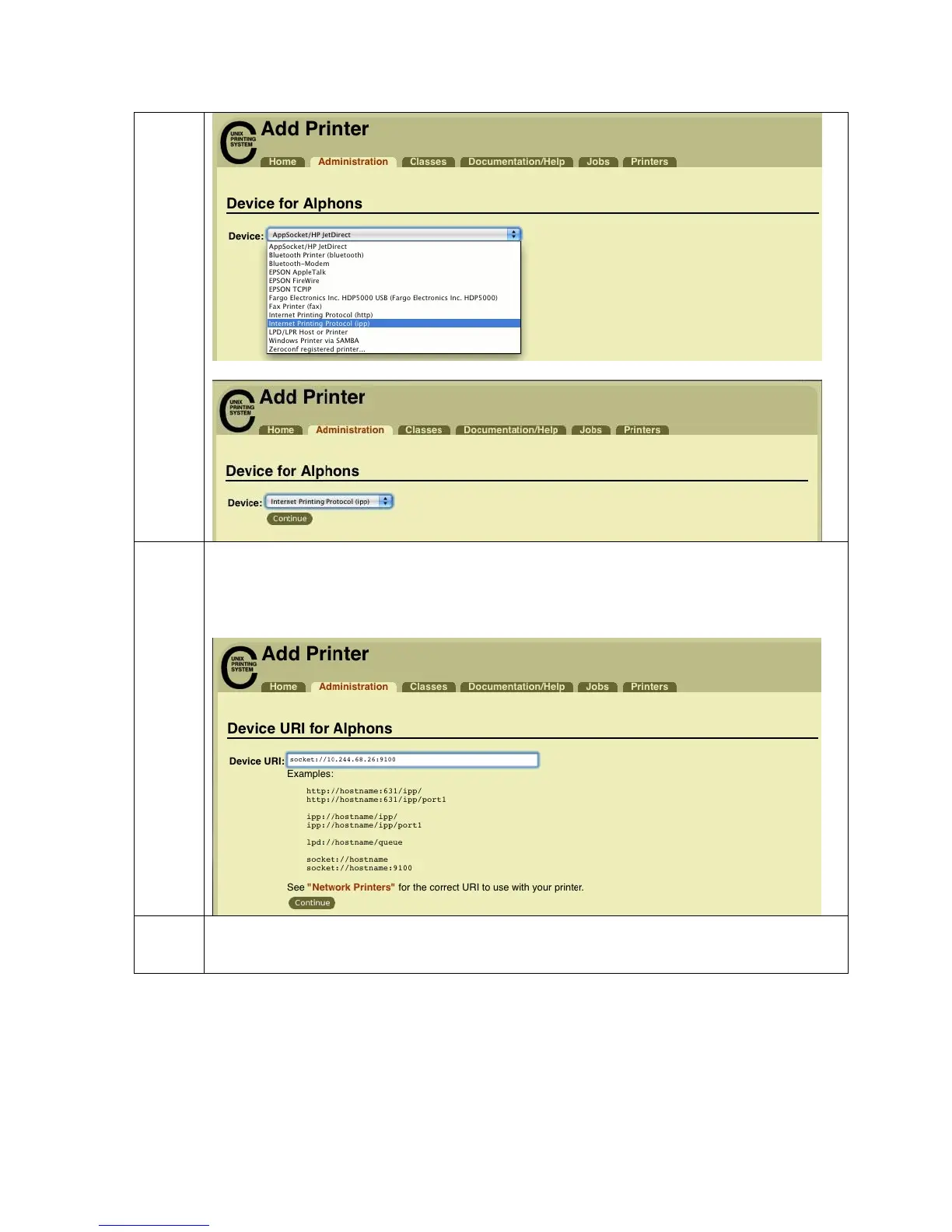
On the Device URI for (printer name) page enter the IP address of the printer in
the format of socket://aaa.bbb.ccc.ddd:9100 where aaa.bbb.ccc.ddd is the IP
address shown on the printer LCD display
5
On the Make/Manufacturer page, select Fargo Electronics from the Make: list
HDP5000 Cups (Linux & MAC OS) User Guide Rev1.1
37



 To Next Page