16.10
"JDP" FUNCTION (if fitted)
The JDP function has the object of to activate the blockage electrovalve of the
exit of the extension boom sections and of to increase the blockage pressure of the
hydraulic jib.
To activate the blockage electrovalve of the
exit of the extension boom sections it's
sufficient simply to press the icon.
To increase the blockage pressure of the
hydraulic jib the following conditions are
necessary:
- icon pressed
- XP activated
- crane in stable zone
-
extension boom sections re-entered
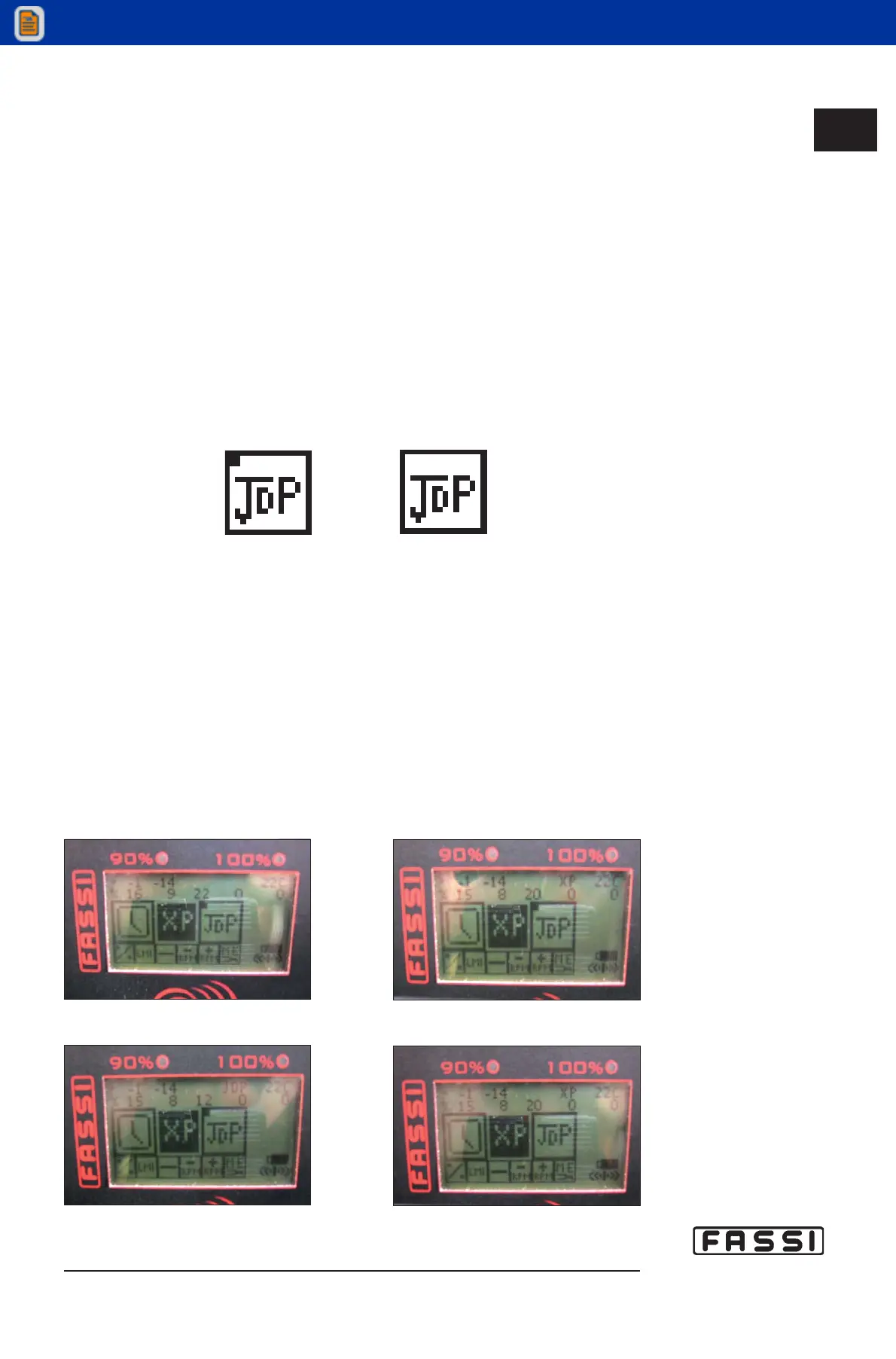
When the conditions are verified and the icon appears pressed (Fig.13), the JDP
function is actived automatically.
The definitive disconnection of JDP function happens pressing again the icon
(Fig.14).
The happened increase of the blockage pressure of the
jib is indicated by the JDP
inscription on display. The only case where the JDP inscription occurs without the
pressure increase happens in the unstable zone. In the unstable zone in fact it's
impossible to increase the pressure of the jib.
Possible cases visualized on display:
-
exit of the extension boom blocked and JDP not activated as XP not activated
(Fig.15)
-
exit of the extension boom blocked and JDP not activated as extension boom micro
open (Fig.16)
-
exit of the extension boom blocked and JDP activated (except for the unstable
zone) (Fig.17)
- JDP not activated (Fig.18)
16.10
JDP FUNCTION
GR4_5 - EVOLUTION
Fig.15 Fig.16
Fig.17 Fig.18
fig.13
fig.14



 To Next Page