
EasyManua.ls Logo

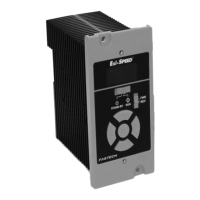
Fastech Ezi-SPEED ESD-30-C - User Manual

Fastech Ezi-SPEED ESD-30-C
93 pages
Print Icon
To Next Page IconTo Next Page
Loading...

Table of Contents

Questions and Answers

  • M
    Melody ClarkJul 25, 2025
    What to do if Fastech Control Systems motor doesn’t operate?
    • J
      Jasmine FergusonJul 25, 2025
      If your Fastech Control Systems motor isn’t operating, here are a few things to check: * Ensure the power supply is correctly connected. * Verify the operation switch is set to “RUN,” not “STAND-BY.” * If using external signals, confirm the “external operation signal input” parameter is correctly set after turning the input operation signal OFF. * Make sure that either the FWD or REV input is ON, and not both ON or both OFF. * Check for any active alarms. A protective function might be triggered. If an alarm is present, reset the alarm after addressing its cause.
  • G
    Gary LoweryJul 29, 2025
    Why is Fastech Control Systems motor vibration too big?
    • J
      Jerry BakerJul 29, 2025
      Excessive motor vibration in Fastech Control Systems can be due to electrical noise from an external device. To resolve this: * Check the operation with only the motor, drive, and essential external equipment. * If noise is confirmed, move the unit away from noise sources. * Review the wiring. * Consider changing signal cables to a shielded type. * Install ferrite cores.
  • O
    oacostaAug 3, 2025
    Why Fastech Control Systems motor rotates in opposite direction?
    • V
      Valerie CooperAug 3, 2025
      If your Fastech Control Systems motor rotates in the wrong direction, it could be due to: * Incorrect or faulty connections of the FWD and REV inputs. Check these connections. * The rotation direction switch being set incorrectly. Verify its setting.
  • M
    Michael GibsonAug 7, 2025
    What to do if Fastech Control Systems rotation speed is not displayed?
    • T
      Tabitha HillAug 7, 2025
      If the rotation speed isn't showing on your Fastech Control Systems, ensure that the “panel initial view” parameter is set to display the rotation speed.
  • N
    Nathan LeachAug 11, 2025
    How to increase Fastech Control Systems rotation speed?
    • L
      Lori BellAug 11, 2025
      If you can't increase the rotation speed on your Fastech Control Systems, the speed upper limit may be set too low. Raise the value of the speed upper limit parameter, noting that the maximum value is 4000rpm.
  • D
    Dominique SmithAug 16, 2025
    How to decrease Fastech Control Systems rotation speed?
    • K
      Kelly LawsonAug 16, 2025
      If you’re unable to decrease the rotation speed on your Fastech Control Systems, the speed lower limit might be set too high. Lower the value of the speed lower limit parameter; the minimum value is 50rpm.
  • S
    Susan GreerAug 20, 2025
    Why Fastech Control Systems motor operation is unstable?
    • K
      Karen BakerAug 20, 2025
      Unstable motor operation in Fastech Control Systems can occur if the motor (gearhead) output shaft is misaligned with the load shaft. Check the coupling condition between these shafts.

Summary

Safety Precautions

General Safety Guidelines

Essential safety advice for product handling, installation, and operation.

Operational and Maintenance Safety

Guidelines for safe operation, setting changes, and maintenance procedures.

Product Specifications and Characteristics

Part Numbering and Combinations

Explains product coding and standard unit configurations.

Drive Specifications and Dimensions

Technical details, general specs, and dimensions for the drive unit.

Motor Specifications, Dimensions, and Torque

Technical details, dimensions, and torque performance of motors.

Gearhead Specifications and Dimensions

Technical details, permissible torque, and dimensions of gearheads.

Installation and Wiring

Cautions on Installations

Important considerations before and during product installation.

External Wiring Diagram

Visual guide for connecting external components to the drive.

Parallel Shaft Gearhead Installation

Steps for mounting and handling parallel shaft gearheads.

Hollow Shaft Gearhead Installation

Procedures for installing hollow shaft gearheads, checking parts, and cautions.

Operation and Control

Exterior and Names

Identifies key components and connectors on the drive unit.

Rotation Direction Control

How to set and change motor rotation direction using switches/inputs.

Connecting Components

Instructions for connecting power, motor, and I/O signals.

Operating the Drive

Steps for running the motor, adjusting speed, and stopping.

Operating via I;O Signals

Using external signals for motor control and speed selection.

Advanced Functions and Troubleshooting

Convenient Functions Overview

Lists available functions like speed display, load factor, and alarms.

Setting and Display Modes

Navigating through monitor, data, parameter, and NVM saving modes.

Parameter List and Configuration

Detailed list of configurable parameters and their settings.

Troubleshooting Common Issues

Identifies alarms, warnings, troubleshooting steps, and regular inspection items.

Options and Reference

Optional Connection Cables

Details on available cables for extending motor and drive wiring.

CE Marking and Compliance

Information on CE marking, low voltage, and EMC directives.

EMC Directive Installation Methods

Guidance on installing and wiring to comply with EMC standards.

Fastech Ezi-SPEED ESD-30-C Specifications

General IconGeneral
CategoryControl Systems
ModelESD-30-C
ManufacturerFastech
Frequency50/60 Hz
CommunicationRS-485
Rated Current3.0 A
Supply Voltage24 ~ 48 VDC
PhaseSingle Phase
Feedback SystemEncoder Feedback
Protection FeaturesOvercurrent, Overvoltage, Overheat