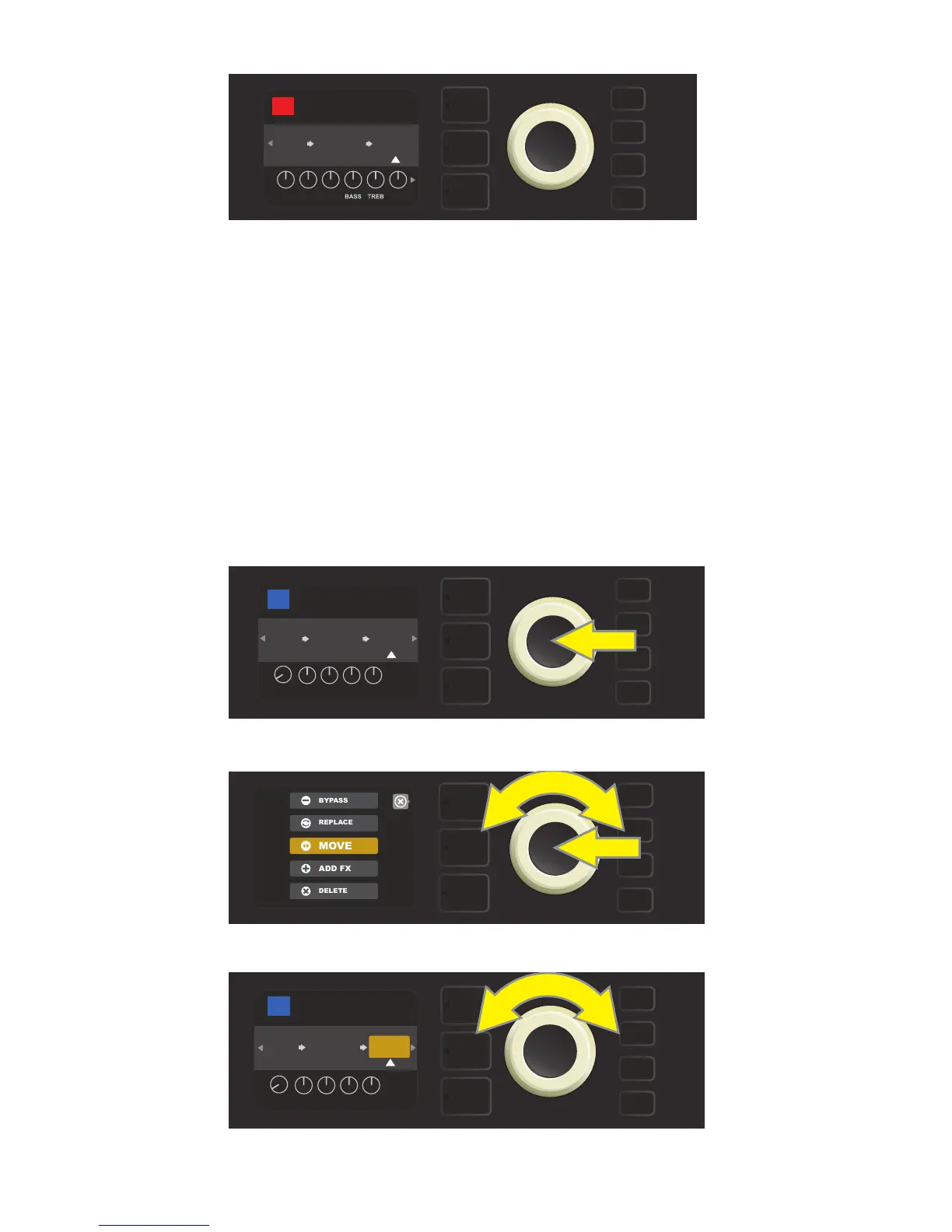
To move an eect to a dierent position in the signal path, highlight the eect to be moved in the SIGNAL
PATH LAYER and press the ENCODER. Select “MOVE” from the menu of eects placement options and press
the ENCODER again. An amber box will appear around the selected eect name, along with a blinking white
arrow indicating that the eect is ready to be moved. Turn the ENCODER to reposition the selected eect;
press the ENCODER to place the eect in a new position.
The SIGNAL PATH LAYER will then display the eect in its new position; the box containing the preset number
will change from blue to red (indicating that a preset edit has been made), and the SAVE utility button will illu-
minate. With the eect now moved, further edits can then be made or the SAVE utility button can be pressed
to keep completed edits (see illustrations below and on next page).
MOVING AN EFFECT
To move a highlighted eect, rst press the ENCODER to access the menu of eects placement options.
21
Turn the ENCODER to highlight “MOVE” in eects placement options menu, then press the ENCODER to select it.
The selected eect, highlighted with a white arrow below it and label above it, appears in an amber box indi-
cating that it is ready to be moved to a dierent position in the signal path by turning the ENCODER.
With the eect replaced (as indicated here by white arrow below it and label above it), continue editing other
parameters or press the illuminated SAVE utility button to keep completed edits.
BASS
OD
SAVE
POST FX 1
BASIC OCTOBOT
RUMBLE
V3
AMPLIFIER
PRESBLENDDRIVELEVEL
OCTO
BOT
42
BASIC OCTOBOT
SMALL
ROOM
OCTO
BOT
RUMBLE
V3
AMPLIFIER
POST FX 1
42
TYPE
POST
LVL DCAY DWLL DIFF TONE
POST FX 1
BASIC OCTOBOT
RUMBLE
V3
AMPLIFIER
SMALL
ROOM
42
OCTO
BOT
TYPE
POST
LVL DCAY DWLL DIFF TONE















 To Next Page