27
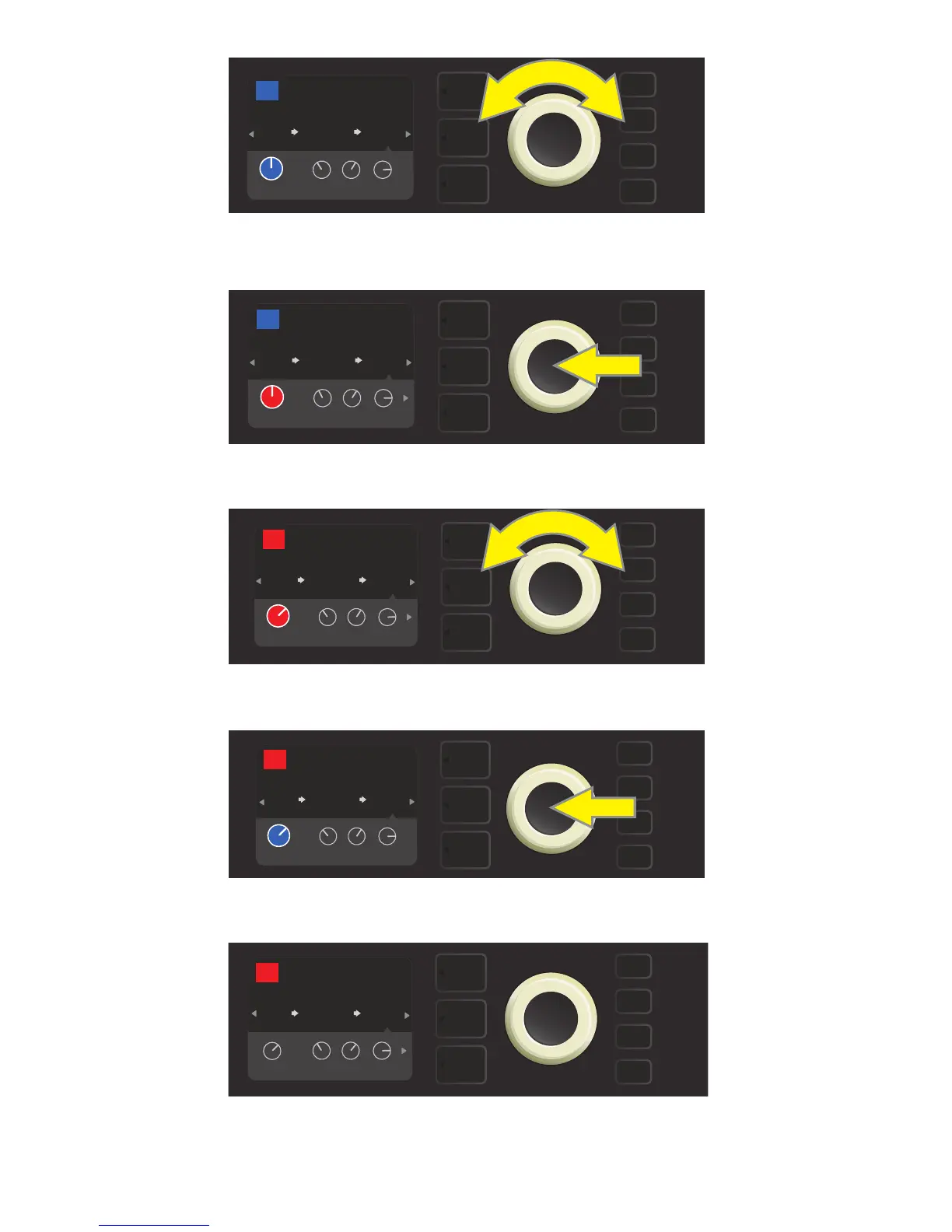
In the CONTROLS LAYER, highlight an eect control by scrolling to it
using the ENCODER; each eect control turns blue as it’s highlighted.
Press the ENCODER to select a specic eect control for adjustment, which will then turn red.
Turn the ENCODER to edit the selected eect control to preference.
Press the ENCODER to keep the edited eect control setting; the eect control will return to blue.
With the specic eect control edited to preference, continue editing other parameters
or press the illuminated SAVE utility button to keep completed edits.
LEVEL
FUNKY MONKEY
STEREO
ECHO
ENV
FILTER
RUMBLE
V2
AMPLIFIER
76
FREQ
POST FX 1
RESON
635
ms
TIME FDBK
LEVEL
FUNKY MONKEY
STEREO
ECHO
ENV
FILTER
RUMBLE
V2
AMPLIFIER
76
FREQ
POST FX 1
RESON
635
ms
TIME FDBK
LEVEL
FUNKY MONKEY
STEREO
ECHO
ENV
FILTER
RUMBLE
V2
AMPLIFIER
76
FREQ
POST FX 1
RESON
635
ms
TIME FDBK
SAVE
LEVEL
FUNKY MONKEY
STEREO
ECHO
ENV
FILTER
RUMBLE
V2
AMPLIFIER
76
FREQ
POST FX 1
RESON
635
ms
TIME FDBK
SAVE
FUNKY MONKEY
STEREO
ECHO
ENV
FILTER
RUMBLE
V2
AMPLIFIER
76
FREQ
POST FX 1
RESON
635
ms
TIME FDBK
LEVEL















 To Next Page