28
In presets that include Modulation eects, Delay eects or both*, the TAP utility button ashes in time with
the default rate of the rst delay eect in the signal path (or rst modulation eect if no delay eect is present).
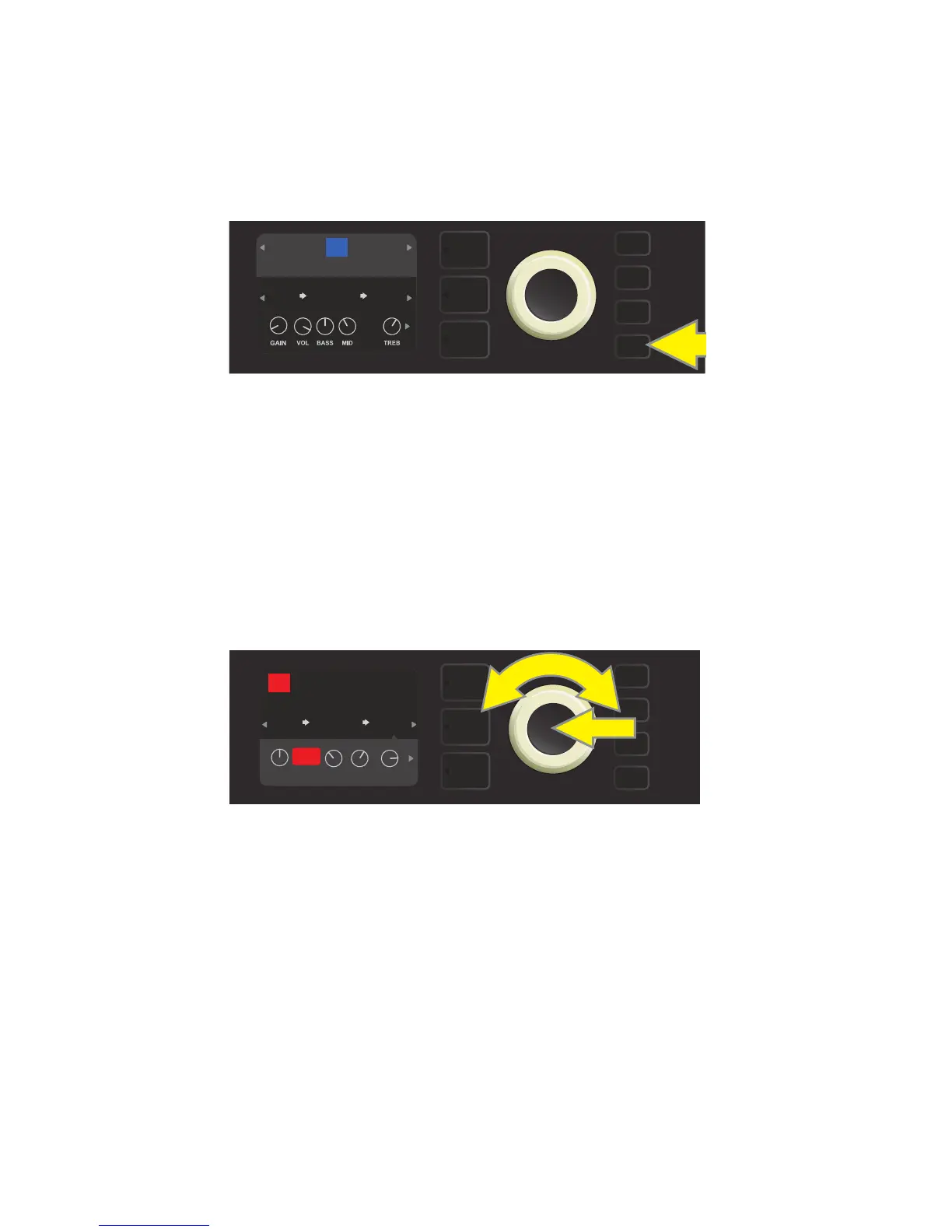
This rate can be left as is, or it can be modied using the TAP utility button. To set a new TAP tempo, tap the
ashing TAP utility button at the desired tempo at least two times (see illustration below). The TAP utility button
will function regardless of which layer is highlighted (PRESET LAYER, SIGNAL PATH LAYER or CONTROLS LAYER).
Various time parameters for all delay and modulation eects in the signal path can be adjusted in the CON-
TROLS LAYER without use of the TAP utility button. In the SIGNAL PATH LAYER, use the ENCODER to high-
light the delay or modulation eect to be modied; its controls will then appear in the CONTROLS LAYER.
Enter the CONTROLS LAYER by pressing its corresponding layer button, and scroll to the time parameter to
be changed using the ENCODER. Press and turn the ENCODER to select and adjust the desired time value,
during which the window containing the time value will turn red; press the ENCODER again to keep the new
time value (see illustration below).
* Rumble Studio 40/Stage 800 modulation and delay eects are listed on pages 30 and 31.
USING THE TAP TEMPO BUTTON
To change the tempo of the rst delay eect (or modulation eect if no delay eect is present), tap
the TAP utility button at the desired tempo.
Delay and modulation eects tempos can also be changed by highlighting the time parameter’s numerical value in the
CONTROLS LAYER, then pressing and turning the ENCODER to set the desired tempo.
TAP
FUNKY MONKEY
76
STEREO
ECHO
ENV
FILTER
RUMBLE
V2
FREQ
1494
Hz
TAP
FUNKY MONKEY
STEREO
ECHO
ENV
FILTER
RUMBLE
V2
AMPLIFIER
76
FREQ
POST FX 1
RESONLEVEL
TIME
FDBK
643ms















 To Next Page