37
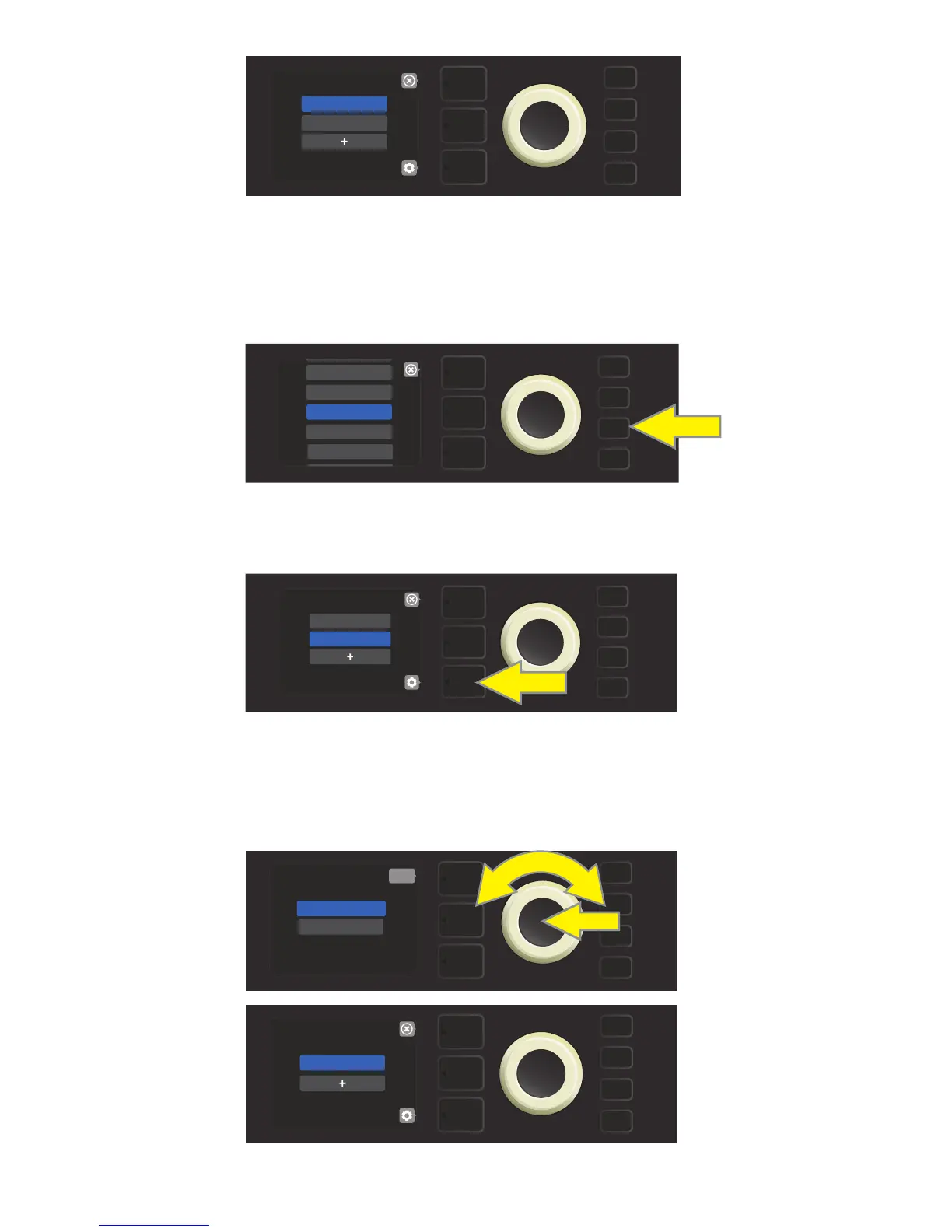
An entire Setlist can also be deleted. To do this, enter the Setlist menu by pressing the MENU utility button
and using the ENCODER to scroll to and select SETLISTS (see illustration below).
Use the ENCODER to scroll to the Setlist to be deleted; then press the bottom LAYER BUTTON corresponding
with the “gear” icon in the DISPLAY WINDOW (see illustration below).
From the menu shown, use the ENCODER to scroll to “DELETE SETLIST”; press the ENCODER on it to delete
the selected Setlist (see illustrations below). Alternately, press the top LAYER BUTTON corresponding to “back”
(x) in the DISPLAY WINDOW to not delete the Setlist. After a Setlist is deleted, the user is returned to the Set-
list menu.
DELETING SETLISTS
MENU
CLOUD PRESETS
TUNER
BLUETOOTH
PRESET ORGANIZER
SETLIST
MENU
SETLIST 1
SETLIST 2
DELETE SETLIST
back
MENU
RENAME SETLIST
SETLIST 1
MENU
MENU
COUNT BASSY
SETLIST 1















 To Next Page