47
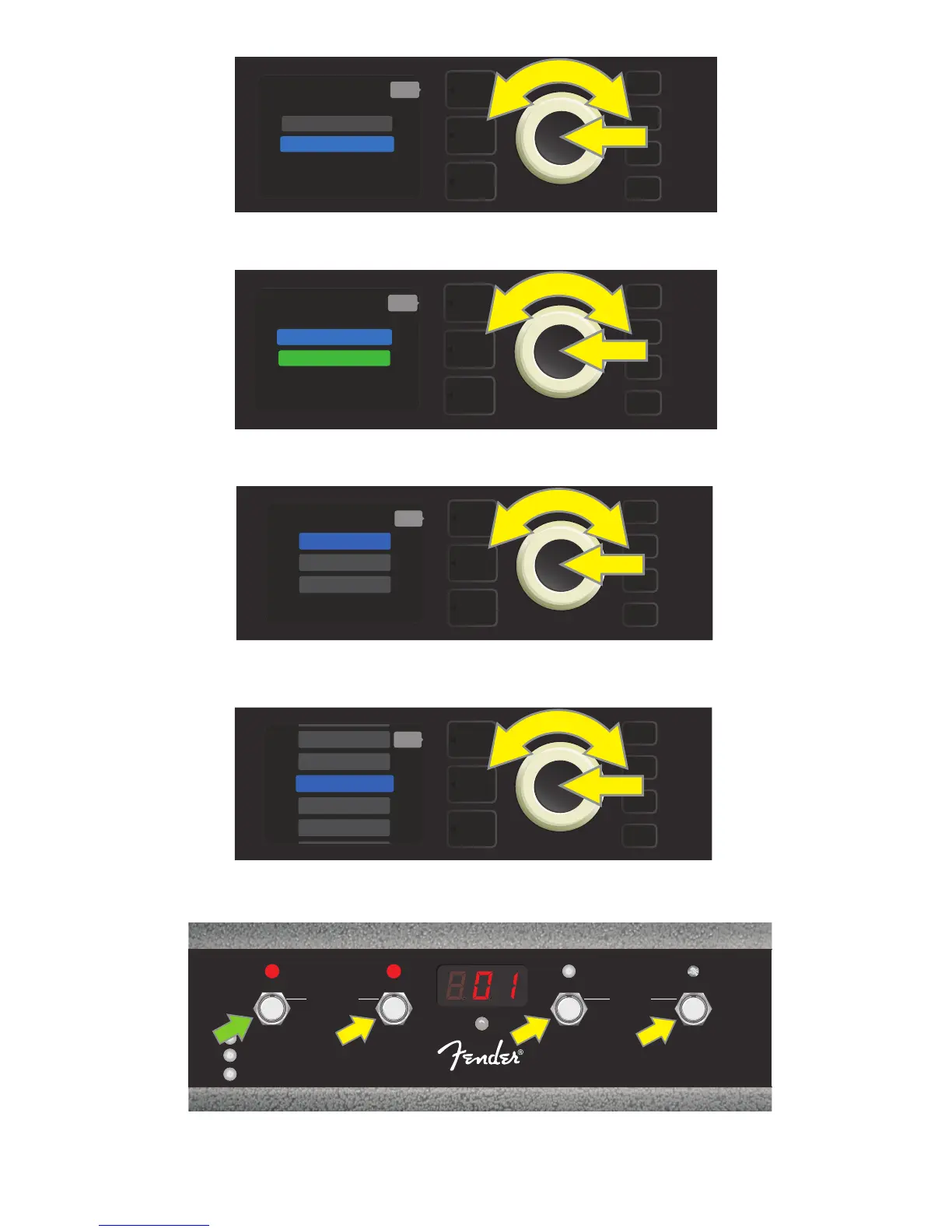
Use the ENCODER to scroll to and select a preset for the preset slot chosen in the preceding step.
Step on the footswitch MODE button (green arrow) to cycle through modes until red “QA MODE” MODE LED illuminates (up-
per left). The three QUICK ACCESS presets are assigned to FUNCTION buttons 1, 2 and 3 (yellow arrows), each with its own red
FUNCTION LED to indicate use. The DISPLAY WINDOW also shows the QUICK ACCESS preset in use (preset 1 in this illustration).
Use the ENCODER to scroll to and select one of the three QUICK ACCESS preset slots.
Use the ENCODER to scroll to and select “MGT-4 (4-BUTTON)” from the FOOTSWITCH menu.
Use the ENCODER to scroll to and select “QUICK ACCESS” to initiate Quick Access mode.
MENU
back
MGT-4 (4-BUTTON)
EXP-1 (EXPRESSION)
MENU
back
QUICK ACCESS
LOOPER ON
MENU
3 PRESET
1 PRESET
QA PRESETS:
2 PRESET
back
MENU
9 ’59 BASSMAN 4X>
7 ROCKIN’ PEG
8 BASSMAN 300 P>
10 ’70S BRITISH
6 KGB-800
back
1
FX 1
REC/DUB
PRESETS
EFFECTS
LOOPER
2
FX 2
PLAY/STOP
3
FX 3
UNDO
BANK DOWN
QA
MODE
HOLD
TUNER
BANK UP
MGT-4
ASSY. P/N 7710238000















 To Next Page