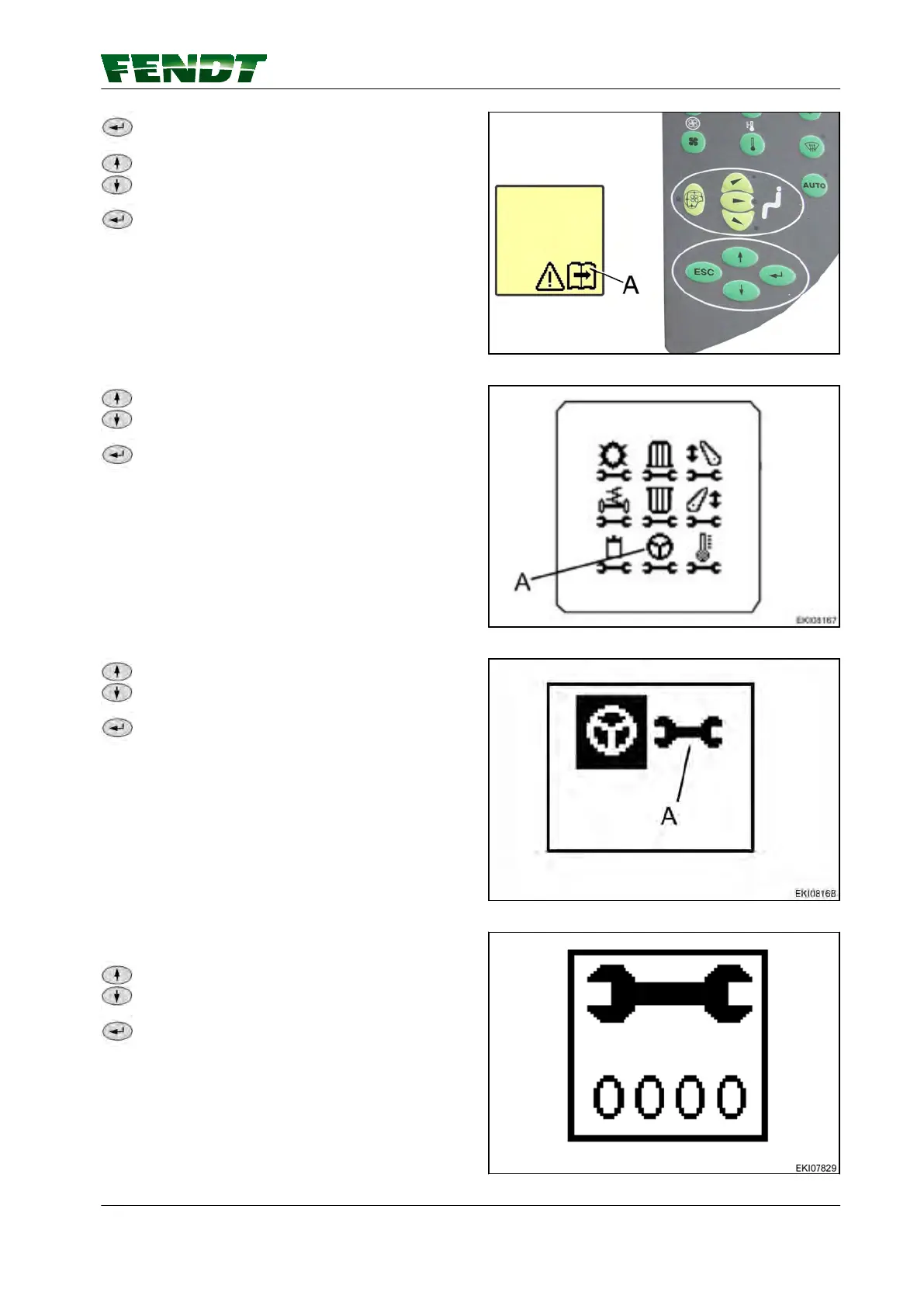
Press RETURN; the first main menu level
appears on the multiple display.
Press one of the buttons repeatedly until
symbol (A) flashes.
Press RETURN; the second main menu level
appears on the multiple display.
Fig. 12
Press one of the buttons repeatedly until the
symbol (A) flashes.
Confirm with RETURN.
Fig. 13
Press one of the buttons repeatedly until the
symbol (A) flashes.
Confirm with RETURN.
Fig. 14
Input code 2403.
Press one of the buttons until the desired
number is displayed.
Confirm with RETURN.
Fig. 15
6. VarioGuide components and calibrations
VarioGuide 59
438.020.070.012



 To Next Page