Figure 3-47 User Account Management
2. Add or delete a common user account or modify the password of a common
user account as required.
3. Click Apply to save and apply the configuration.
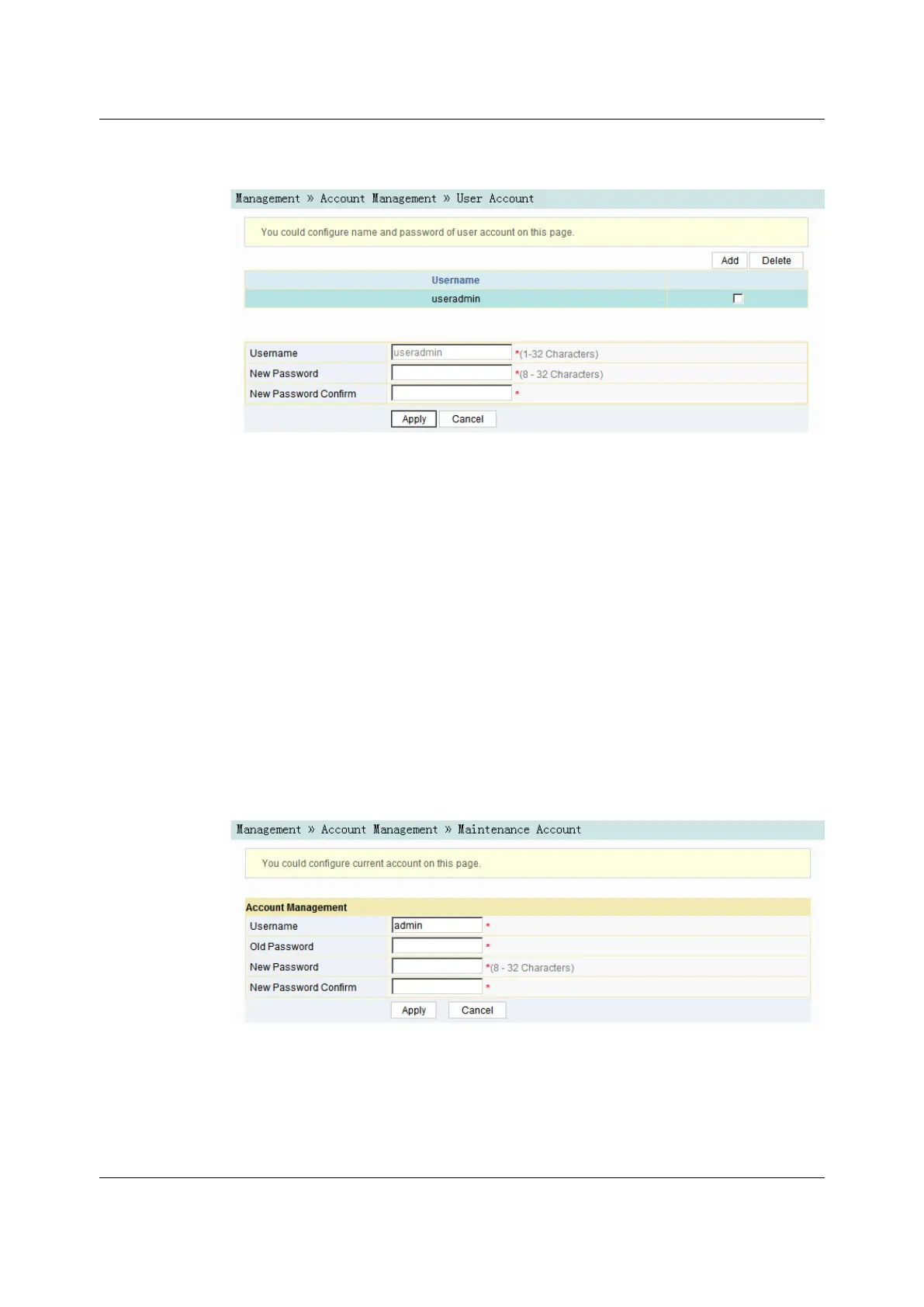
3.6.1.23.6.1.2 Maintenance Account Management
Users can modify the username and password of the current account.
1. Select Management in the navigation bar. Select Account Management→
Maintenance Account from the left link bar to open the maintenance account
management page, as shown in Figure 3-48.
Figure 3-48 Maintenance Account Management
2. Modify the username or password of the current account as required.
3. Click Apply to save and apply the configuration.
Version: A
75

 To Next Page
 Loading...