FieldBee toolbox manual v.1.0
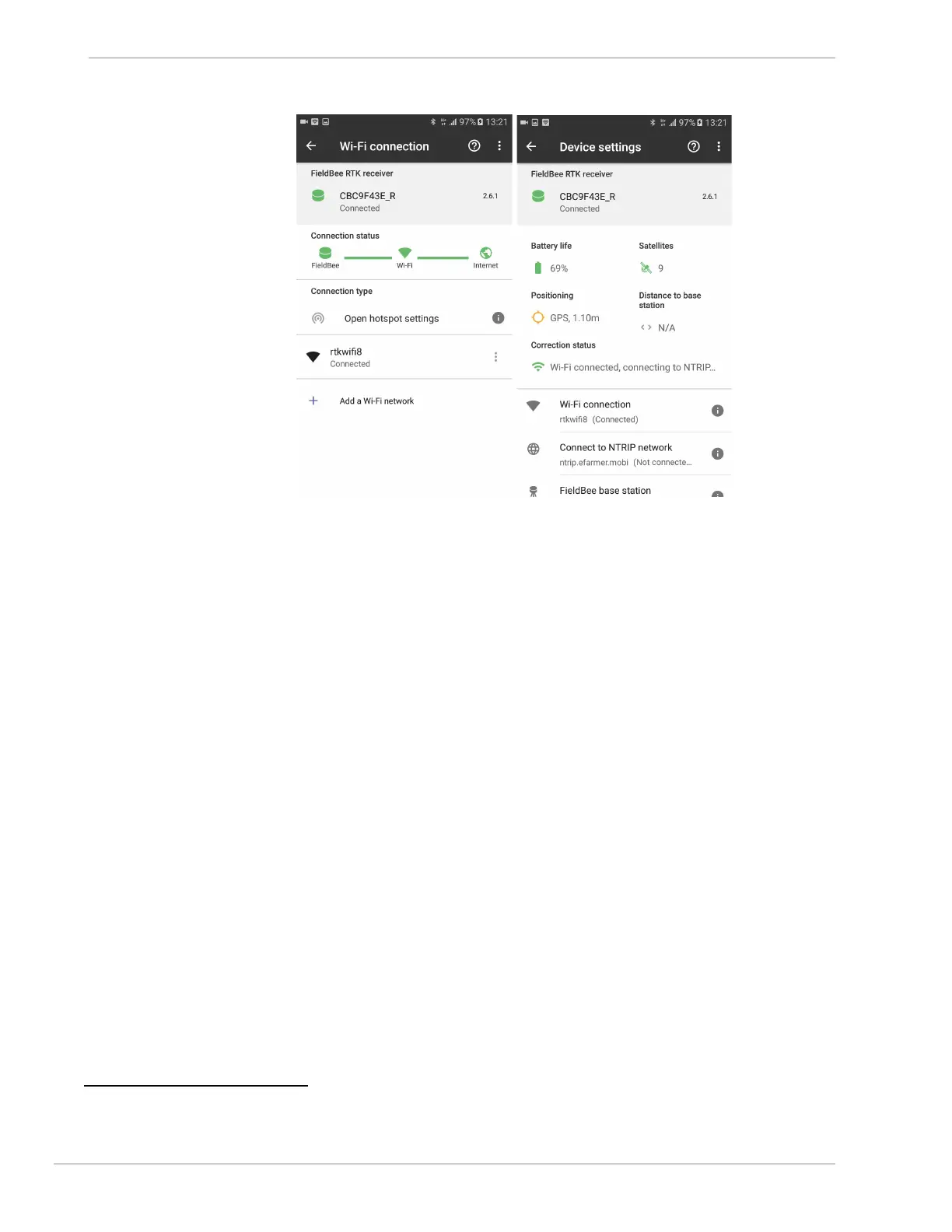
fig.3.13 fig.3.14
6. Setup NTRIP connection
1. Tap Connect to NTRIP Network. (fig.4.1)
2. Tap Add NTRIP network button. (fig.4.1)
3. Input : server, port, choose available mountpoint*, login and password (fig.4.2, fig.4.3)
1
4. Tap Connect button. (fig.4.4)
NTRIP profile is added to list successfully. (fig.4.5)
5. Tap NTRIP profile to apply this settings. (fig.4.6, fig.4.7)
6. NTRIP profile has been applied. (fig.4.8)
7. Wait until FieldBee receiver will be connected to NTRIP network. (fig.4.9)
2
1
Login and password are attached into registration confirmation email from NTRIP provider. #
2
It takes 1 minute to reconneсt WiFi source and get connection to NTRIP correction stream.


 To Next Page