FieldBee toolbox manual v.1.0
To apply static mode for base station you will need to:
○ prepare fixed place for base station ( it can be fixed plate at house, office roof or stable mounted tripod
at the field - to have the same spot for antenna);
If you have determined coordinates with cm accuracy (local geodetic company or another source) for such place - you
can easily input them to base station profile. If not, follow the next steps:
○ locate FieldBee GNSS Receiver at the spot where base station will be located;
○ connect FieldBee GNSS Receiver to local NTRIP network (see chapter Standalone sensor with
correction from local NTRIP provider );
○ get RTK correction with cm accuracy;
○ open Advanced setting;
○ go to Fix Status;
○ copy coordinates;
○ save coordinates to any text editor at your device;
○ locate base station to the same spot where receiver got RTK correction;
○ connect to base station with toolbox app;
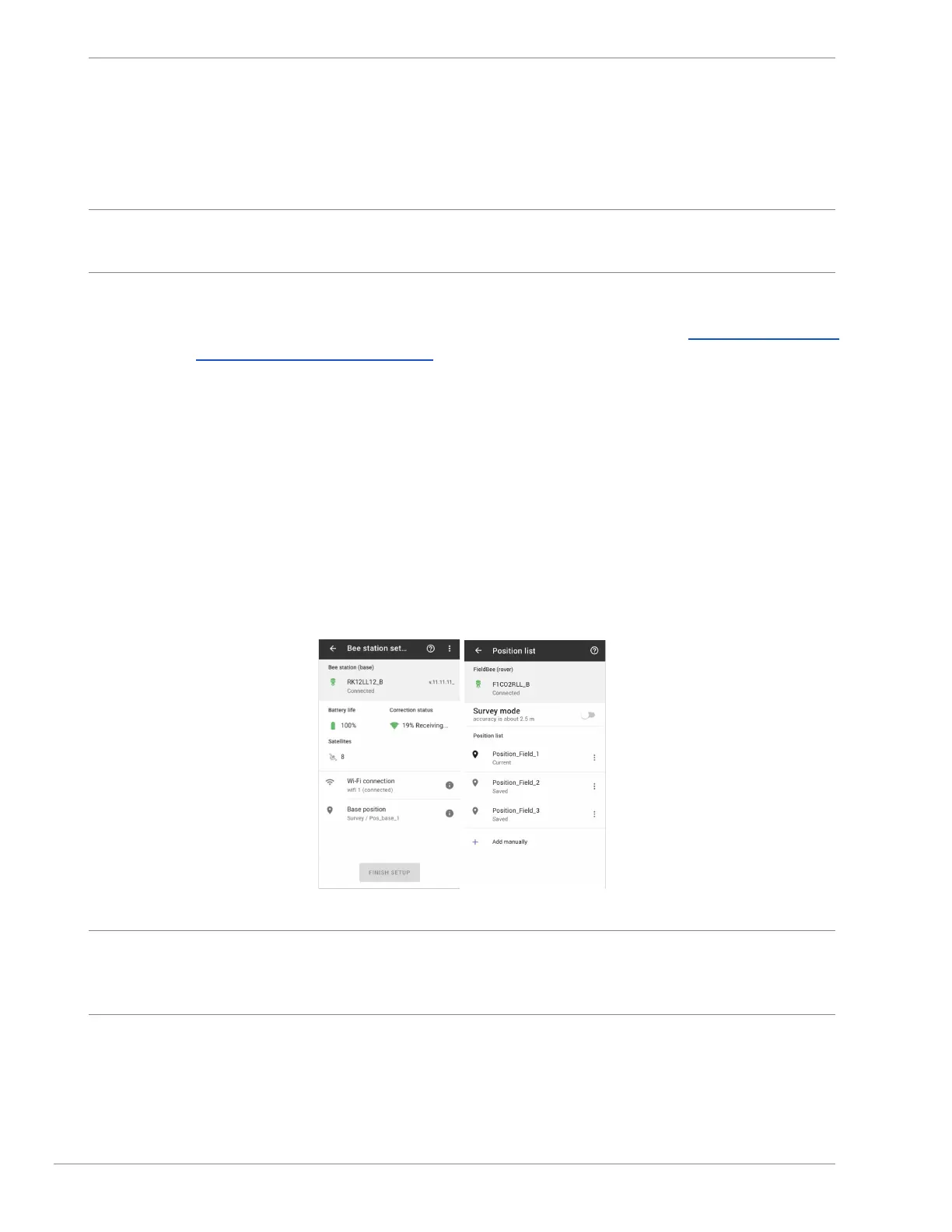
○ open Base station position;
○ tap Add manually button;
○ input position name (for example: Home, Office, Field1 etc);
○ paste coordinates from receiver;
○ tap Save button; (coordinates are added to the Base station position list)
○ tap created position and base station will apply Static mode with inputted coordinates.
fig.7.1 fig.7.2
Note: It is necessary to have accurate coordinates inputted for Static position . If coordinates will have shifting in more
than 30 cm in position - Receiver can lose satellites and do not receive correction.
If this happens - capture coordinates again or simply change mode to Survey mode.
Status/Summary
Status/Summary displays all current FieldBee receiver statuses:
● power source: external source (charging cable)/ battery
● power level: min level for correct work is 3,7 V. max level is 4.2V.


 To Next Page