FieldBee toolbox manual v.1.0
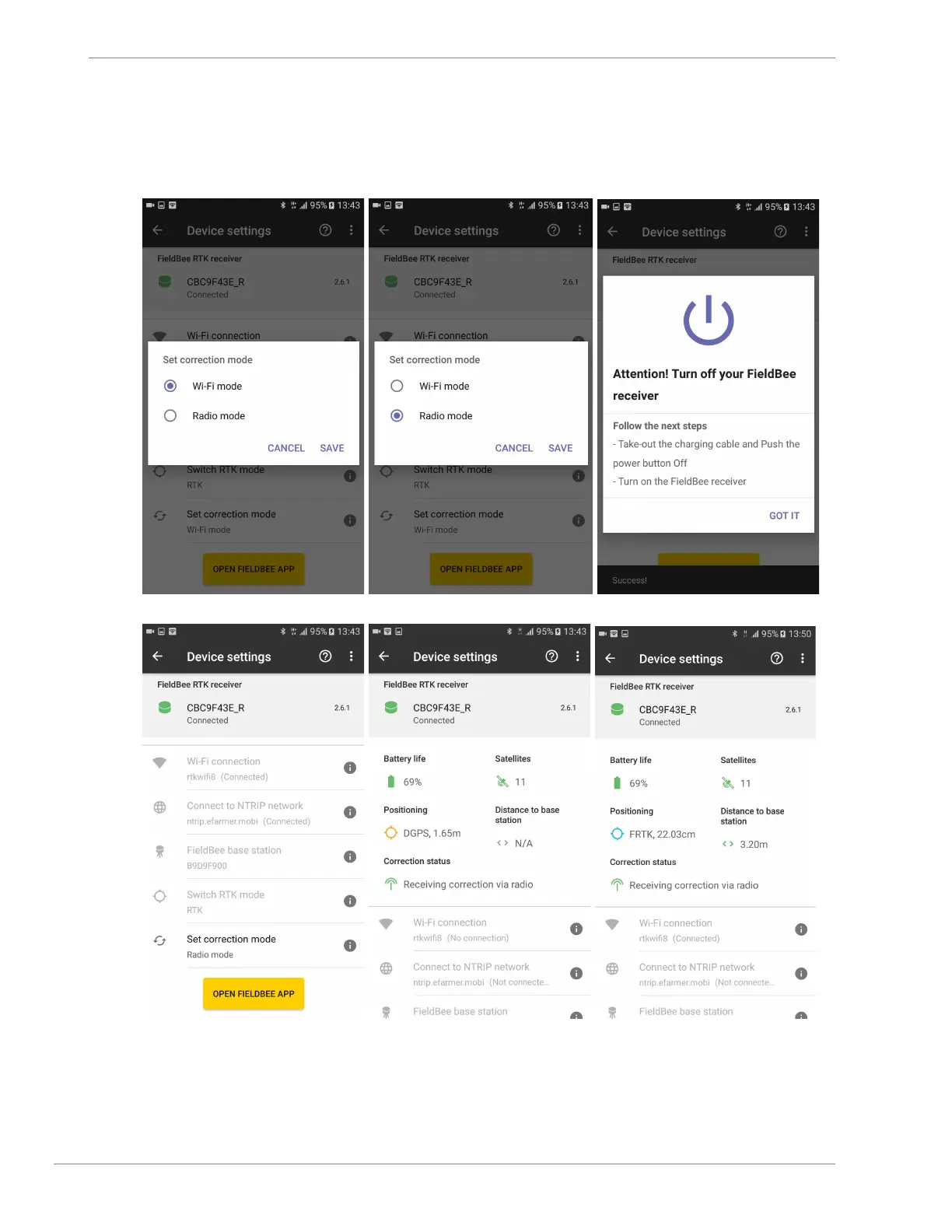
4) tap Save button; (fig.9.2)
5) follow described steps to restart FieldBee receiver; (fig.9.3)
6) correction mode has been set successfully; (fig.9.4, fig.9.5)
7) wait for a while to receive correction.(fig.9.6, fig.9.7)
fig.9.1 fig.9.2 fig.9.3
fig.9.4 fig.9.5 fig.9.6


 To Next Page