12
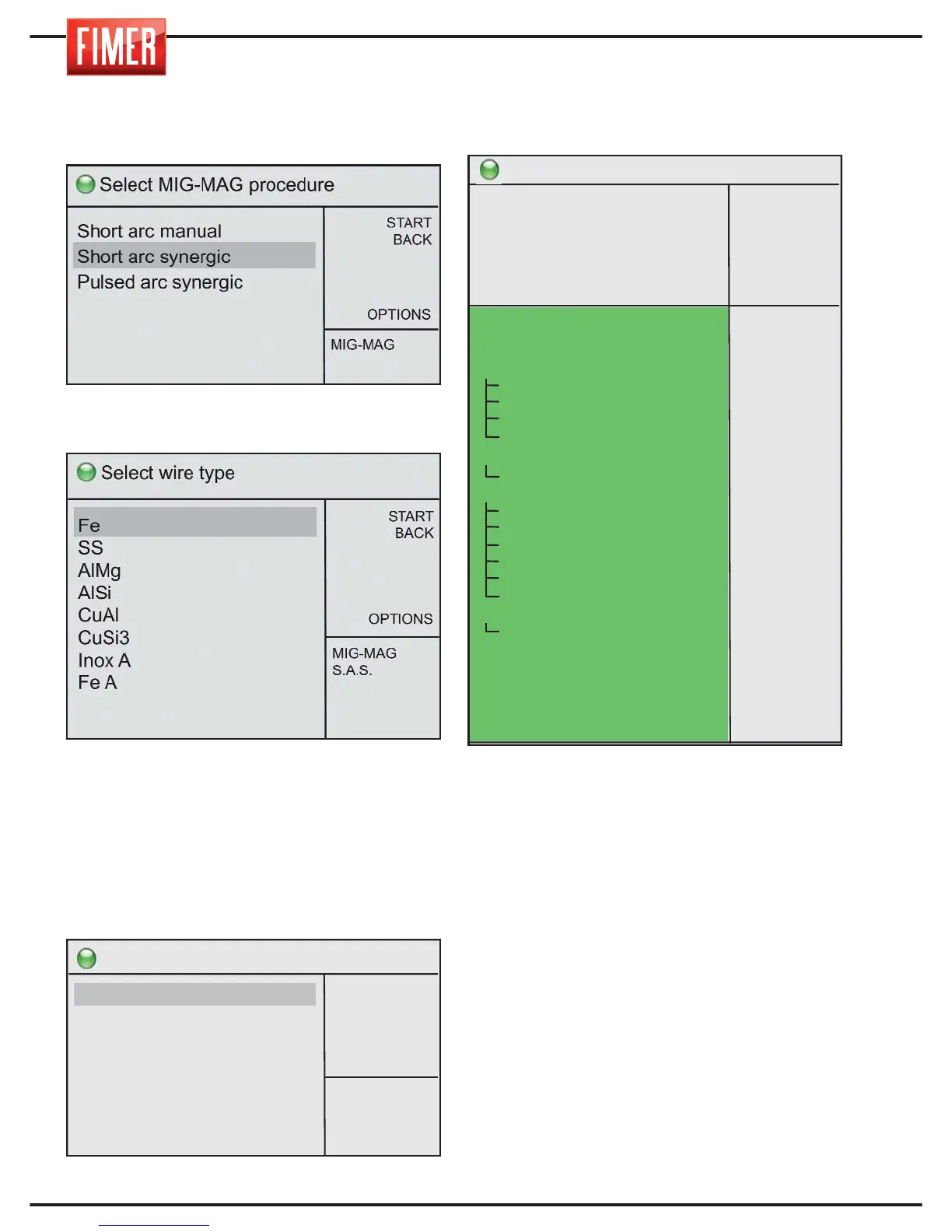
Turn switch 10 to choose from the different
MIG-MAG welding options; press the switch
again to confirm the chosen option.
Once selected, the screen with the welding
wire material options will appear:
Settings that do not appear on the screen
are accessible by turning switch 10.
Once the type of wire has been selected
(using switch 10), the settings page for the
welding wire diameter will appear.
Selecting this option will take you to the
welding screen:
ADJUSTMENTS AND SETTINGS:
Button 10 adjusts the welding settings on the
screen:
Arc length: Used to vary the basic voltage
used for welding.
Deposit: Used to modify the deposit of filler
material (wire speed) compared to the
predetermined synergic value.
Inductance: Used to modify the speed of
variation of the welding current to obtain a
harder arc (low values) or softer arc (high
values.
Double short: Used to activate (ON) or


 To Next Page