Need help?
Do you have a question about the Firex CUCIMAX CBTG Series and is the answer not in the manual?
General overview of the manual and manufacturer's disclaimer regarding user responsibility and proper use of the appliance.
Explanation of various symbols used in the manual, including notes, attention, prohibition, and equipotential terminal symbols.
General safety guidelines, emphasizing trained personnel, supervision, correct usage, and professional use of the appliance.
Critical warnings for installation, maintenance, fire protection, usage by trained personnel, supervision, and potential hazards like scalding.
Visual guide and text explaining the minimum and maximum product levels to be respected in the cooking pan for safe operation.
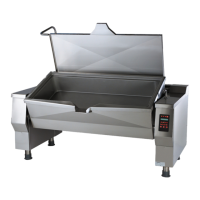
Description of round bratt pans, their uses, technology, versions, and capacity ranges.
Details the materials used for the cooking pan, lid, outer cover, frame, and adjustable feet, primarily AISI 304 stainless steel.
Identification and labeling of various operational components of the machine through a detailed diagram.
Comprehensive technical specifications including dimensions, operating data, power ratings for gas, electric, and steam models.
Details of optional accessories including shower, plug socket, castors, and butterfly valve for enhanced functionality.
Overview of the touch screen interface, including the on-off switch, display, and keypad for machine operation.
Explanation of the main menu options, including Programs and Settings, with their respective sub-functions and user/installer configurations.
Details the various settings available through the menu, such as Programs, Languages, Firmware, Date-Hour, Test I/O, Parameters, Colors, Import, and Export.
Outlines the program categories available in the menu, including Manual, All, Sauces, Meat, Favorites, Chef, Poultry, and Fish.
Illustrates the main cooking screen layout, showing status bar, cooking area, message column, and function bar.
Explains the different elements within the status bar, such as program name, phase indicator, and current time/date.
Details the cooking area, including cooking method, setpoint temperature, measured value, and time type (countdown).
Provides the meaning of various cooking icons, explaining temperature at bottom, in pan, and difference between temperatures.
Describes the messages and requests indicated in the left column, including buzzer, light indicators, icons, descriptions, and behavior.
Explains the functions available in the right column, specifically mixer control and heating control keys.
Details the function bar controls, including Extra Key, Start/Stop Key, and Delayed Cooking Key, with their operations.
Explains the operation of the Start/Stop key, how it indicates machine status, and how to start/stop programs.
Describes the functions accessed via the Extra Key, specifically pan H2O filling and pan tilting functions.
Explains how to use the Delayed Cooking Key to access settings for cooking with a delay timer.
Details various cooking methods for CBT machines, explaining temperature regulation based on sensor location and product contact.
Guides on setting setpoint values using the keypad, explaining the screen layout and field meanings for temperature and limits.
Explains how to adjust setpoint values using the cursor for quick or precise setting, and how to exit settings.
Instructions for setting the cooking method and temperature setpoint, selecting from available methods and adjusting temperature values.
Details on how to set the cooking time, including immediate, timed, and infinite time options, and how to terminate programs.
Step-by-step guide on setting the cooking time setpoint using the keypad, specifying hour, minute, and second limits.
Guide on how to add, set parameters for, and delete phases within a multi-phase cooking program.
Explains how to navigate between phases, insert new phases, and delete existing phases, including important warnings about deletion.
Instructions for setting messages within program phases, including selecting message type and using the keypad for text input.
Details the functions of message keys (Start, Set °C, End) related to program running behavior, including message appearance and heating status.
Explains optional message settings like flashing, buzzer, and text, and their behavior when the message is set to OFF.
Steps for saving a program, including adding it to favorites, naming it using the keypad, and confirming the save operation.
Instructions for editing, copying, renaming, and moving programs, including the associated save and confirm actions.
Procedure for deleting programs from the settings menu, including confirmation prompts and cancellation options.
Steps for executing manual cooking, including setting parameters and pressing the START key to begin the process.
Describes the screen display during manual cooking, including status symbols, and how to change temperature/time setpoints.
Instructions on how to end manual cooking, either by waiting for the time to elapse or by pressing the STOP key.
Steps to run multi-phase programs, including selecting a program, pressing START, and notes on changing setpoints and moving between phases.
Details on how to navigate between program phases, return to the current phase, and transition to the next phase, including warnings for the last phase.
Explains how to handle phases set with infinite time, by pressing a key to move to the next stage.
Instructions on how to extend cooking time for a phase, either by proceeding to the next step or using the +1 key, with limitations on decreasing time.
How to end a multi-phase program by waiting for completion or pressing the STOP key, especially for infinite time settings.
Guide on setting a delayed start for cooking programs using the top and bottom row date/time settings, and how to confirm or cancel.
Instructions for filling the pan with water using a litre-counter device, including selecting water type and setting the desired volume.
Details on pressing the START key to initiate water filling and how to stop it before the set quantity is reached.
Steps for manually filling the pan with water by keeping the START key pressed for the desired duration.
Guide to mixer settings, including speed, mixing types, and how to edit these values using the keypad.
How to start or switch off the mixer during manual cooking programs, referring to mixer settings and lid/pan tilt behavior.
Instructions for mixer operation within multi-phase programs, including countdowns, voluntary turn-off, and behavior during phase transitions.
Details on setting wall heating levels based on product quantity and selecting the heating temperature using the keypad.
How to start and turn off wall heating for manual cooking programs, indicating the status of the heating key.
Explains automatic activation of wall heating in multi-phase programs and the possibility to adjust or turn it off.
Describes the controls for tilting and returning the pan, including display and keypad functions, and limitations when tilting limits are reached.
Lists messages that prevent pan movement and explains the mixer's operation for product unloading when the pan is tilted.
Guidelines on cleaning stainless steel parts, avoiding aggressive detergents, iron scourers, and using appropriate abrasive sponges for tough dirt.
Recommended daily cleaning steps, emphasizing wearing protective clothing, cleaning when cold/off, avoiding direct water spray, and cleaning outside surfaces.
Instructions for safely removing and cleaning the mixer, including handling blades and Teflon sealing rings.
Steps to take when the appliance is inactive for extended periods, including cleaning, drying, and ensuring ventilation.
Actions to take in case of malfunctions, including switching off, disconnecting supplies, and requesting technical support.
Emphasizes that all maintenance must be performed by a specialist service center and advises on annual maintenance for efficiency.
Outlines periodic inspection points for operators, including daily and weekly checks on components like blade screws and Teflon scrapers.
Details quarterly checks for cleaning the mixer motor fan and inspecting controls, switches, warning lights, and the emergency button.
Explains common display messages, their meanings (e.g., safety thermostat, gas pressure, errors), and the corresponding solutions or actions to take.
Provides directives for the disposal of the appliance, emphasizing separate waste collection and contacting the supplier for end-of-life management.
 General
| Brand | Firex |
|---|---|
| Category | Kitchen Appliances |
| Series | CUCIMAX |
| Frequency | 50/60 Hz |
| Material | Stainless Steel |
| Color | Stainless Steel |
| Warranty | 1 year |

 To Next Page