FIRST STOP SAFETY 8
MemoryPAT-Blu Issue 1.2
LARGE LCD DISPLAY
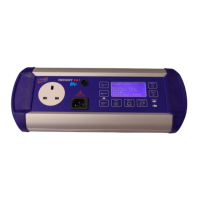
The 6 line x 18 character LCD displays all user instructions and test results in a
clear unambiguous way. When a test is completed it shows the test settings, an
overall PASS or FAIL assessment and the results for the different tests.
A unique test number is assigned to each test. This is useful when recalling test
results from memory.
MEMORY
The MemoryPAT-Blu can store the complete test results from 2000 tests. These
can be recalled using the memory ◄ and ► buttons and the unique reference
number is used to tie a particular set of results to a particular appliance.
The test results can also be downloaded via the USB port to a PC using our
Download Utility.
BLUETOOTH
Pressing the Bluetooth button will turn on the Bluetooth interface. When the
Bluetooth interface is on, the blue LED above the button will flash.
To turn off the Bluetooth interface, press and hold the Bluetooth button. When
the LED turns on constantly (after approximately 3 seconds), release the button
and the interface will be disabled.
Once turned on, the Bluetooth interface will remain active for a period of 1 hour.
After 50 minutes of operation, the LED will flash twice a second to indicate that
the interface will soon switch off.
Once the link is active, pressing the Bluetooth button again for approximately ½
second will extend the link active time by a further 1 hour. The LED will flash
rapidly 5 times to indicate the 1 hour active period has been re-started.
BATTERY OPERATION
With the Bluetooth interface active, the MemoryPAT-Blu can carry out more than
600 tests from a fully charged battery. Turning the Bluetooth off when the tester
is not in use will increase battery life.


 To Next Page