Audio
Direct channel input
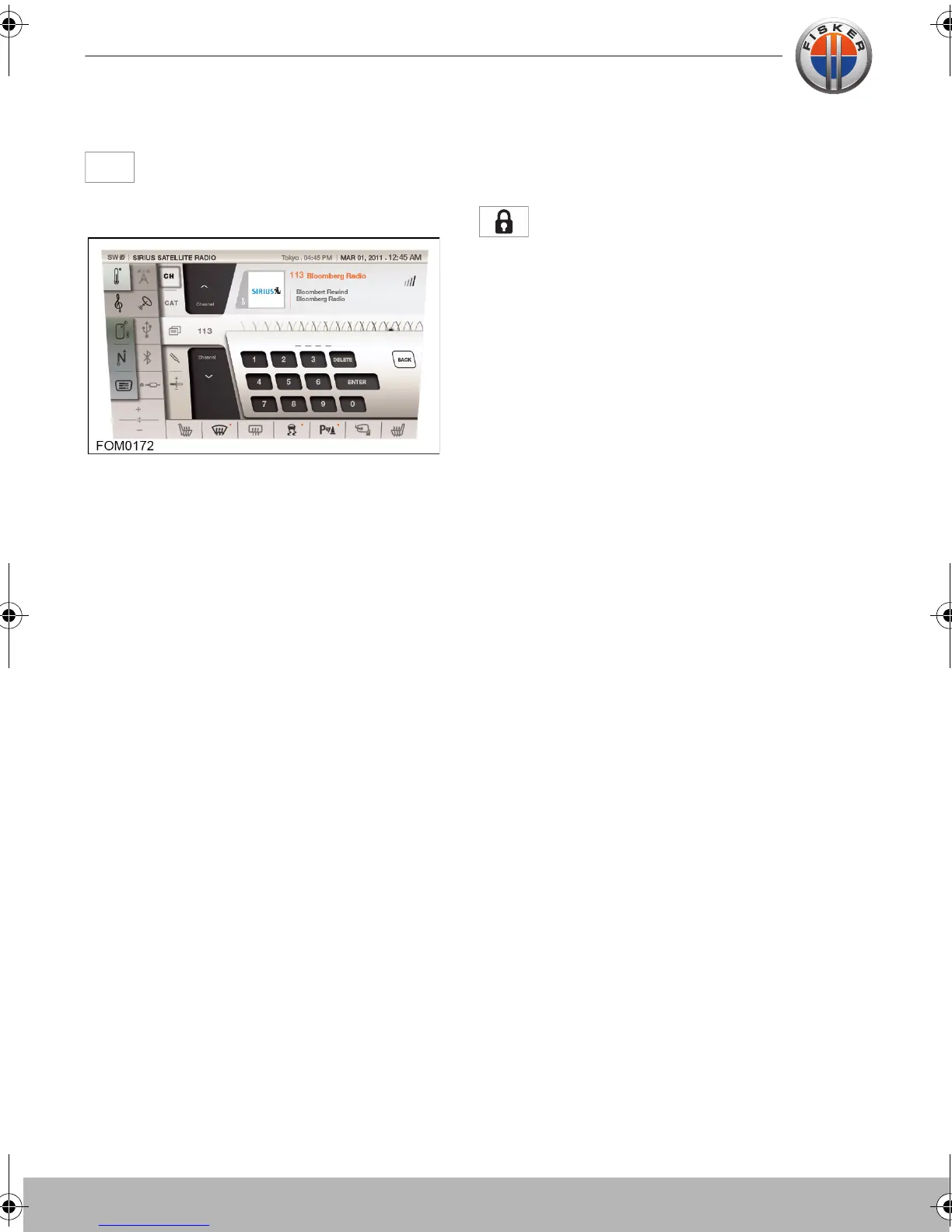
To select a channel by entering the
channel number, touch the channel
icon.
Enter the channel number using the
numeric keypad displayed.
Note: It must be noted that satellite radio
differs from the FM tuner in that tuning is
NOT instantaneous. The digital signal must
be decoded. This process can take several
seconds to achieve.
Note: In the event that the selected channel
has been removed by the Broadcast
operator, then a message is shown and the
previous playing channel is reverted to. This
may occur if the broadcast operator
changes the active channel whilst the
vehicle is powered. The channel playlist is
updated each time the system is powered
up, therefore the next time the system is
powered up, the channel playlist will be
updated thereby preventing the invalid
channel from being selected.
Parental lock
Select a channel, either using the catergory
menu or the direct channel input.
To lock the channel, press the LOCK
button and enter the parental lock
code. To unlock, select the channel, press
the LOCK button and enter the parental
lock code again.
Loss of signal
Loss of Signal is displayed if no satellite
signal is being received.
Ensure that the vehicle is not in an enclosed
space, such as an underground car park.
Touch-screen user manual.book Page 12 Tuesday, September 20, 2011 3:03 PM



 To Next Page