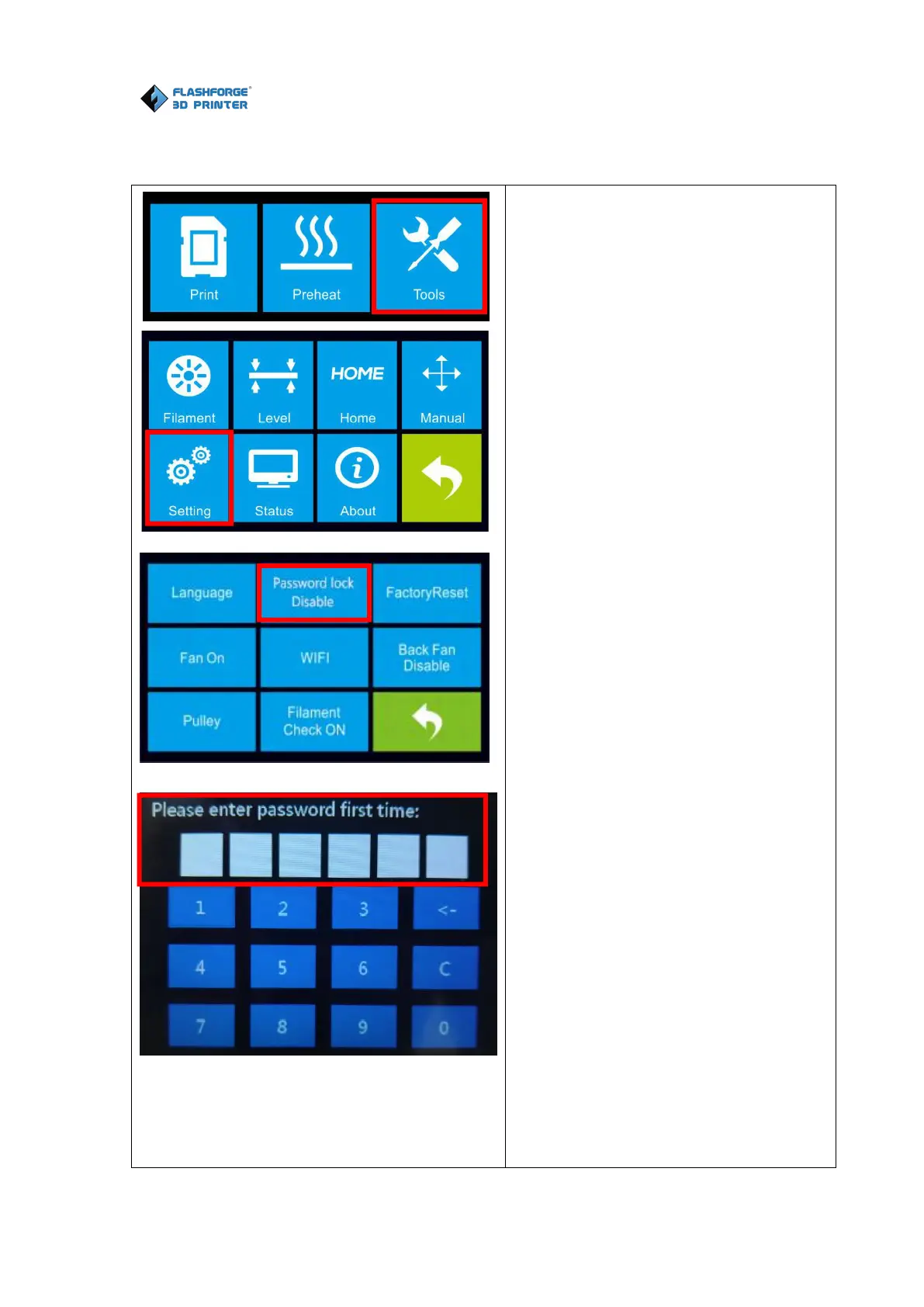
1.Tap the [Tools] button.
2.Tap the [Setting] button.
3.Tap the [Password lock] button.
( Default password lock status is
[Disable] )
4.Enter the 6-digit password on the
touch screen.
5.Please enter password for the
second time, Tap the [Yes] button.
6.Enter the 6-digit password on the
touch screen for the second time. If
the two password is consistent,
password lock setting is completed; if
the two password is inconsistent,
please restart setting from Step4
above.
7.After password lock setting is
completed, password lock status
changed from [Disable] to [Enable].















 To Next Page