EasyManua.ls Logo

FLASHFORGE 3D PRINTER Dreamer NX - FlashPrint Interface and Model Operations; Exploring FlashPrint Interface; Machine Type and Menu Overview

FLASHFORGE 3D PRINTER Dreamer NX
66 pages
Print Icon
To Next Page IconTo Next Page
To Previous Page IconTo Previous Page
Loading...
Dreamer NX User Guide | www.flashforge.com
30
6.2 Exploring FlashPrint
6. 2.1 Machine Type Selection
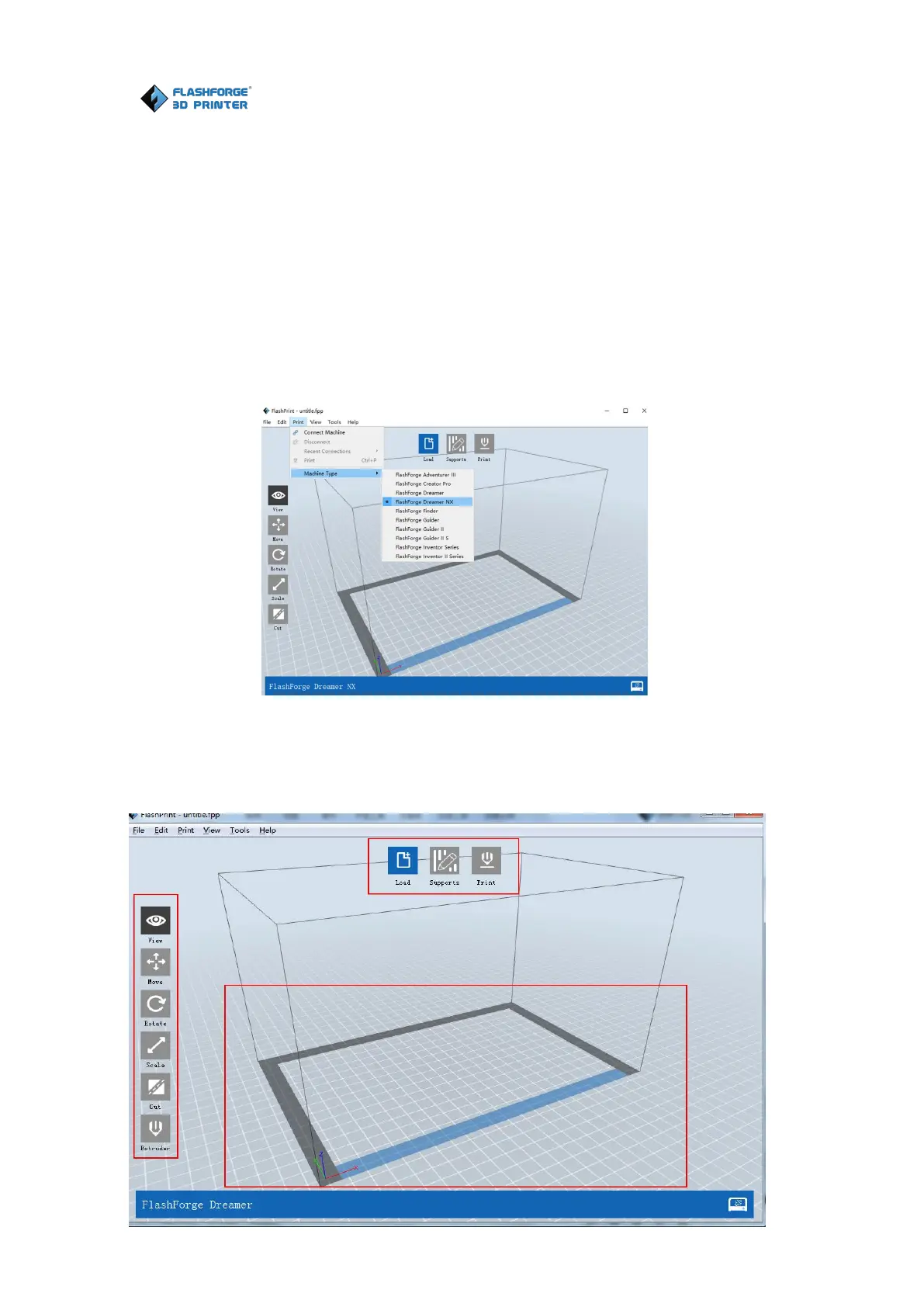
Note! After starting FlashPrint, you need to select the target machine type first.
When you start FlashPrint, a dialog box will pop up. Just need to select
FlashForge Dreamer NX in the machine type list and click [OK]. You can also
change the machine type via clicking [Print]--[Machine type]. Please see
graphic 6-2:
6-2
6.2.2 FlashPrint Menus
Load files.
Enter the support edit mode
View FlashPrint home screen from one of six viewing angles.
6-3

Related product manuals