11
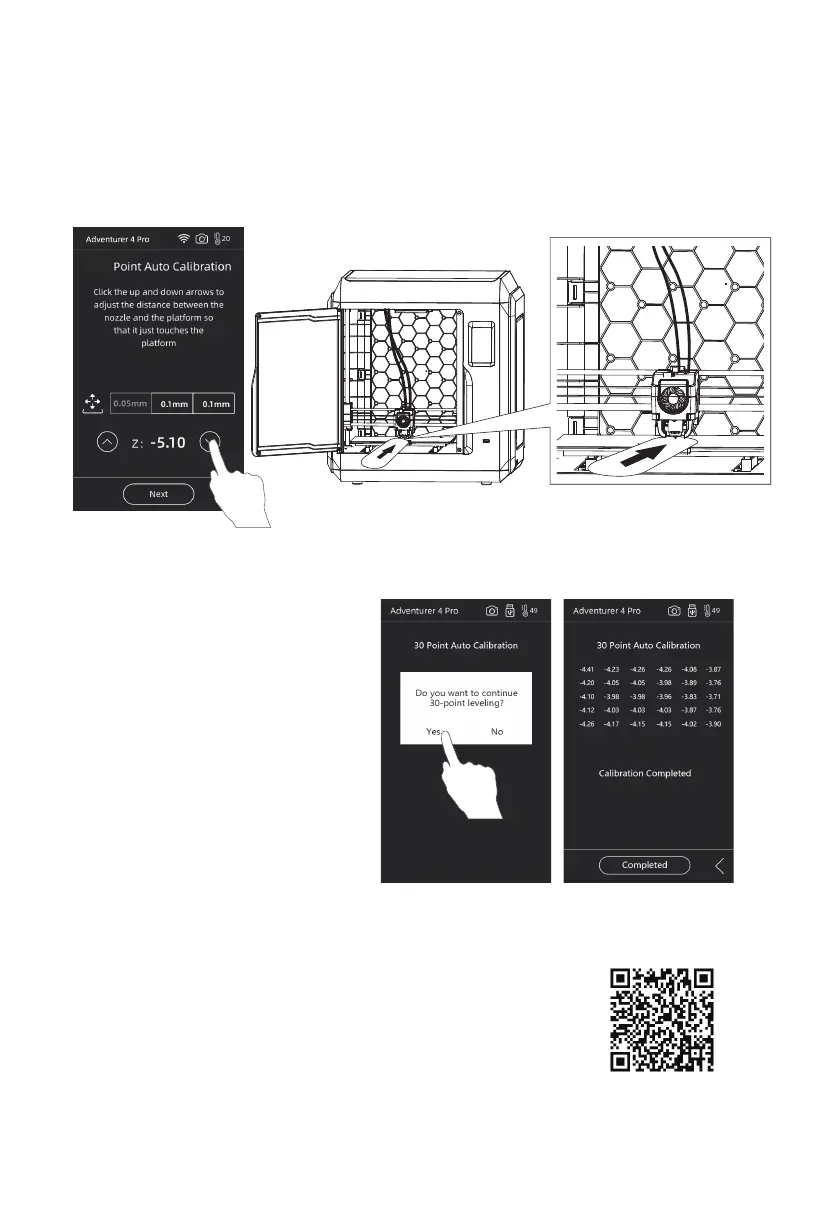
2. Insert and slide the leveling card. If there is no frictional resistance, click the
Down arrow to make the nozzle closer to the platform; When there is slight friction
resistance, it means that the distance is appropriate.
3. After calibrating the first point,
please follow the on-screen
prompts to continue the 30-point
automatic leveling.
1/30
30
For specific operation, you can refer to the video.
The link path is as follows:
Flashforge's Official Website - Support - Video Center - select
[Operation Videos] - [Adventurer 4 Pro]
Scan the QR code to
view the video.















 To Next Page