12
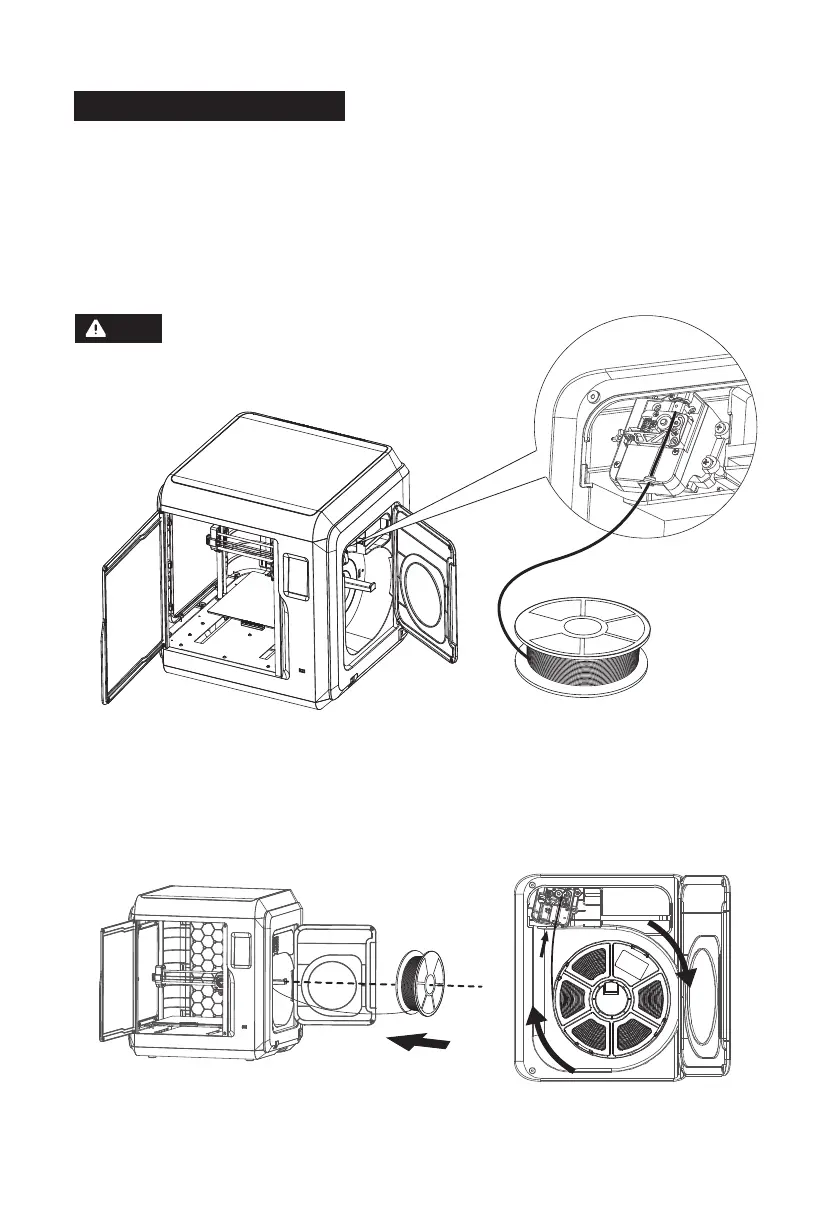
Mind the loading direction of filament. Make sure it is clockwise as the
picture shows. If the filament is loose, please arrange it according to the
filament extrusion direction and then put it back on the spool holder.
2. Put the spool of filament on the spool holder and close the filament cover.
Note
Filament Loading
1. Open the filament cover on the right side, insert the filament into
the filament intake, and push the filament into the feeding wheel
until some resistance is sensed.
Please make sure the filament is inserted into the
feeding wheels!















 To Next Page