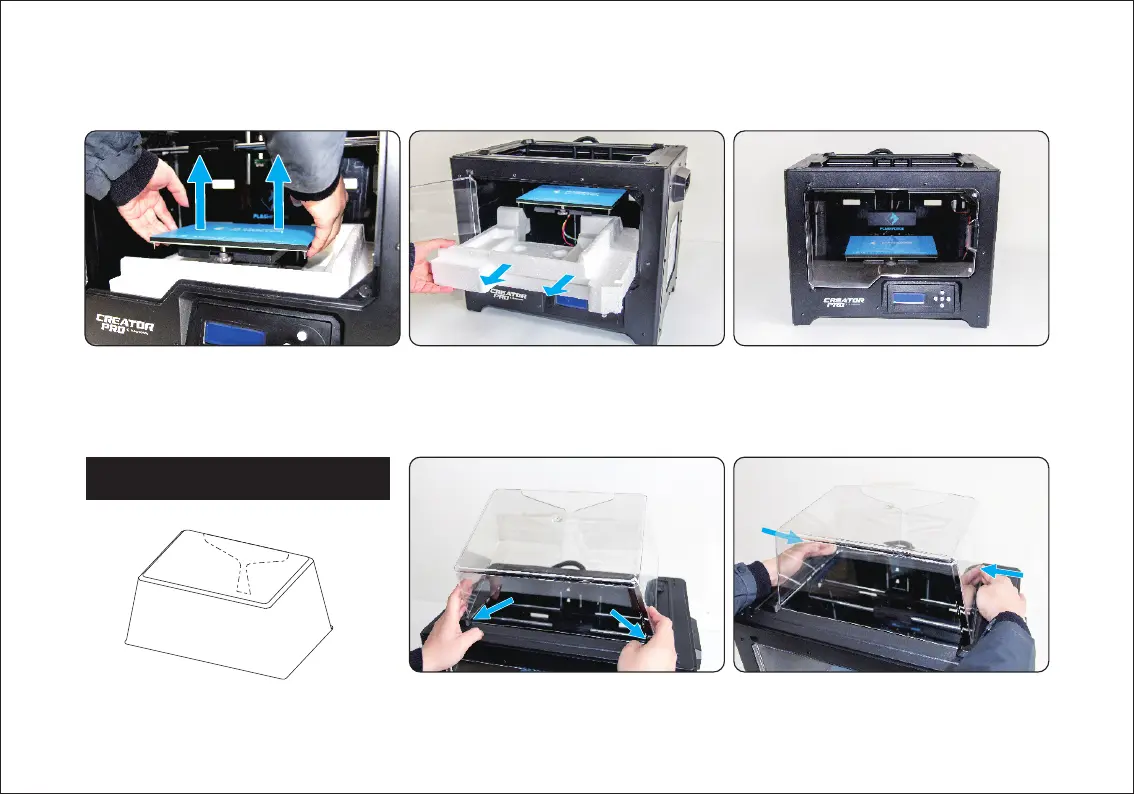
1. Place two anterior angles the corresponding
front slots.
2. Squeeze slightly the two relief angles and
place them to the corresponding rear slots.
Anterior Angle
Relief Angle
13. Take the bottom protective foam from
the printer.
14. Congratulations! You’ve finished the
unpacking process. (Tip: Save your
Flashforge Creator Pro packaging for
future transportation and storage. )
12. Elevate the build plate to its limit.
Anterior Angle
Installation and Dismantlement















 To Next Page