Hardware Assembly
Extruder Assembly
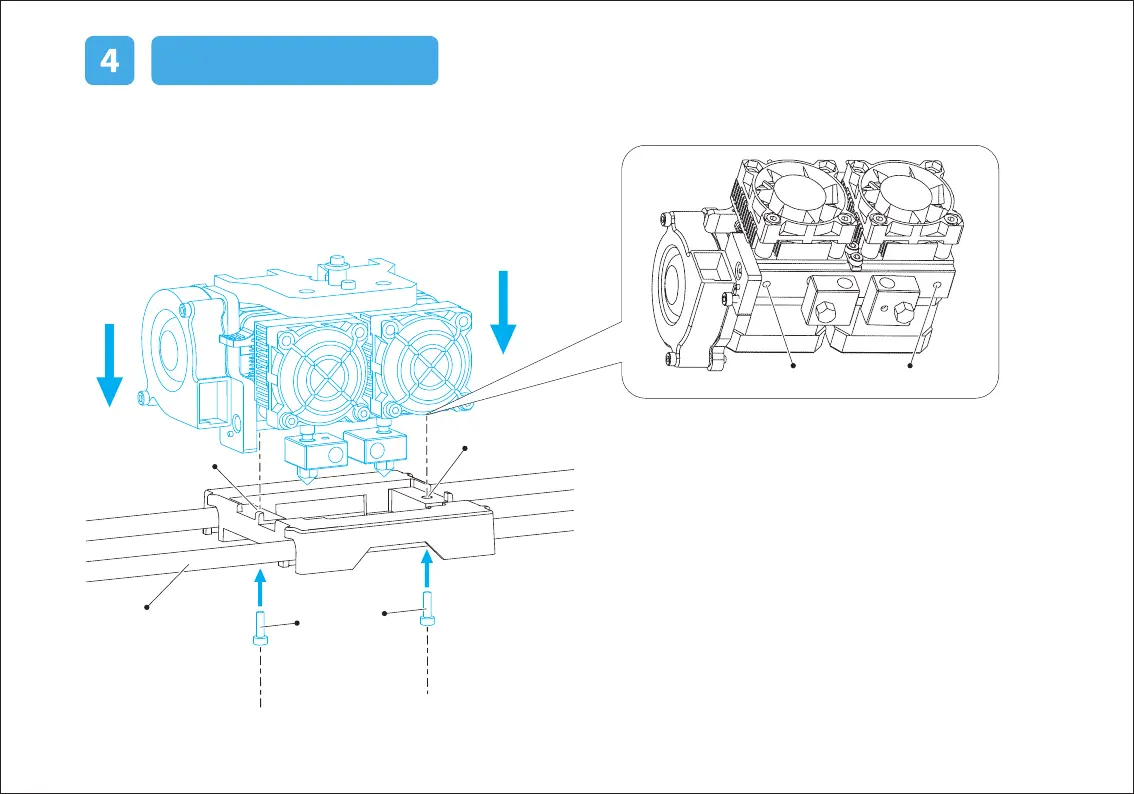
(1) Place the dual extruder on the extruder seat.
(As shown in the left picture)
(2) Take the M2.5 Allen Wrench from the tool bag and two
M3*8 bolts(longer ones) from the extruder’s accessory kit.
(3) Adjust the extruder location to align the bolt holes.
(4) Secure the extruder onto the extruder seat by screwing
the M3*8 bolts in.
Bolt Hole Bolt Hole
Bolt Hole
Bolt Hole
M3*8 bolts
X-Axis Guide Rod















 To Next Page