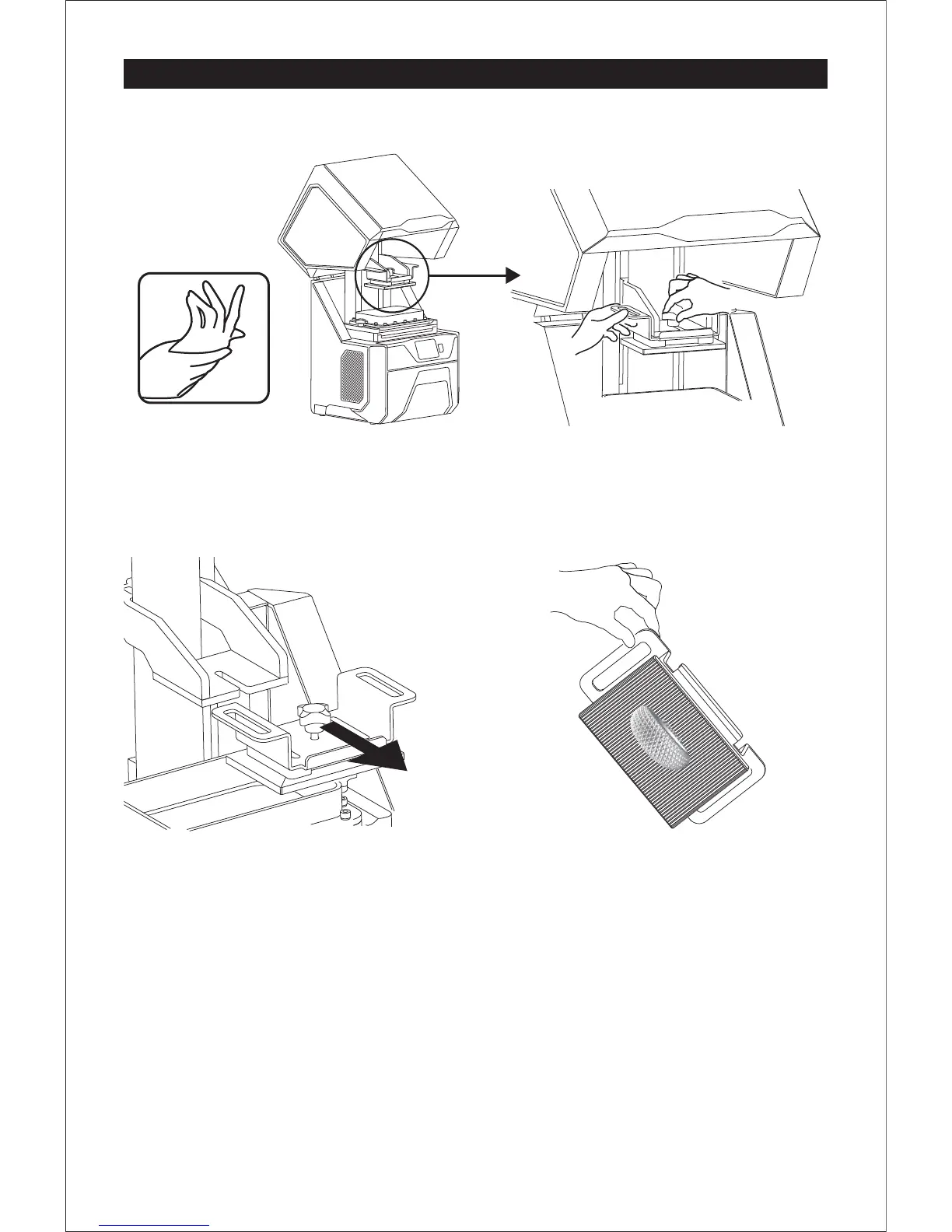
Remove the Build Plate
1. After finishing printing, please put on vinyl
gloves and open the light shield.
2. Hold the build plate and loosen the bolt
until the build plate can move.
3. Carefully remove the build plate horizontally.
4. Hold the build plate on top of the vat for
the residue resin to run out.
09















 To Next Page