16
Optical Slave Triggering – S2 Setting
Optical Slave Triggering - S1 Setting
The Optical Slave triggers the XPLOR to re in tandem at the speed of light, upon
sensing another ash exposure. This helps in creating multiple lighting very simply.
As some ashes have more than one burst, S1 Slave is to be used for non-TTL
strobes producing a single ash for each exposure.
In M manual ash mode, press the <MENU> button to enter C.FN-SLAVE to choose
the S1 function, so that this strobe will re immediately as a slave, or secondary
ash, when the sensor sees another ash re. Use this mode to trigger this ash
with another manual ash, and in an area where no others are doing ash
photography as well. It provides the same eect as that by the use of R2 radio
triggers without the TTL exposure link.
Press the <MENU> button to enter C.FN-SLAVE to choose the S2 function, so that
this ash can also function as an optical slave S2, or secondary ash, for master
ashes in TTL mode. They produce a single “pre-ash” that the S2 Slave setting will
ignore and will only re in response to the second, actual ash exposure, from the
main unit. The S2 slave function provides the same eect as that by the use of R2
radio triggers but without the TTL exposure link. This helps in creating multiple
lighting very simply.
•
S1 and S2 optic triggering is only available in M manual ash mode.
A
t
50%
10 %
t=0.5
t=0.1
•
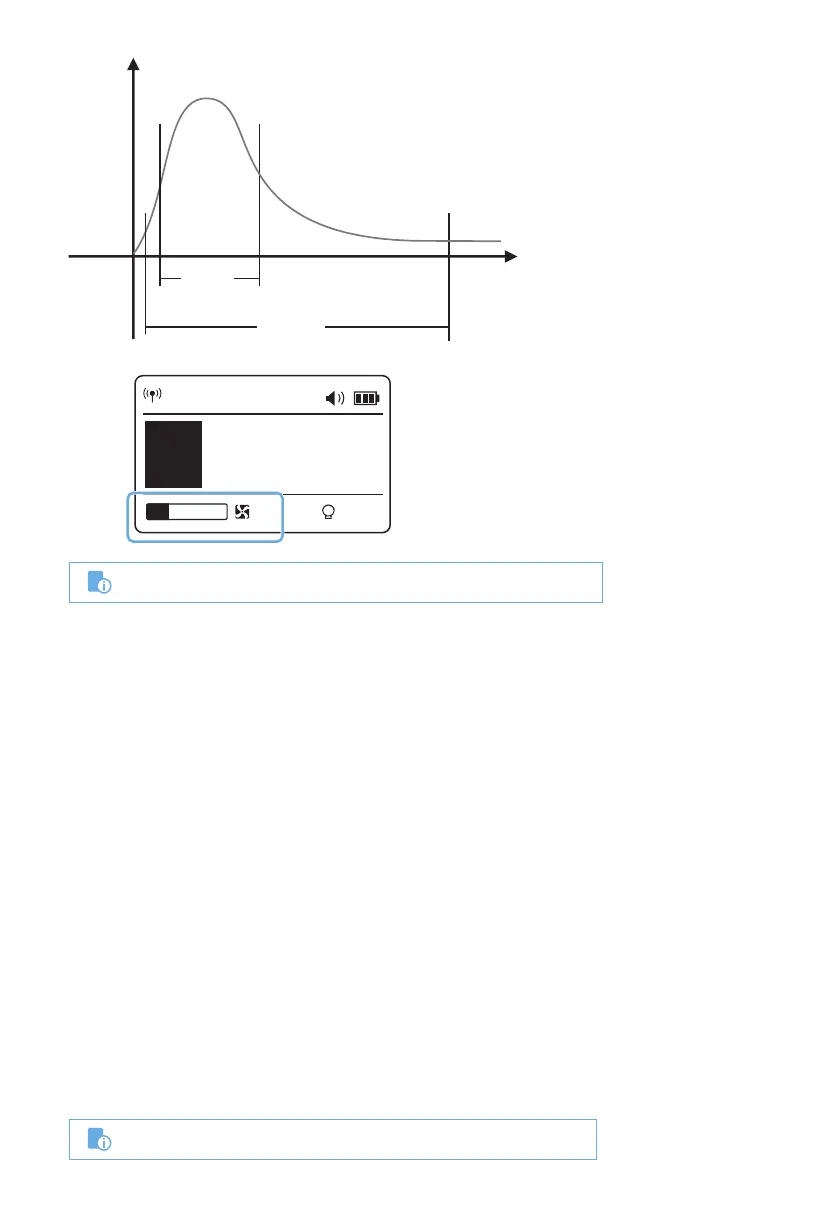
The ash duration will only be displayed on the LCD panel in M mode.
CH 1
M
A
10%
1/256
t.1 1/10100


 To Next Page