20
Masking Feature - Unit/Alt C.Fn
Here’s How to Do It:
1. On the XPLOR 600Pro, go to the Menu button, scroll with the Select Wheel to
Custom Function UNITS feature. You will see 3 values with how many Groups of
lights that can be assigned ring sequence to cycle through: 2 MASK, 3 ALT, or 4 ALT.
2. Make the selection for the Groups.
3. Exit UNITS by rotating the Select Dial and highlight ALT.
4. Now, enter the ALT submenu by pressing the Set button.
5. The ALT value sets to which particular Group this XPLOR is assigned: for example,
1, 2, or 3, displayed as circles corresponding to the number of UNITS selected.
6. Make a designation by highlighting the display number, rotate the Select Wheel to
change the value, and pressing Set to x the selection. The circle related to the
number value darkens with a ‘bolt’ symbol within.
7. Once everything is set, ring rotates through the dened Groups of lights in
sequence. So, “1” UNITS lights re rst, then on the next shot, the “2” UNITS lights
re, and so on.
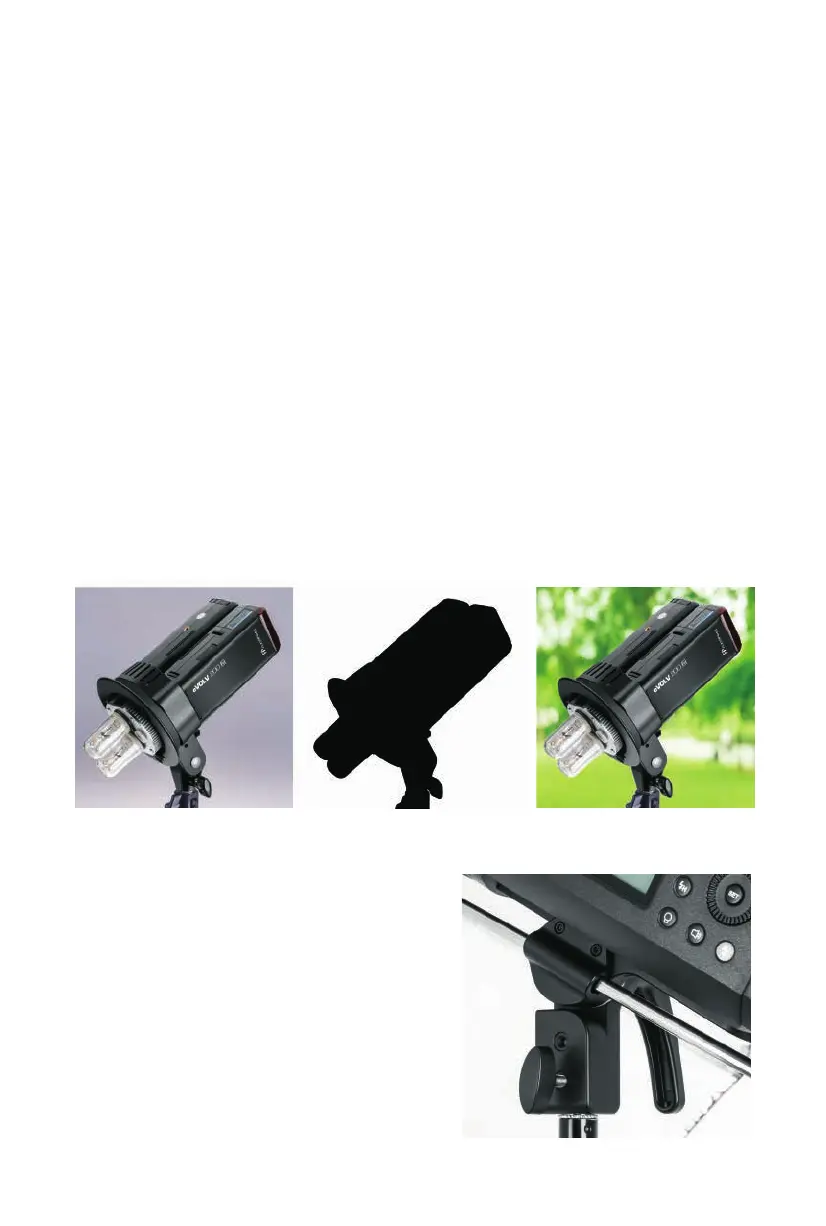
Example with 2 Groups and 3 images combined in layered le:
Shot 1 / Units 1 Group Shot 2 / Units 2 Group Combined Layers in PS
Umbrellas are easily mounted by sliding the
umbrella shaft into the Umbrella holder
located at the top of the Stand Adapter. The
shaft is held rmly in place with a tension
spring device. The umbrella is xed properly
in the clip when the umbrella shaft diameter
is between 7 to 8mm.
Umbrella Mounting


 To Next Page