19
•
For full instructions on the use of R1 series remote control, see its user manual.
Modeling Lamp
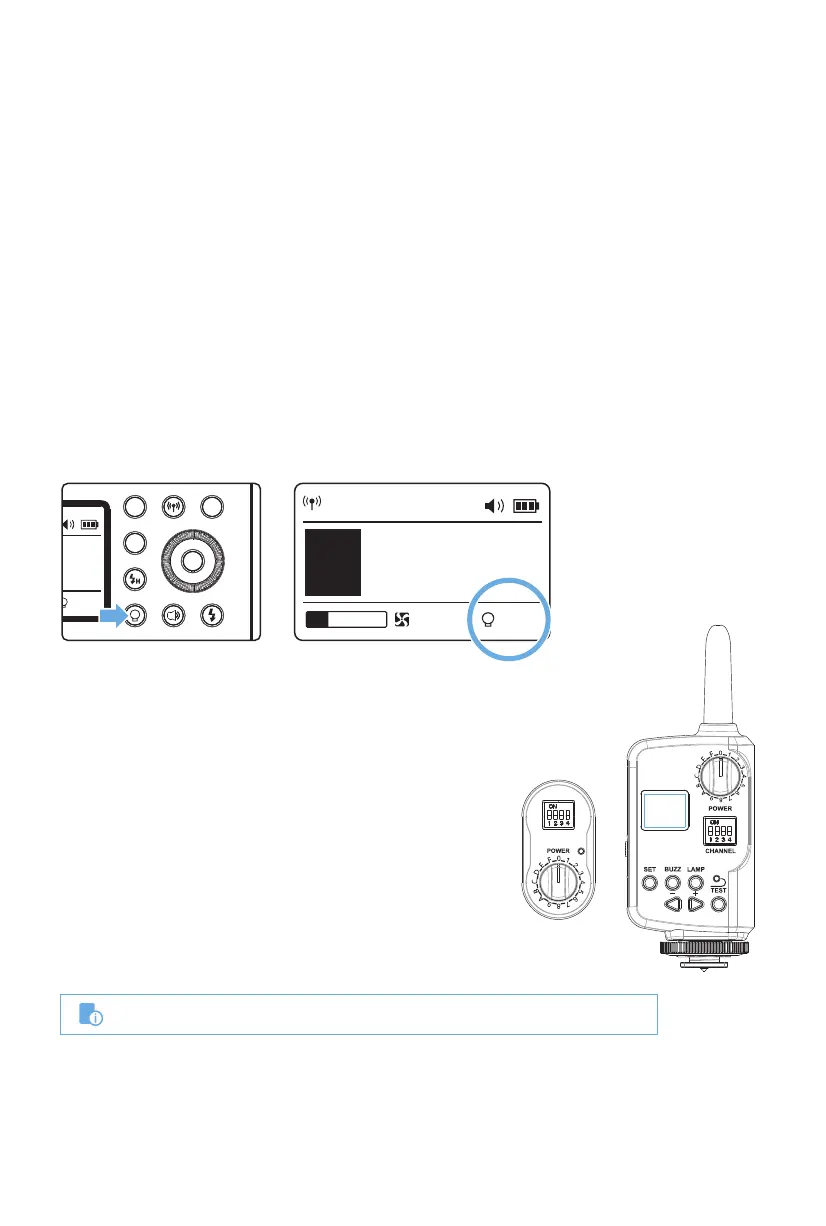
The XPLOR 600Pro is equipped with a brilliant 38W LED modeling lamp which has
three modes: OFF, Percentage and PROP. Short press the Modeling Lamp Button, and
the three modes will be displayed on the LCD panel in sequence.
OFF: the modeling lamp is off.
Variable: Set the brightness you want, from 10%~100%. Long press the Modeling
Lamp Button for 2 seconds to manually adjust the percentage of modeling lamp from
10% to 100%, with the Select Dial. The brightness level is displayed on the LCD panel.
To prevent overheating, the fan rotates at a low speed when the lamp is set to less
than 20%, while a greater than 20% setting, the fan adjusts automatically to cool the
monolight.
PROP: The modeling lamp's power changes in proportion to the flash's power. The
stronger power the flash, the brighter the modeling lamp. To prevent overheating,
the fan rotates in low speed under 1/128, while over 1/128, the fan adjusts automati-
cally to cool the head.
Other Applications
R1 Wireless Control Function
Sync Cord Triggering
This flash unit is designed with an R1 Wireless Control
Port, so that you can wirelessly adjust the power level
of the flash and the flash triggering with a R1 (non R2)
Flashpoint transmitters.
To control the flash wirelessly, you need a R1 remote
control set (Transmitter and Receiver). Insert the
receiver into the Wireless Control Port on the flash and
insert the transmitter into the camera hot shoe.
Settings made on the hotshoe-mounted transmitter
will be wirelessly communicated to the flash. Then you
can press the camera shutter release button to trigger
the flash. You can also hold the transmitter in your
hand to control your off-camera flash.
The Sync Cord Jack is a Φ3.5mm plug. Insert a trigger plug to the port and the other end to
the sync terminal on your camera. While no data is transferred, the flash will be fired in
synchronization with the camera shutter.
• Long press the modeling lamp for 2 seconds to adjust the percentage of
modeling lamp from 10% to100%.
CH 1
M
A
10%
1/256+0.3
t.1 1/10100
CHANNEL


 To Next Page