NIGHT CESSNA LED CONNECTIONS
10
If you have purchased the Night version of the Cessna, this page will cover all LED light connecons. If you did not purchase the night version, skip
ahead to the next page.
In order to power the internal Night LED lights (not wing p or landing lights) you will need to use a seperate 3S Lithium-Polymer baery. We
recommend the Potenza 3S 2200mAh 40C Li-Po (FPZB22003S40). Average current draw for the lighng system is 2.2A/h.
1.
2.
3.
4.
5.
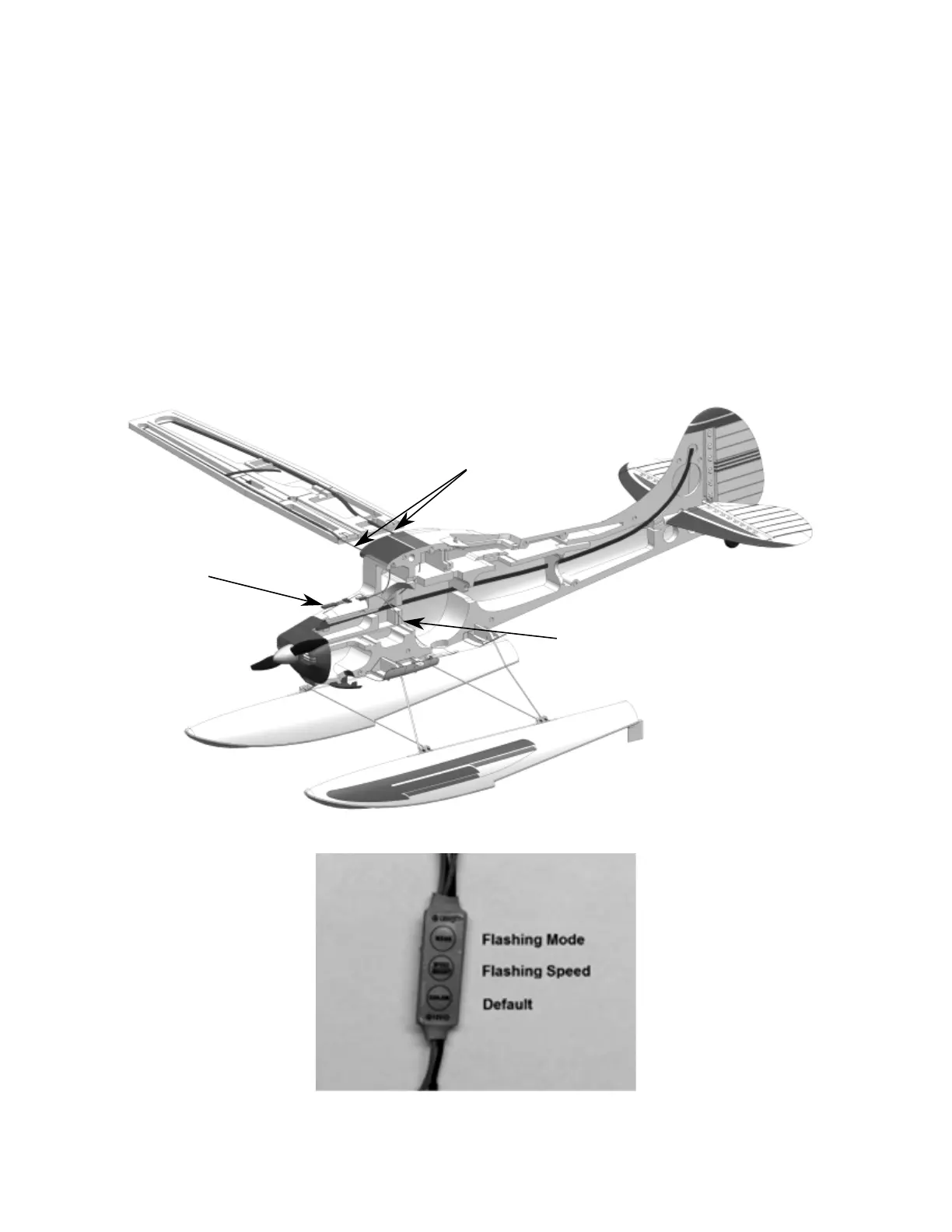
There are two connecons for each wing panel, one at the leading edge, and one at the trailing edge of the wing. Connect the one at the
trailing edge to the installed JST extension. Route the connector at the leading edge through the hole in the fuselage and plug into the LED
controller directly.
If using the oats with lights, connect each JST for the oat set to the LED controller in the fuselage. Route the leads through the cooling hole
in the boom of the fuselage. Secure the wire to the at strut and fuselage using water proof tape.
The fuselage LED strip is pre-connected to the LED controller for you. Should it become disconnected, connect it to one of the four JST
connectors on the LED controller.
Connect the balance tab (JST-XH) of any 3-Cell (12V DC) Li-Po baery (greater than 1300mAh, and 20C) to the balance tab adapter on the LED
controller. When connected, the lights are automacally powered. Turn to the LED lights o, disconnect the baery from the LED controller.
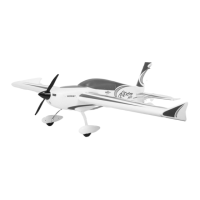
The LED controller defaults to a non-ashing mode. It has dierent ashing modes, and dierent ashing speeds available. Simply select the
speed or mode by pressing the buon(s) on the LED controller unl a desired seng is reached.
LED Controller
Two Wing Connecons
Float Connecon


 To Next Page