CoRe+
TM
Cable management system and pedestal installation guide
15
Positioning the cable clamp
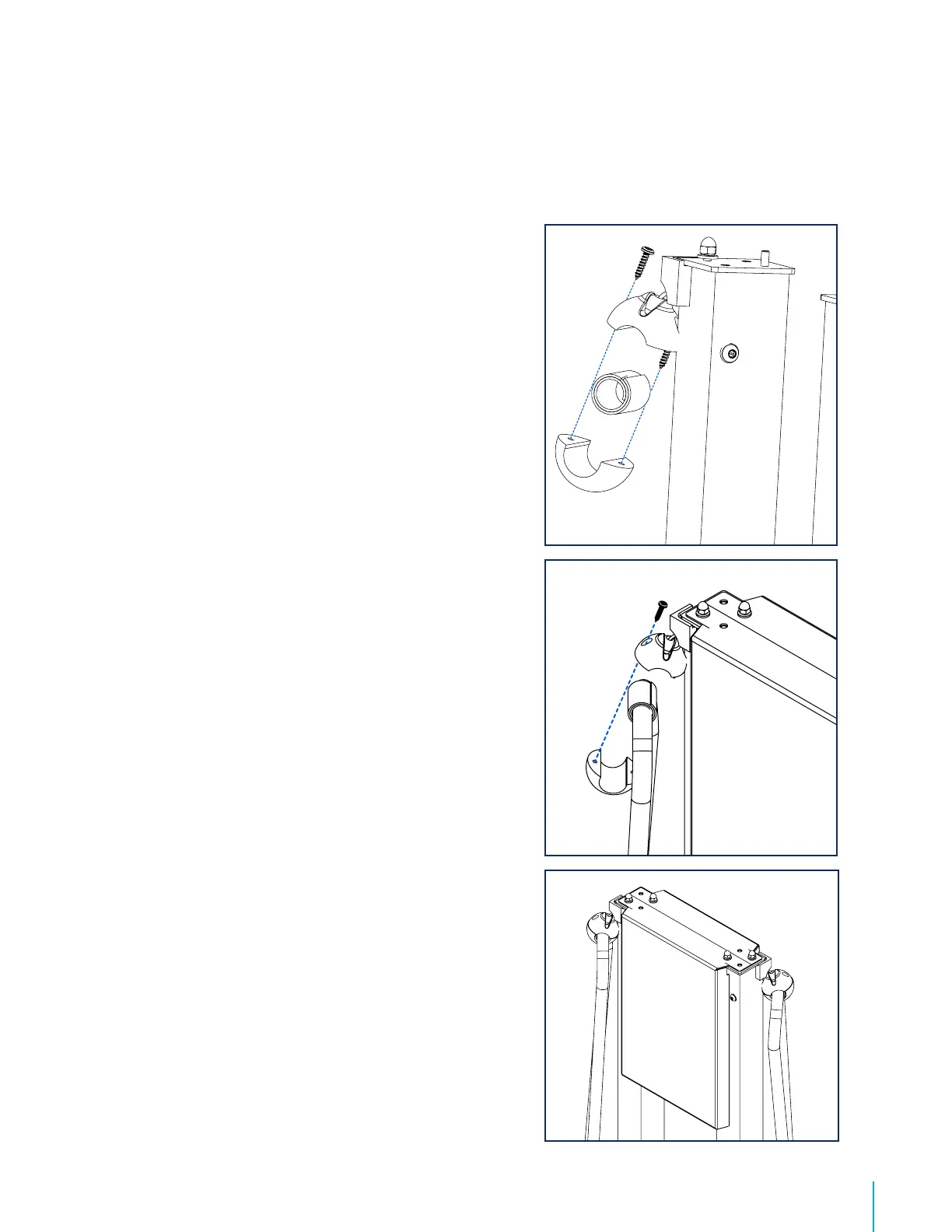
1. Pull on the cable of the Cable management system to
hold the cable clamp in your hand.
2. Remove Torx screws.
3. Determine where to position the charging station cable
clamp.
Recommendation : The cable portion between the clamp
and the charging connector must not touch the ground when
the Cable management system is completely retracted. The
cable should hang about 2.5 in above the ground.
4. Apply the self-adhesive rubber band around the cable for
protection purposes. Set the clamp over the band and
reinsert the screws in it by adjusting the torque of your
tool to 7 in-lb.
5. Let the cable retract itself. Verify the clearing between
the charging station cable and the ground.
6. Roll the cable overhang around the charging station
cable holder.


 To Next Page