CoRe+
TM
Cable management system and pedestal installation guide
16
Positioning the poster panel
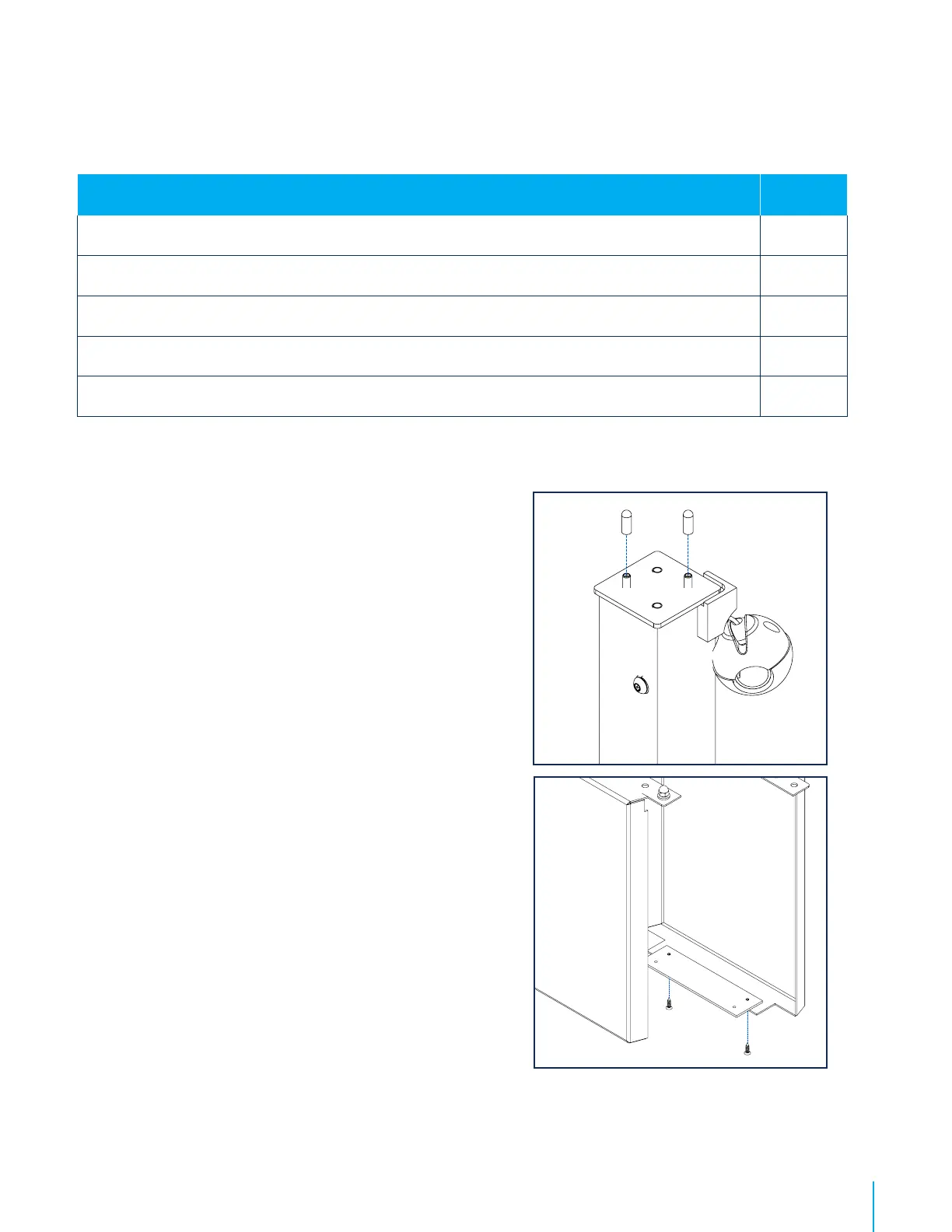
1. The top of the columns has embedded screws with rubber
caps and washers attached to them. Remove them and set
aside.
2. The poster panel is comprised of two parts. Before installing
it, secure the attachment plate to the base of one of the
panels with the screws provided. The plate is placed inside
the panel, and the screws are inserted inwards.
Matériel fourni / Included material Qty / Qté
Poster panel (including two sides)
2
Attachment plate and screws
1
Bolts
4
Washers
4
Rondelle de blocage / Split Lock Washer
4


 To Next Page