REGULATION INSTRUCTIONS
44
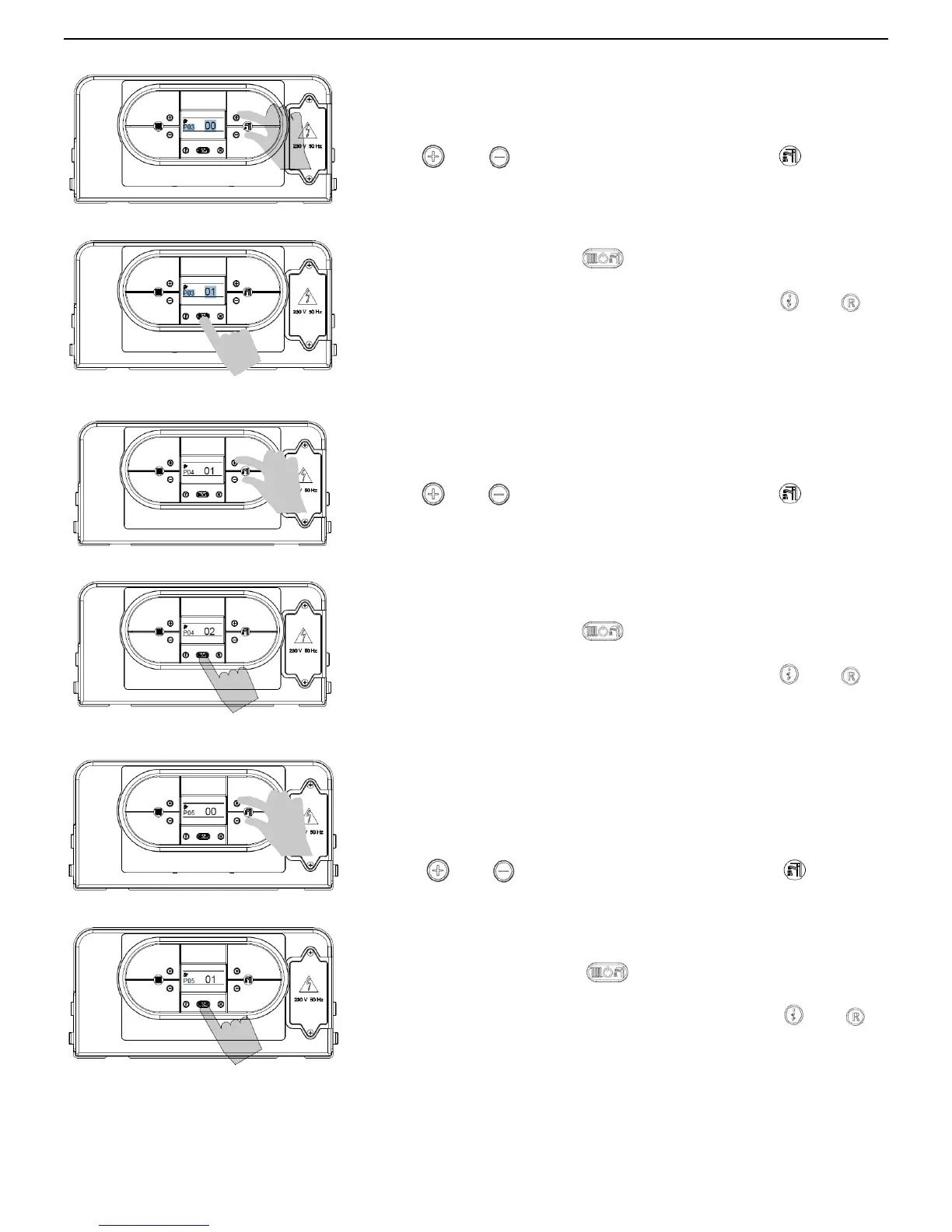
PARAMETER P03 – SETS THE CENTRAL HEATING TEMPERATURE
To enter the parameters menu, follow the previously described procedure
(see paragraph 5.2 ‘Accessing the parameters menu’ - steps 1-4).
5. Use
and buttons (D.H.W temperature setting) to modify
the value of the parameter:
00 = standard (30-80°C)
01 = reduced (25-45°C) for under-floor heating
6. Press mode selection button
to confirm and to render the new
parameter operative.
7. To exit from the parameters menu, press simultaneously
and
buttons.
PARAMETER P04 – HEATING OUTPUT RISING TIME
This parameter is used to set the time the boiler takes to reach the
maximum power set, during the starting up.
To enter the parameters menu, follow the previously described procedure
(see paragraph 5.2 ‘Accessing the parameters menu’ - steps 1-4).
5. Use
and buttons (D.H.W temperature setting) to modify
the value of the parameter:
00 = 0 seconds (disabled)
01 = 50 seconds (default)
02 = 100 seconds
03 = 200 seconds
04 = 400 seconds
6. Press mode selection button
to confirm and to render the new
parameter operative.
7. To exit from the parameters menu, press simultaneously
and
buttons.
PARAMETER P05 – WATER HAMMER PREVENTION FUNCTION
Activating this function, the D.H.W contact is delayed for 2 seconds
.
To enter the parameters menu, follow the previously described
procedure (see paragraph 5.2 ‘Accessing the parameters menu’ -
steps 1-4)
.
5. Use and buttons (D.H.W temperature setting) to modify
the value of the parameter:
00 = Off
01 = On
6. Press mode selection button
to confirm and to render the new
parameter operative.
7. To exit from the parameters menu, press simultaneously
and
buttons.



 To Next Page