REGULATION INSTRUCTIONS
43
5.2 Setting the parameters
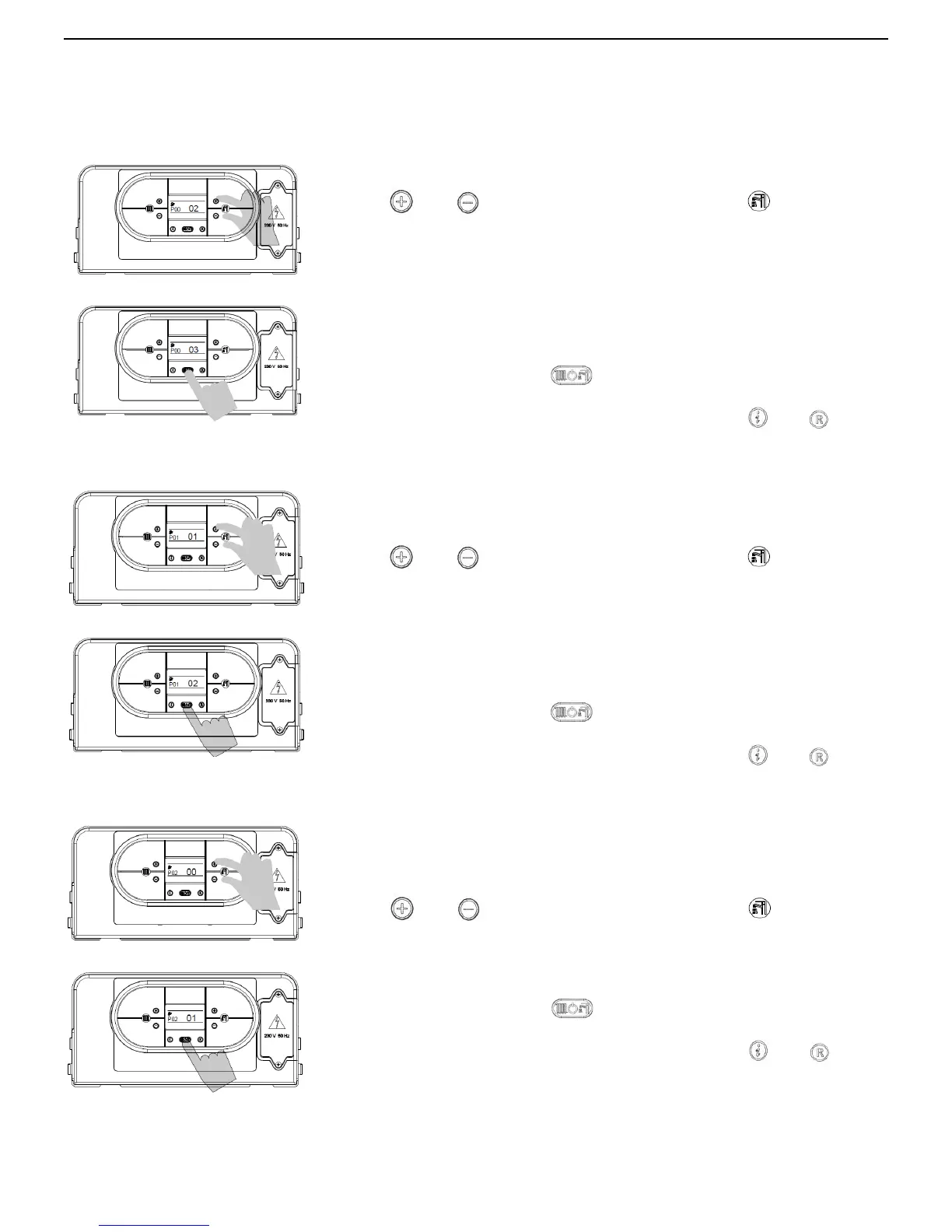
PARAMETER P00 – SELECTS THE MODEL OF BOILER
To enter the parameters menu, follow the previously described procedure (see
paragraph 5.2 ‘Accessing the parameters menu’ - steps 1-4).
5. Use
and buttons (D.H.W temperature setting) to modify the
value of the parameter:
00 = (do not use)
01 = (do not use)
02 = Flowmax 90
03 = (do not use)
04 = Flowmax 120
05 = Flowmax 170
06 = (do not use)
6. Press mode selection button
to confirm and to render the new
parameter operative.
7. To exit from the parameters menu, press simultaneously
and
buttons.
PARAMETER P01 – SELECTS THE TYPE OF BOILER
To enter the parameters menu, follow the previously described
procedure (see paragraph 5.2 ‘Accessing the parameters menu’ -
steps 1-4).
5. Use
and buttons (D.H.W temperature setting) to modify the
value of the parameter:
00 = (do not use)
01 = Instantaneous w/ secondary DHW Plate exchanger
02 = storage cylinder boiler
03 = (do not use)
04 = Instantaneous Comfort Mode w/ preheat function
05= (do not use)
6. Press mode selection button
to confirm and to render the new
parameter operative.
7. To exit from the parameters menu, press simultaneously
and
buttons.
PARAMETER P02 – SELECTS THE TYPE OF GAS SUPPLY
To enter the parameters menu, follow the previously described
procedure (see paragraph 5.2 ‘Accessing the parameters menu’ -
steps 1-4).
5. Use
and buttons (D.H.W temperature setting) to modify the
value of the parameter:
00 = Natural Gas
01 = LPG
02 = G25 (do not use)
6. Press mode selection button to confirm and to render the new
parameter operative.
7. To exit from the parameters menu, press simultaneously
and
buttons.



 To Next Page