REGULATION INSTRUCTIONS
47
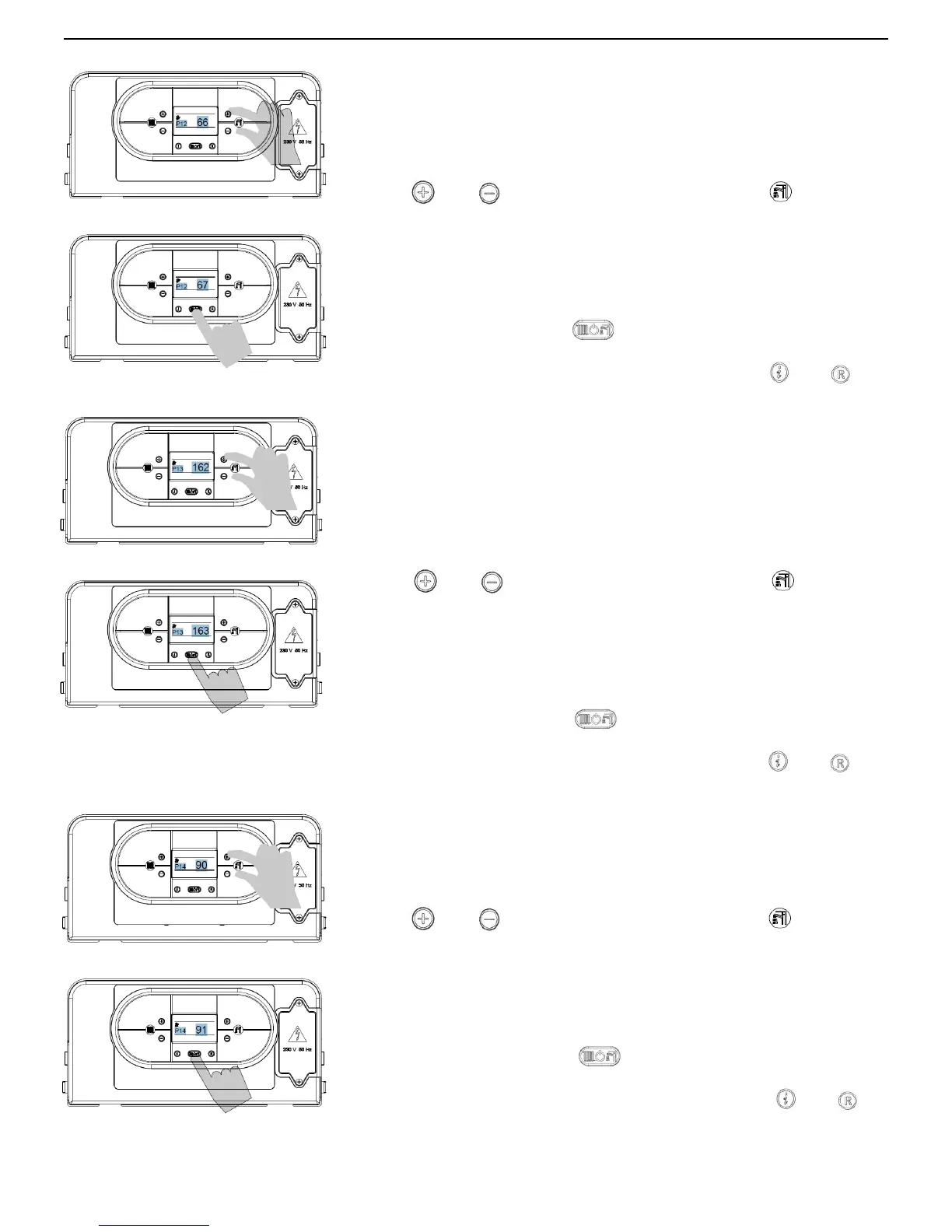
PARAMETER P12 – SETS THE MINIMUM FAN SPEED (CENTRAL
HEATING)
This parameter is used to set the minimum fan speed in heating mode, which
corresponds to the minimum burner output during a heating mode request.
To enter the parameters menu, follow the previously described procedure
(see paragraph 5.2 ‘Accessing the parameters menu’ - steps 1-4).
5. Use
and buttons (D.H.W temperature setting) to modify
the value of the parameter within the prescribed limits (displayed in Hertz):
66 Hz Ng / 60 Hz Lp – Flowmax 90
55 Hz Ng / 52 Hz Lp – Flowmax 120
60 Hz Ng / 60 Hz Lp – Flowmax 170
The default value is set according to the output value set in Parameter P00.
6. Press mode selection button
to confirm and to render the new
parameter operative.
7. To exit from the parameters menu, press simultaneously
and
buttons.
PARAMETER P13 – SETS THE MAXIMUM FAN SPEED (CENTRAL
HEATING)
This parameter is used to set the maximum fan speed in heating mode,
which corresponds to the maximum burner output during a heating mode
request [see paragraph 5.5 Heating output (kW) – Fan frequency (Hz)
diagram].
To enter the parameters menu, follow the previously described procedure
(see paragraph 5.2 ‘Accessing the parameters menu’ - steps 1-4).
5. Use
and buttons (D.H.W temperature setting) to modify
the value of the parameter within the prescribed limits (displayed in Hertz):
162 Hz Ng / 149 Hz Lp – Flowmax 90
164 Hz Ng / 155 Hz Lp – Flowmax 120
155 Hz Ng / 143 Hz Lp – Flowmax 170
The default value is set according to the output value set in Parameter P00
6. Press mode selection button
to confirm and to render the new
parameter operative.
7. To exit from the parameters menu, press simultaneously
and
buttons.
PARAMETER P14 – SETS THE IGNITION SEQUENCE
This parameter is used to set the fan speed during the starting up of the
boiler.
To enter the parameters menu, follow the previously described procedure
(see paragraph 5.2 ‘Accessing the parameters menu’ – steps 1-4).
5. Use
and buttons (D.H.W temperature setting) to modify
the value of the parameter within the prescribed limits (displayed in Hertz):
90 Hz Ng / 110 Hz Lp – Flowmax 90
110 Hz Ng / 130 Hz Lp – Flowmax 120
90 Hz Ng / 110 Hz Lp – Flowmax 170
The default value is set according to the output value set in Parameter P00.
6. Press mode selection button
to confirm and to render the new
parameter operative.
7. To exit from the parameters menu, press simultaneously
and
buttons.


 To Next Page