Slicing software
4
Flsun V400 , Amazing Speed!
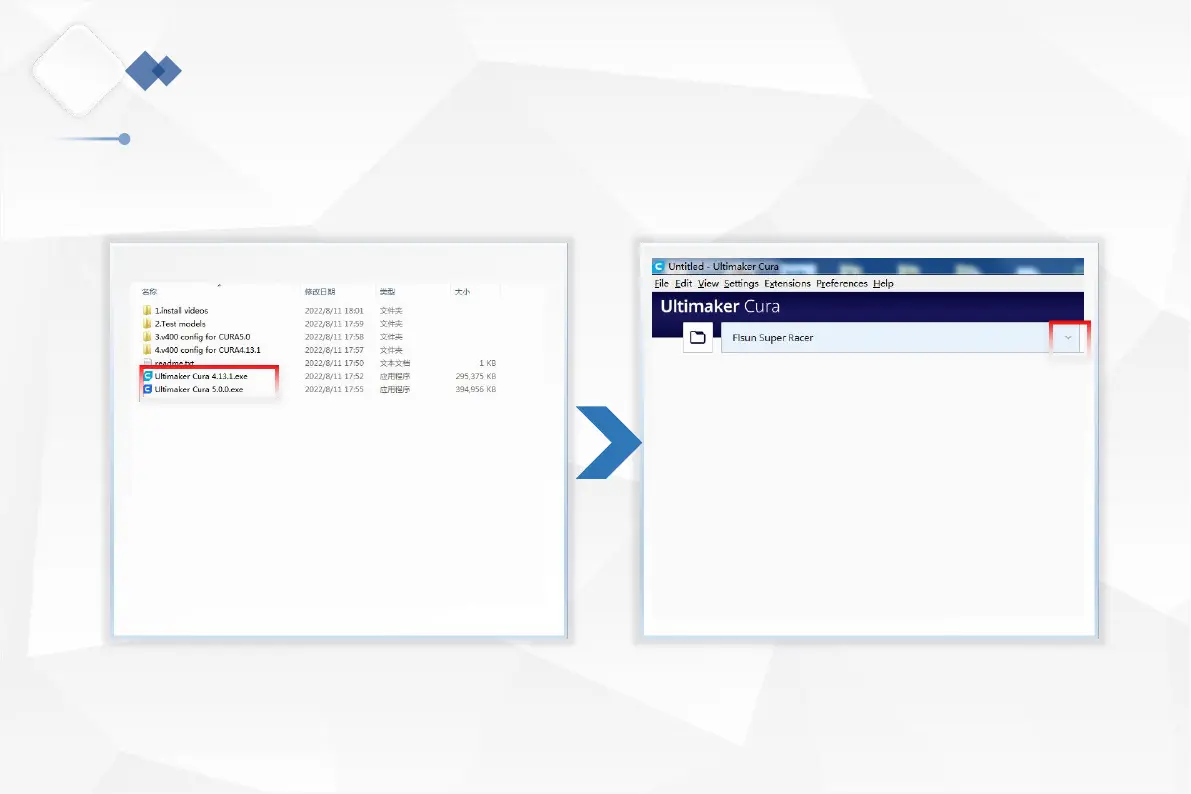
4.2 Install Cura
1.Open the U disk in the Gift Parts List, click "Ultimaker Cura
4.13.1.exe(recommended) or "Ultimaker Cura5.0.0.exe", and
install it according to the installation instructions.
2.Open Cura and click the drop-down arrow in the box.
24
If you have not installed Cura, follow the prompts to install Cura. The installation package has been saved to a U Disk drive. And
follow the steps below to add the printer.


 To Next Page