Using Memory, PC and Printer
Documenting Screens
7
89
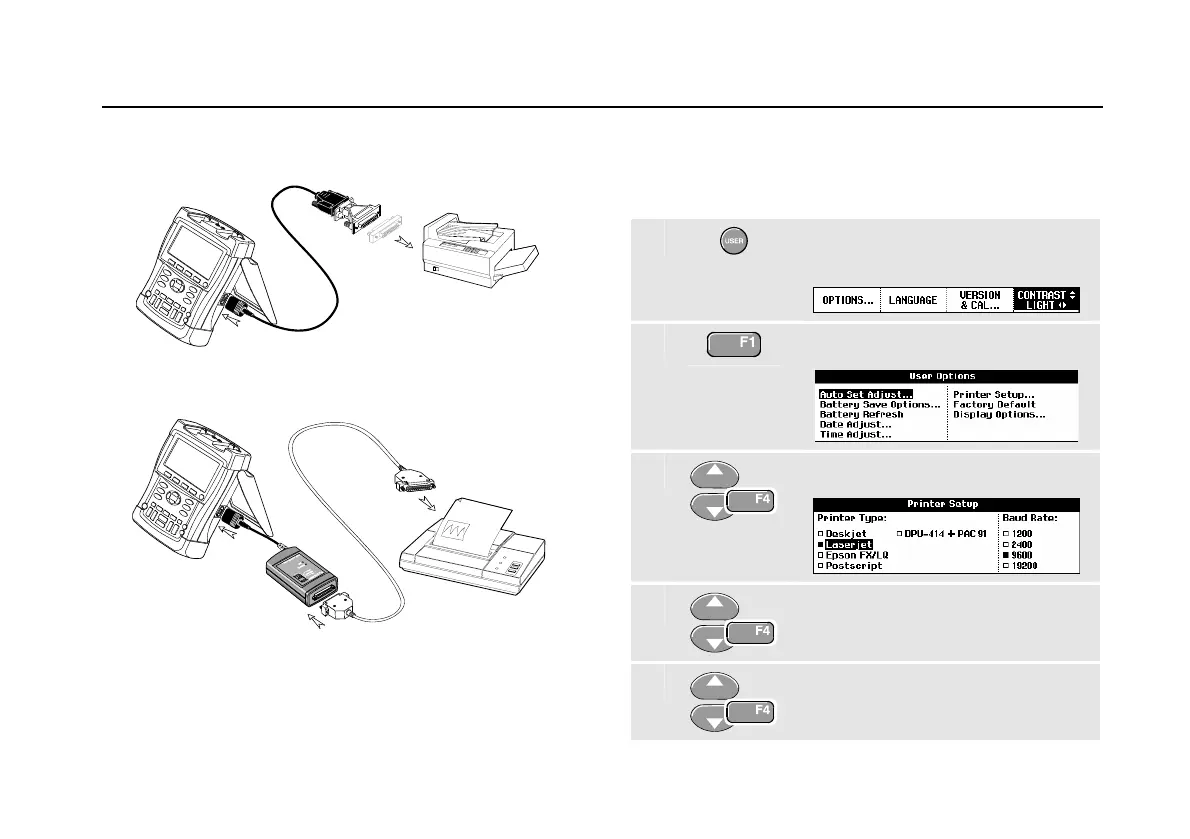
Figure 49. Connecting a Serial Printer
Figure 50. Connecting a Parallel Printer
Setting up the Printing Configuration
This example demonstrates how to set up the test tool for
printing on a postscript printer with a 9600 baud rate:
1
Display the USER OPTIONS key
labels.
2
Open the User Options menu.
3
Open the Printer Setup submenu.
4
Select Postscript and jump to
Baud Rate.
5
Select a baud rate of 9600 and
return to normal mode.






 To Next Page