Fluke 19xC-2x5C
Users Manual
68
Reading the Screen
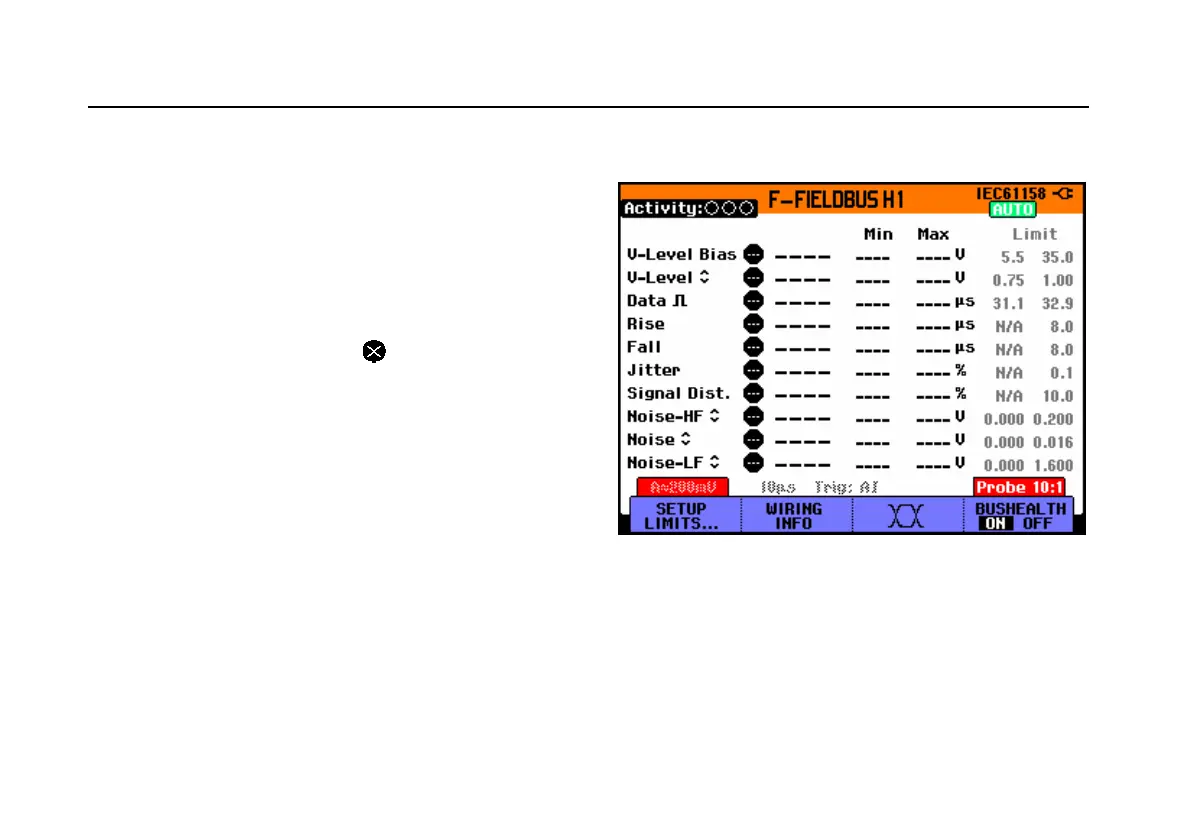
The bus test screen (see the example Figure 35 ) shows
the status of the various signal properties.
Information is represented in five columns:
A. signal property that is being tested, for example
V-Level Bias. See page
70 for a description of the
tested signal properties for each bus.
B. status indicator, for example . See Table 1 for a
description of the indicators.
C. most recent measurement value, for example 3.5.
--- indicates that no reading is available
OL indicates that the signal is out of the
measurement range (overload)
D. Min Max : the lowest and highest measured value
E. Limit: used low (left) and high (right) test limits, for
example 18.5 31.6V.
LIMIT * the * indicates that one or more of the
limits are not set to the default value!
N/A indicates that limit does Not Apply to this
bus type.
The F1…F4 function key labels are explained in
Table 2.
Figure 35. Field Bus Test Screen Example
B C D E






 To Next Page