Maintenance
General Cleaning
6
6-5
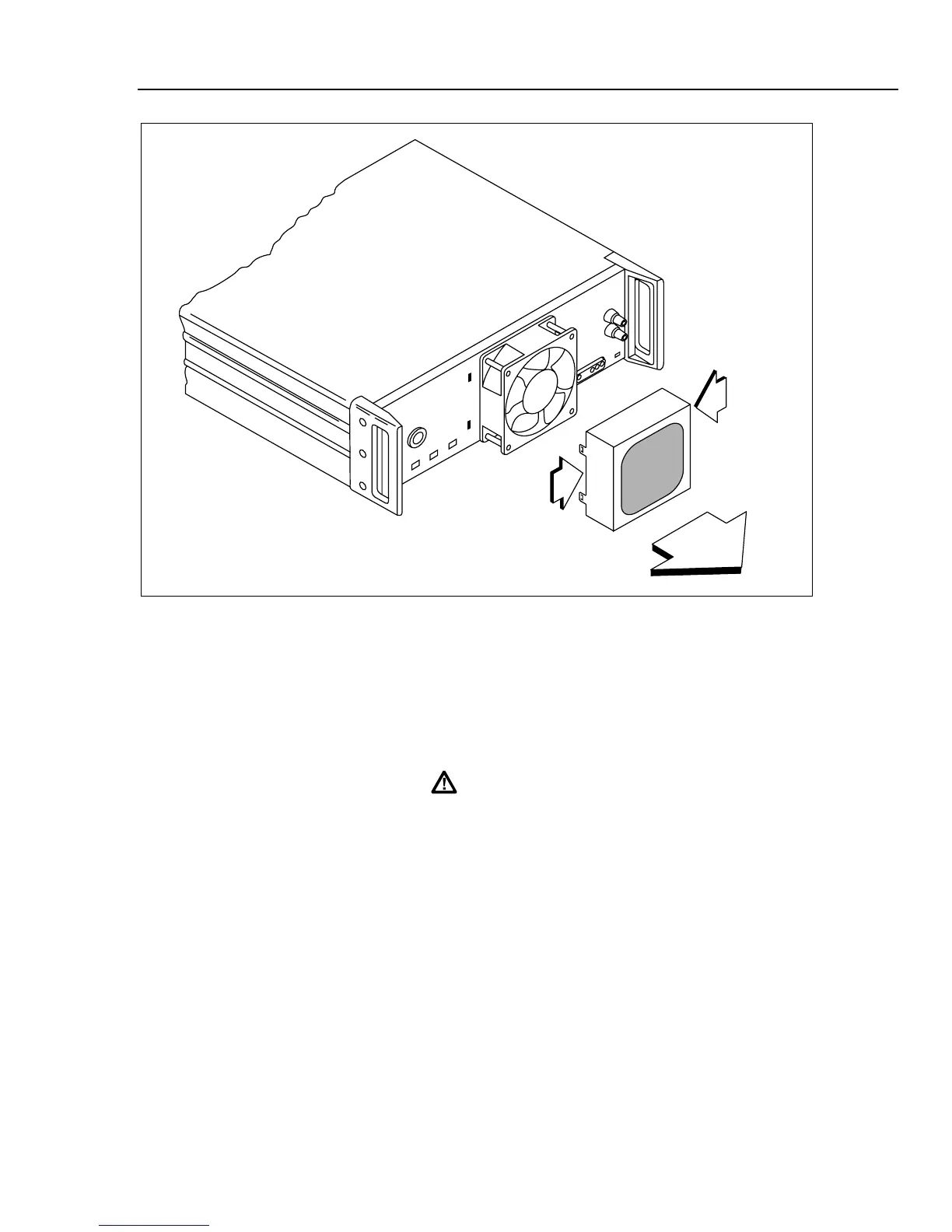
aq14f.eps
Figure 6-2. Accessing the Air Filter
6-4. General Cleaning
To keep the 5725A looking like new, clean the case, front panel, and rear panel using a
soft cloth slightly dampened with water or a non-abrasive mild cleaning solution that
does not harm plastics.
Caution
Do not use aromatic hydrocarbons or chlorinated solvents for
cleaning. They can damage the plastic materials used in the
amplifier.
6-5. Cleaning PCA’s
Printed circuit assemblies only need cleaning after repair work. After soldering on a pca,
remove flux residue using isopropyl alcohol and a cotton swab.



 To Next Page