5725A
Instruction Manual
2-6
2-6. Connecting to the 5700A Calibrator
Proceed as follows to connect the 5725A to the 5700A:
1. Turn the power off for both instruments and disconnect their line power cords.
2. Connect either end of the interface cable to the 5725A connector labeled 5700A.
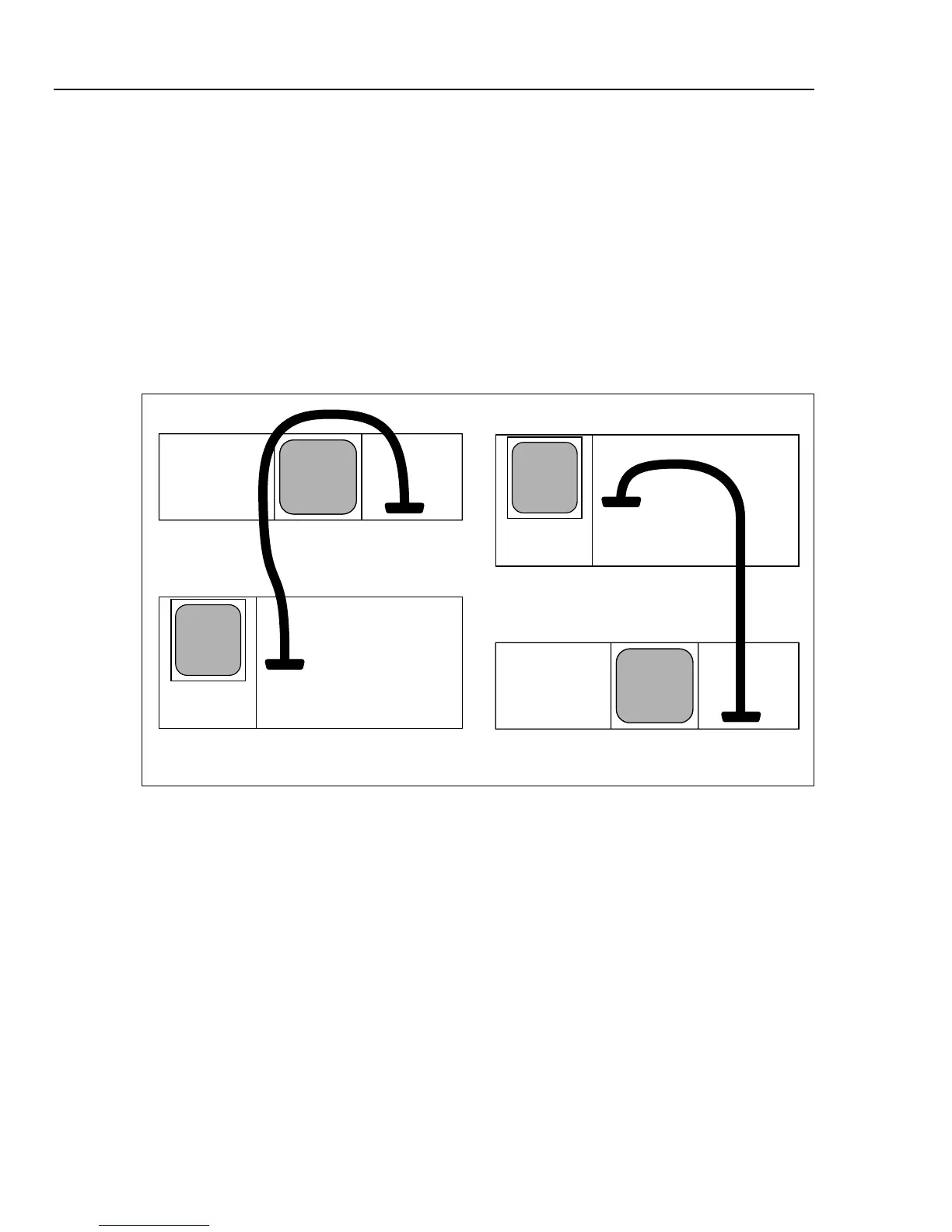
Dress the cable only as Figure 2-2 shows. The figure shows how to dress the cable in
installation arrangements with the 5725A on top or bottom.
3. Connect the other end to the 5700A connector labeled 5725A.
The 5700A/5725A interface cable provides all the digital and analog control signals for
the amplifier, and it provides conductors to route amplified voltage to the 5700A
OUTPUT binding posts.
5700A
5725A
5700A
5725A
5725A
AMPLIFIER
5700A
CALIBRATOR
5700A
CALIBRATOR
5725A
AMPLIFIER
aq3f.eps
Figure 2-2. Correct Way to Dress Interface Cable



 To Next Page