7008
Users Guide
4-2
Fill the bath tank with an appropriate liquid. For operation at moderate bath
temperatures, clean distilled water works well. Carefully pour the fluid into the
bath tank through the large rectangular access hole above the tank avoiding
spilling any fluid. The fluid must not exceed a height of 3/4 inch below the bottom
of the bath lid.
The control probe must be inserted through the lid into the bath and plugged into
the socket at the back of the bath.
4.3 Power
Plug the bath power cord into a mains outlet of the proper voltage, frequency,
and current capability. See the specifications on page 9 for power requirements.
Set the “HEATER” switch on the front panel to position “LOW” and turn the bath
on using the front panel “POWER” switch. The bath will turn on and begin to heat
or cool to reach the previously programmed temperature set point. The front
panel LED display will indicate the actual bath temperature.
4.4 Setting the Temperature
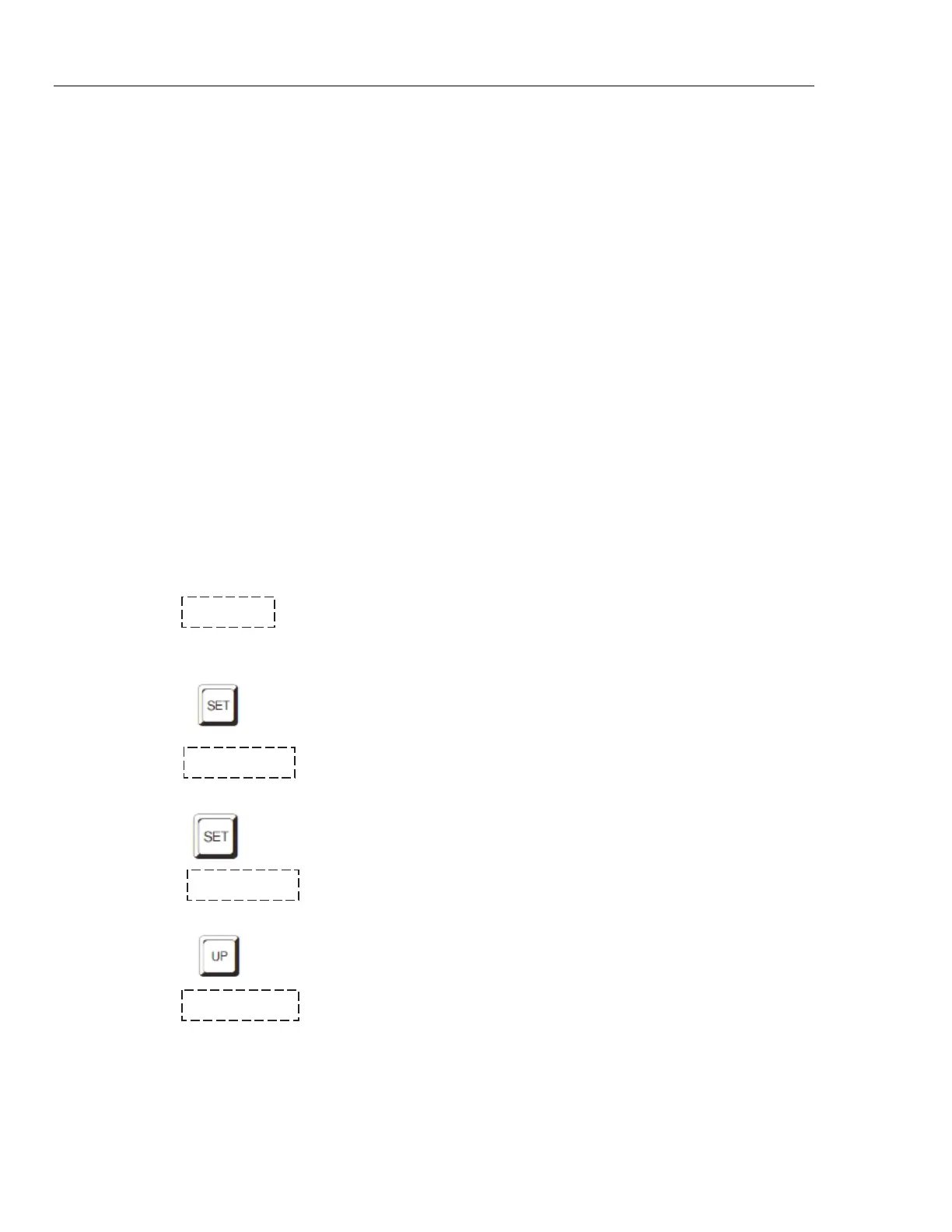
In the following discussion a button icon with the word SET, UP, EXIT or DOWN
indicates the panel button while the dotted box indicates the display reading.
Explanation of the button or display reading is to the right of each button or
display value.
To view or set the bath temperature set-point proceed as follows. The front panel
LED display normally shows the actual bath temperature.
24.68 C Bath temperature display
When “SET” is pressed the display will show the set-point memory that is
currently being used and its value. Eight set-point memories are available.
Access set-point selection
1. 25.0 Set-point 1, 25.0 °C currently used
Press “SET” to select this memory and access the set-point value.
Access set-point value
C 25.00 Current value of set-point 1, 25.00 °C
Press “UP” or “DOWN” to change the set-point value.
Increment display
C 30.00 New set-point value



 To Next Page