Website
9
4.OperationInstructions
4.1PowerOn
•
•
•
4.2Binding
Notes:
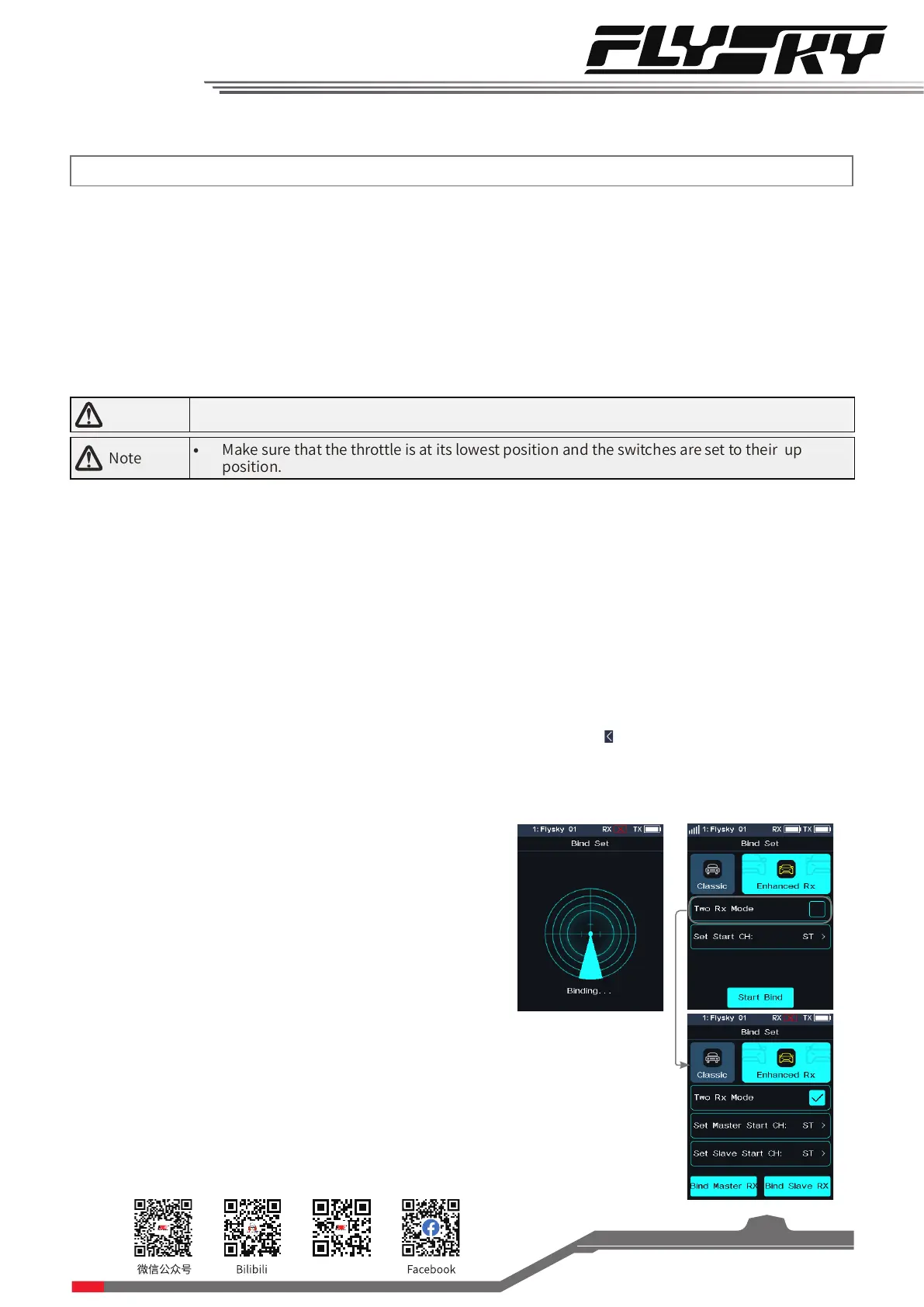
1. Receivers equipped with AFHDS 3 protocol come in classic edition and enhanced edition. Models of classic edition:
FGr4, FGr4S, FGr4P, FTr4, FTr10 and FTr16S (there will be pop-up menus). Models of enhanced edition: FGr4B,
FGr8B, FGr12B, FTr8B, FTr12B, GMr and TMr.
2. When AFHDS 3 2 way is selected for RF standard: The receiver LED is solid on if binding is successful, and the
transmitter automatically exits the bind interface. When AFHDS 3 1 way is selected for RF standard: The receiver
LED ashes slowly if binding is successful. Exit the bind interface by clicking
.
3. User needs to choose between classic and enhanced editions when binding.
4. When there is a stable two-way communication established between the transmitter and the receiver,
the transmitter recognizes the receiver as a non FLYSKY receiver, the system will prompt and interrupt the
communication.
Notes:
1. If the enhanced receiver is selected, you can choose the [Two
receiver mode] in this interface. The default is single receiver
mode. In this mode, you have only to set the start channel and
click [Start Bind] to enter binding state. In dual receiver mode,
you need to tick the dual receiver mode rst, set the start



 To Next Page