Quick Start
- FS-T1001 Media Recorder
6
Mounting and Dismounting the FS-T1001
For a complete list of cameras compatible with the FS-T1001, visit the
FS-T1001 product page at www.focusinfo.com.
FS-T1001 is designed to mount to cameras that have an HD-SDI output,
V-lock battery plate, and a Sony accessory dock mount.
Mounting on a Camera
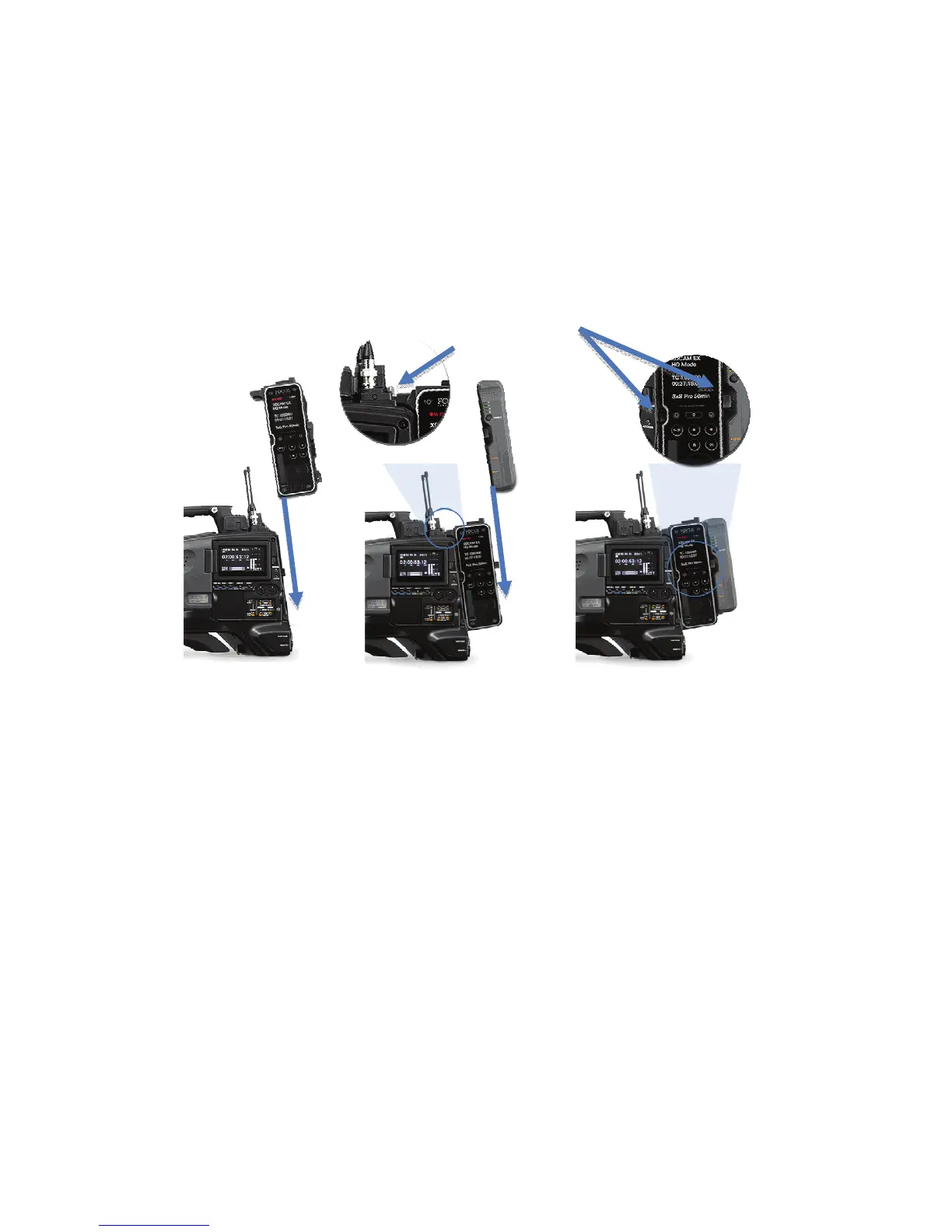
To mount FS-T1001 to a camera:
1. Make certain that both the camera and FS-T1001 are
powered off.
2. Disconnect the power cable to the camera.
3. Set the camera on a sturdy surface.
4. Orientate the FS-T1001 front side (OLED display side)
with the inner side of the camera: typically this is the
side with the viewfinder and controls.
5. Slide the FS-T1001 into the V-lock mount on the
camera.
The dock mount arm on FS-T1001 should align with
camera’s dock mount. The FS-T1001 locks into the
V-lock plate.
6. Once inserted, tighten the two docking thumbscrews on
the accessory dock. Be careful not to over tighten.
7. Attach a V-lock battery to the rear of FS-T1001.
The battery locks into place.
5
6
7
V-lock Release Levers



 To Next Page