Quick Start
FS-T1001 Media Recorder -
11
The FS-T1001 Menu Controls
FS-T1001 Menu System
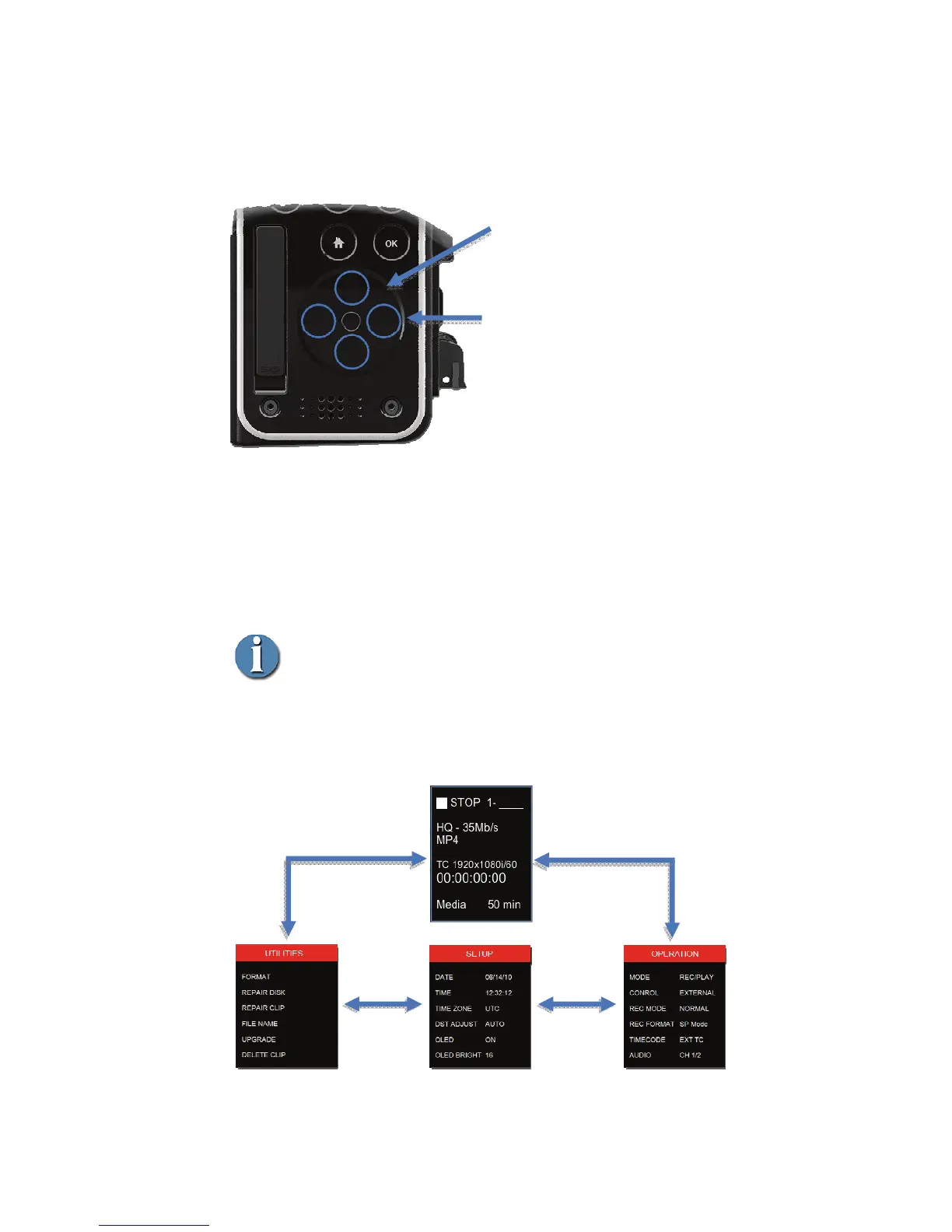
FS-T1001 has three separate menus that are organized in a loop
along with the home screen. The menus are
OPERATION, SETUP
and UTILITIES.
Going From Menu to Menu
It is necessary to have the top of a particular menu highlighted
in order to move to the next menu. It is not possible to go to
another top-level menu if a menu option is highlighted.
Menu Tree
Menu Control Spots
To enter the FS-T1001 menu, press on the 3
or 9 o'clock positions on the
FS-T1001 scroll pad for about 1/2 second.
To move between the menus, continue to
press on either the 3 or 9 o'clock points.
Use the FS-T1001 touch scroll pad to move
UP and DOWN in a menu or
increase/decrease field Values.
Scroll-pad
Use to move between a menu’s options or
increase/decrease values in a field.



 To Next Page