14
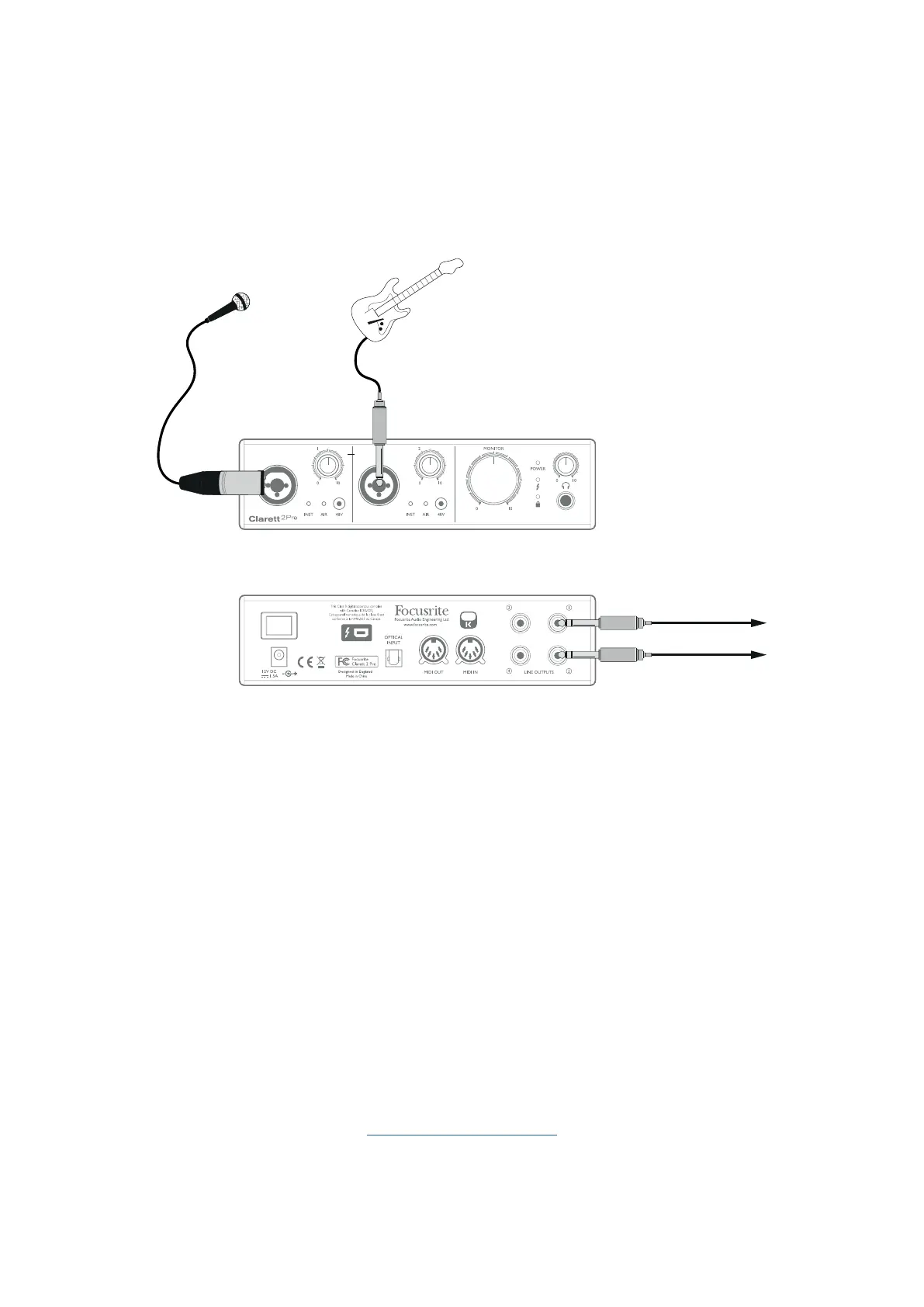
3. Using the Clarett 2Pre as an on-stage mic pre-amp
The Clarett 2Pre automatically stores any mix conguration dened in Focusrite Control within the
hardware. This feature lets you congure it – for example, as an on-stage mic pre-amp for one or
two mics, or for a mic and a guitar – using your computer, and then save the conguration to the
device itself. Then you can use the Clarett 2Pre as a compact stage pre-amp, with the advantage of
Focusrite’s renowned analogue sonic quality.
To FOH Mixer
In the example above, a mic and a guitar are connected to the inputs of the Clarett 2Pre;
Outputs 1 and 2 go to the main PA system. You can adjust the volume of the mic and guitar separately
from the front panel.
4. Loopback Recording
Focusrite Control’s Loopback feature lets you record other audio sources from within your computer
(e.g., the audio output from a web browser). Loopback uses the Clarett’s “virtual” inputs, which have
no physical connectors on the hardware interface itself, but may be selected in the DAW as signal
sources for recording.
By routing DAW 1 and 2 to your Loopback mix in Focusrite Control, when you select the Loopback
output as the recording source on a mono or stereo DAW track, you can record from another software
application into your DAW. Note that your computer will assign DAW 1 and DAW 2 as the default
sound output channels.
For instructions on how to use the Loopback recording function, please see the Focusrite Control
Clarett User Guide available from:
focusrite.com/downloads














 To Next Page